


Tournaments and teams
How to invite a team or a player, and answer their requests
Invite a team to your tournament, or a player to your team. They join when they say yes.
Who can do this
Invite a team, or approve a team: the tournament owner or a Manager.
Invite a player, or approve a player: the team owner, a co-owner or a team admin.
Answer an invite: the team's owner, co-owner or admin (for a team). The player (for a player).
Before you start
You are signed in to the CricoScore app.
Your phone has internet. Invites need it.
Invite a team to your tournament
Open your tournament. Tap the Teams tab. Tap Add teams.
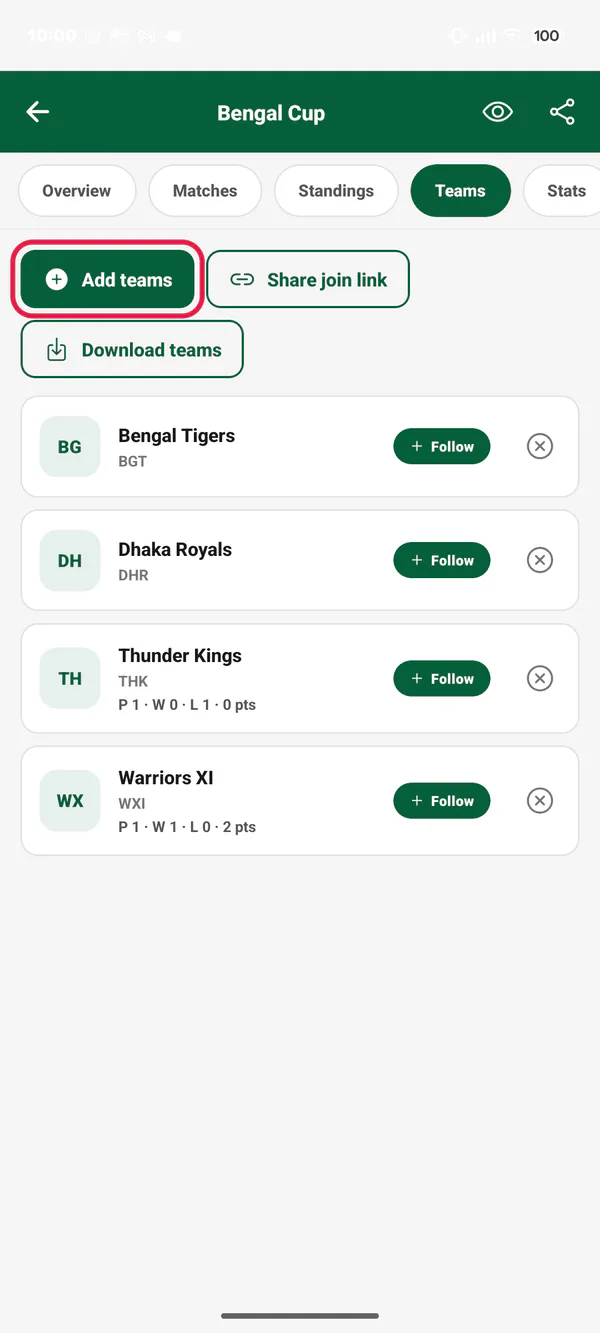
Picture 1. Tap or click to see it bigger. Type the team's name in the search box. Tap the team to tick it.
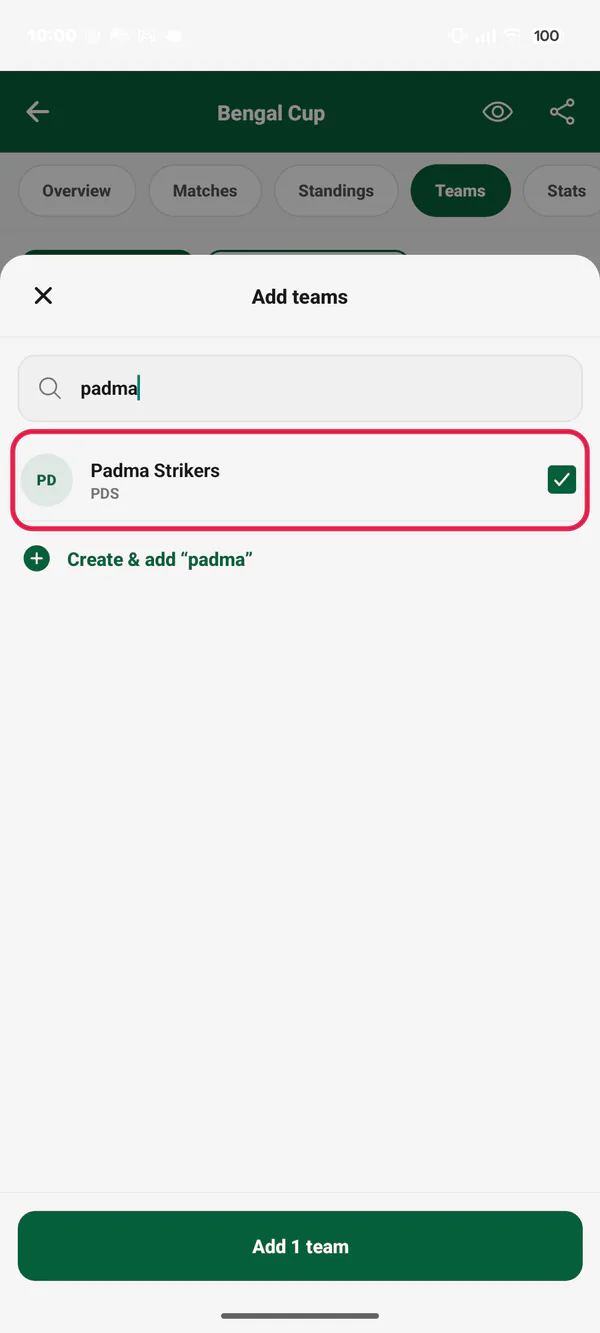
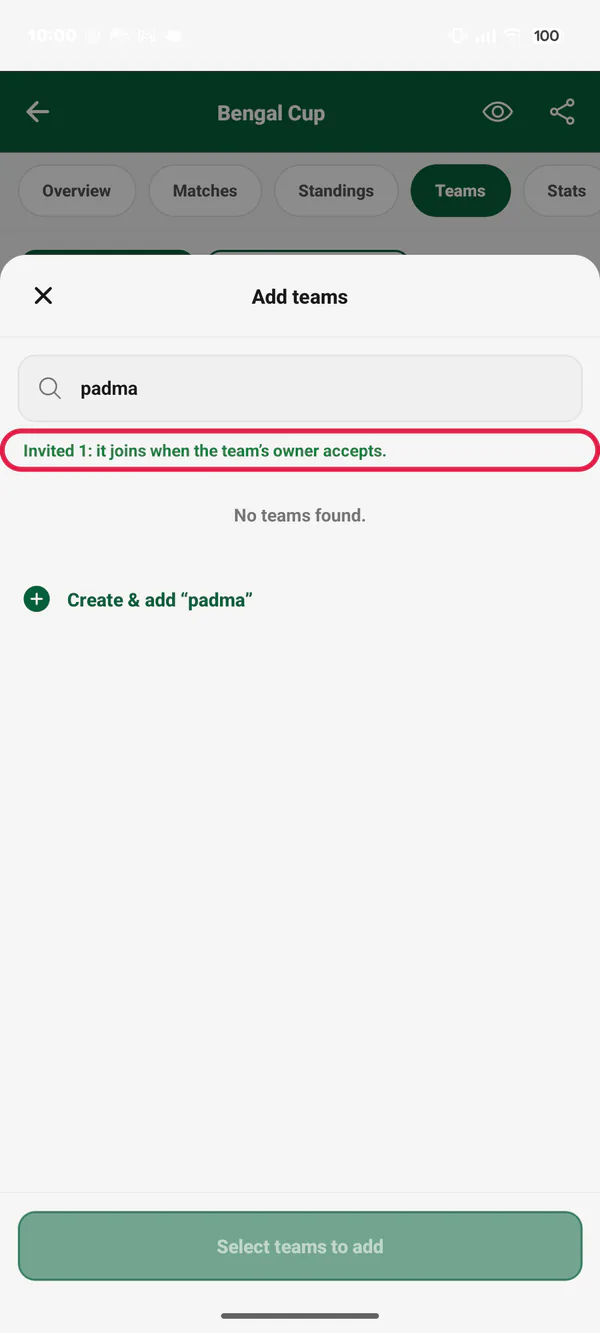
Picture 2. Tap or click to see it bigger. Tap Add 1 team (the number changes). The sheet says "Invited 1: it joins when the team's owner accepts."
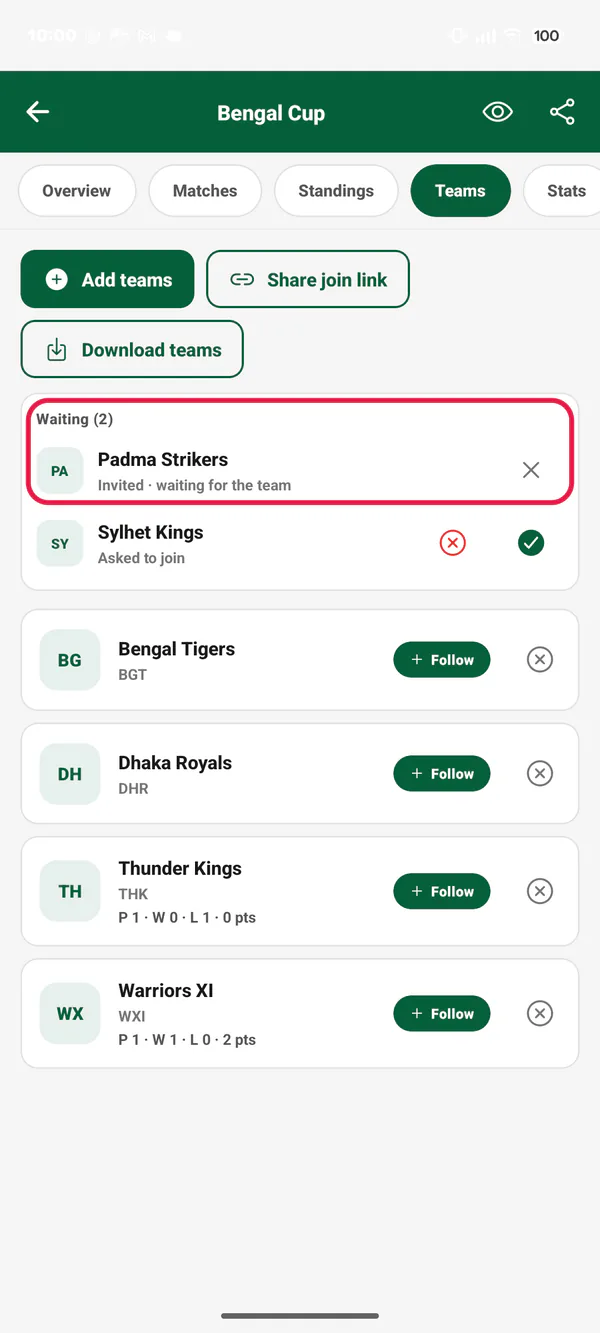
Picture 3. Tap or click to see it bigger. Close the sheet. The team is under Waiting with "Invited · waiting for the team".
Picture 4. Tap or click to see it bigger.
To cancel an invite, tap the ✕ next to the team. Tap Cancel invite.
Invite a player to your team
Open your team's squad (see How to create a team and manage its squad).
Tap Registered player. Search for the player. Tap Add next to them.
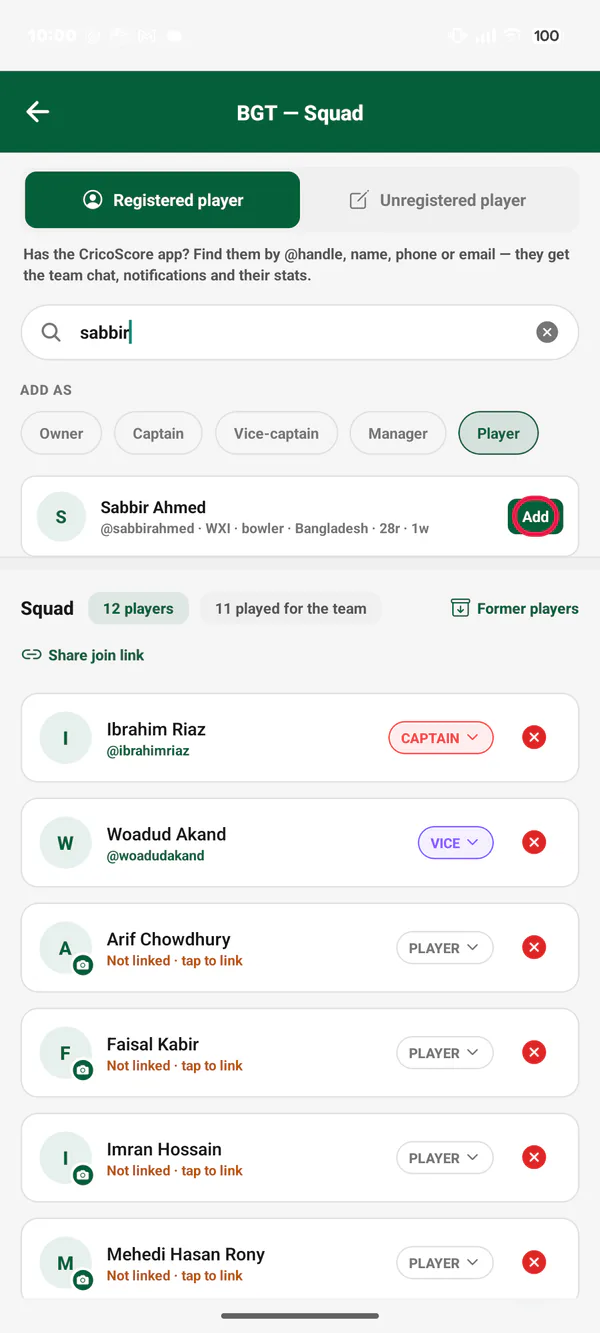
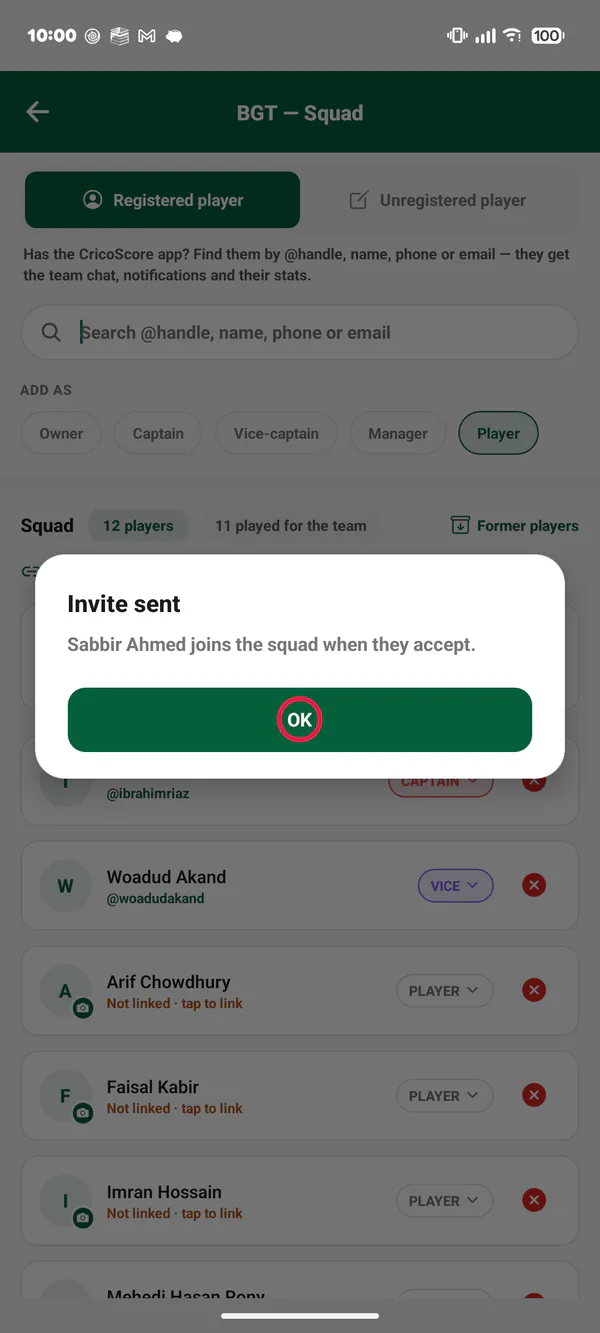
Picture 5. Tap or click to see it bigger. The app says Invite sent. The player joins the squad when they accept.
Picture 6. Tap or click to see it bigger. Under the squad's title, Waiting shows the player with "Invited · waiting for the player".
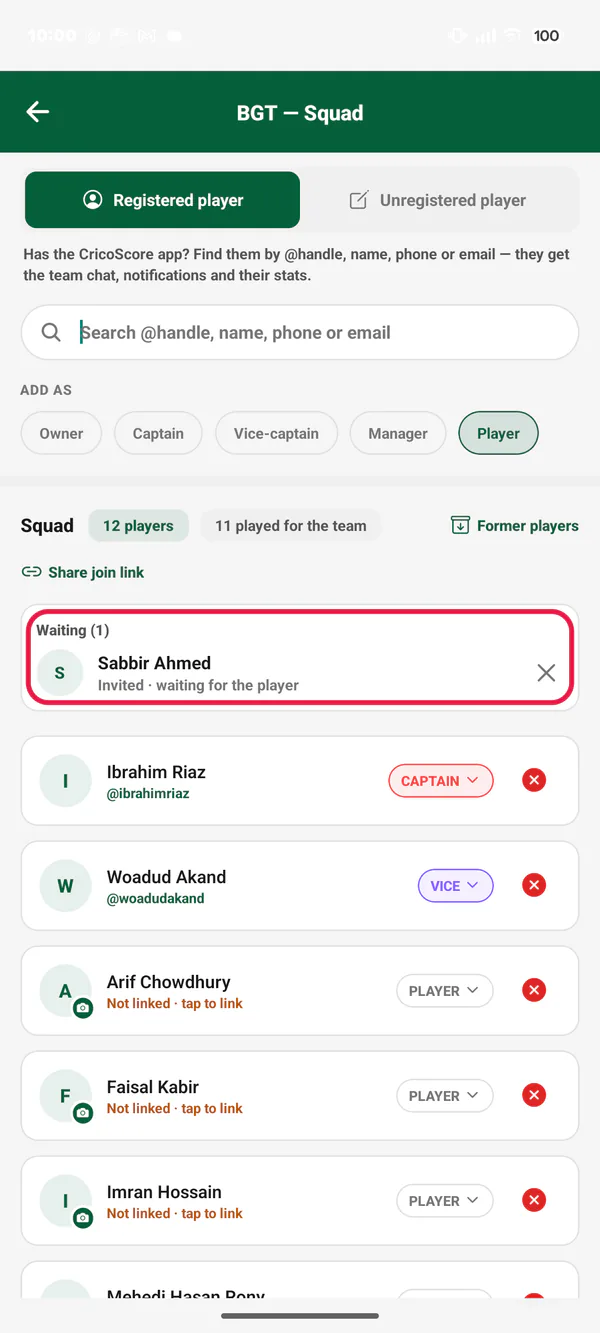
Picture 7. Tap or click to see it bigger.
Share a join link
A join link lets teams (or players) ask to join. You approve each one.
Tournament: on the Teams tab, tap Share join link. Team: on the squad screen, tap Share join link.
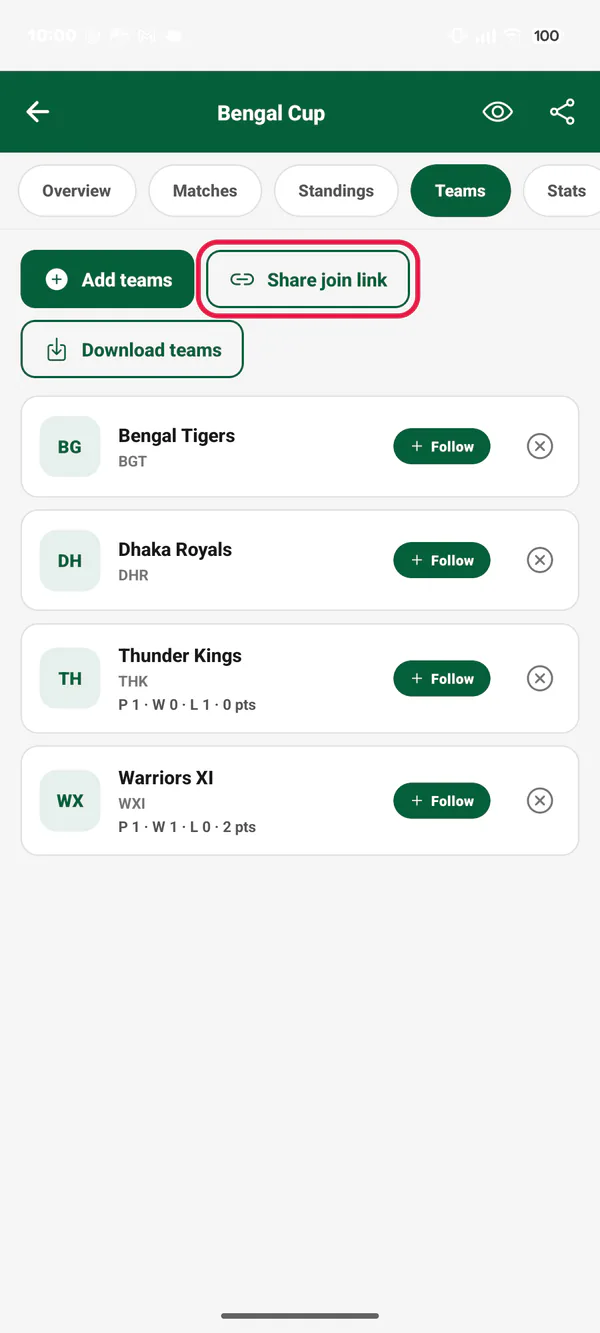
Picture 8. Tap or click to see it bigger. Choose WhatsApp, Messenger or another app. Send the link.
When someone asks, you get a notice. They show under Waiting with "Asked to join".
Tap the green ✓ to approve. Tap the red ✕ to reject.
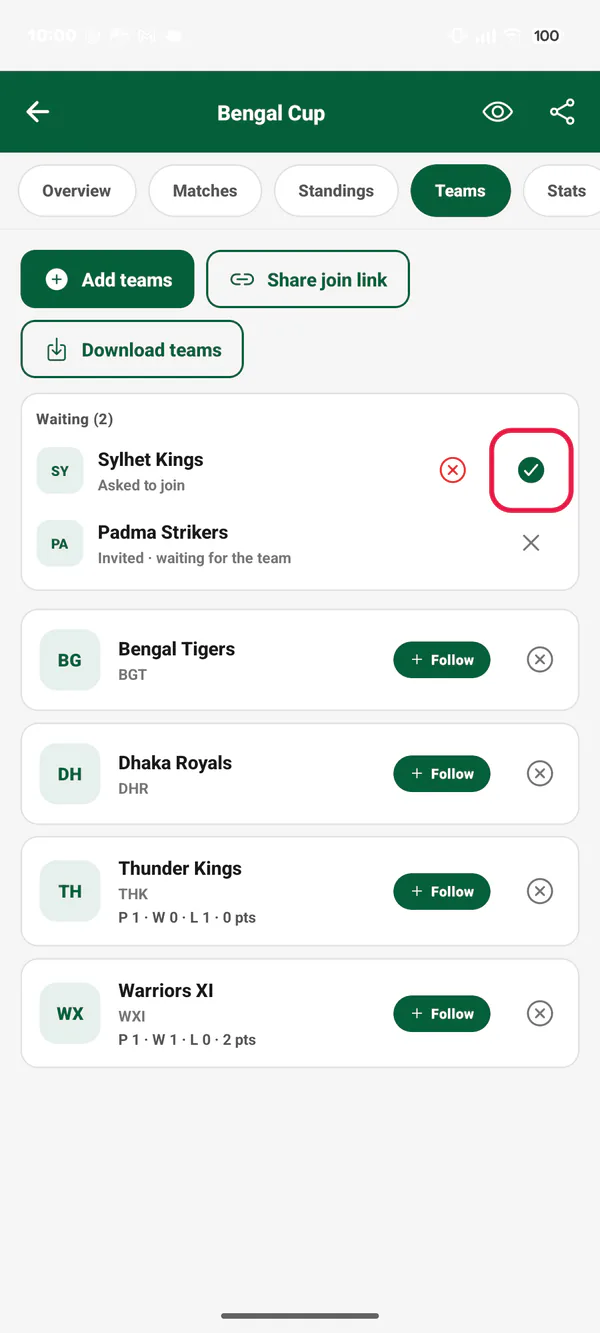
Picture 9. Tap or click to see it bigger.
Answer an invite or a request
Tap the notice, for example Tournament invite or Team invite. Or open My Cricket and tap Requests (a red number shows how many wait).
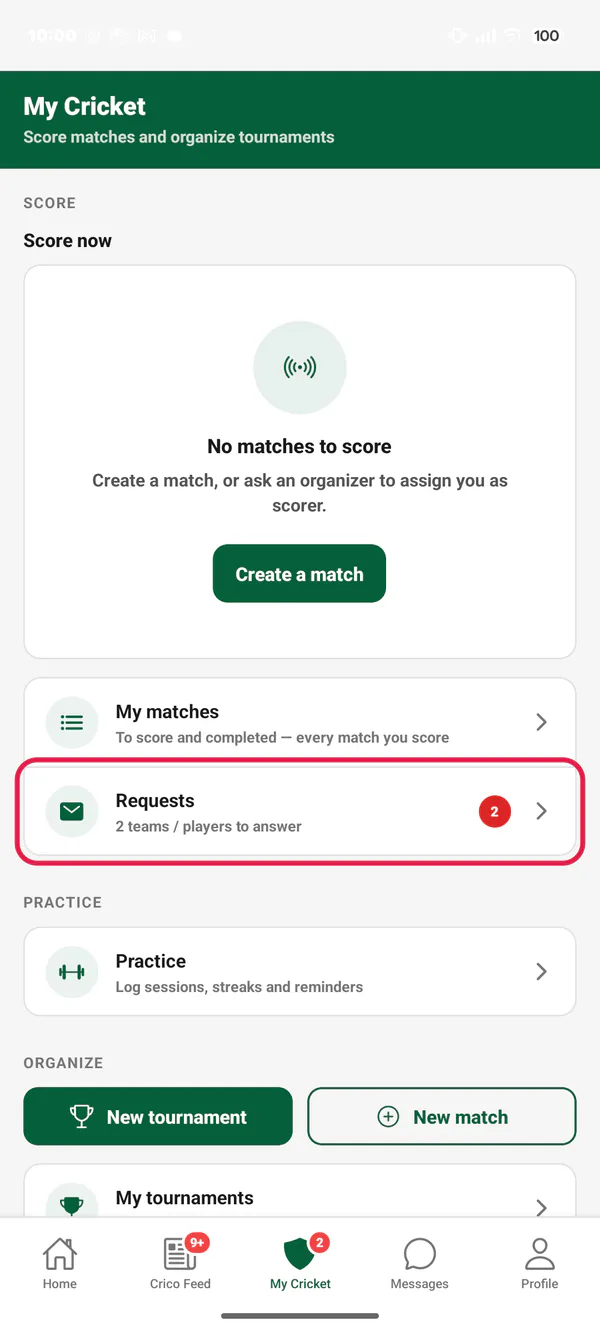
Picture 10. Tap or click to see it bigger. Tap the Teams tab. Received shows what waits for your answer.
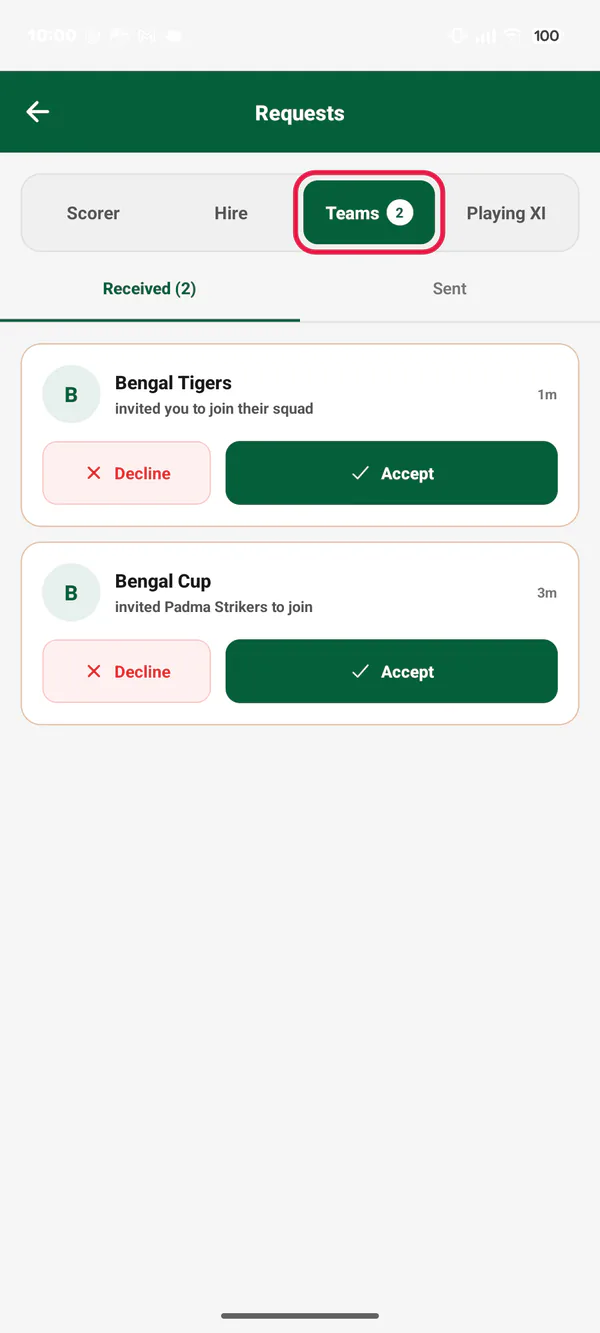
Picture 11. Tap or click to see it bigger. Tap Accept or Decline. The other side gets a notice.
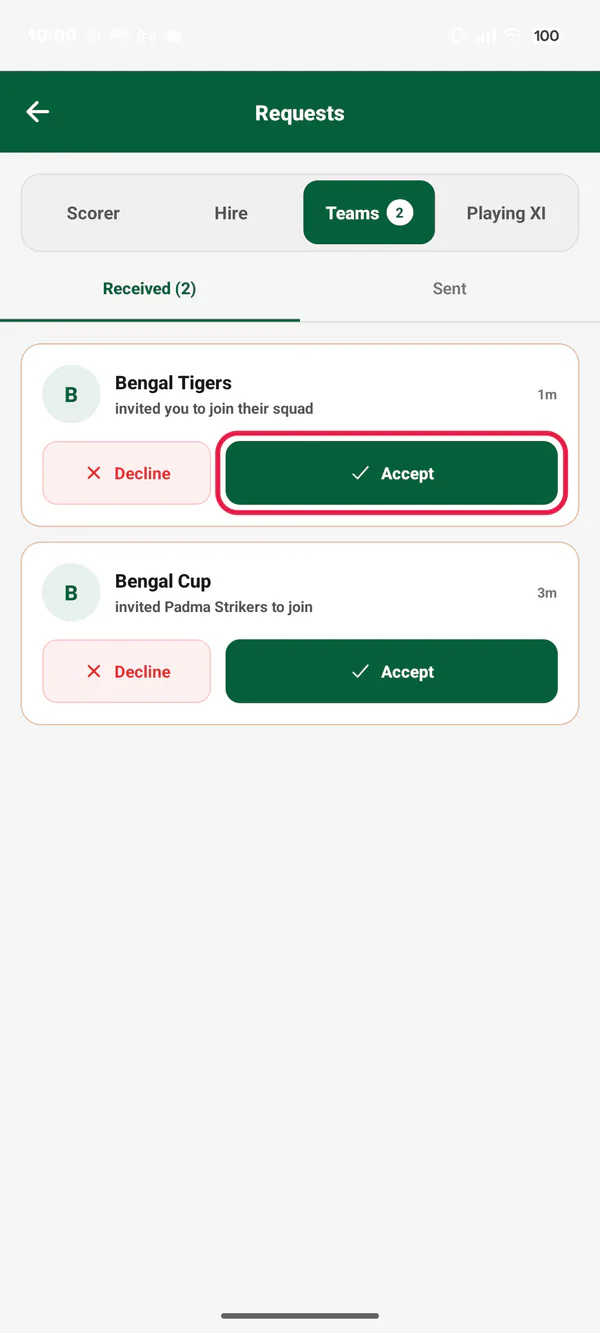
Picture 12. Tap or click to see it bigger.
To see what you sent, tap Sent. To cancel one, tap Withdraw.
Open a join link someone sent you
Tap the link. It opens the CricoScore website. Tap Open in the app.
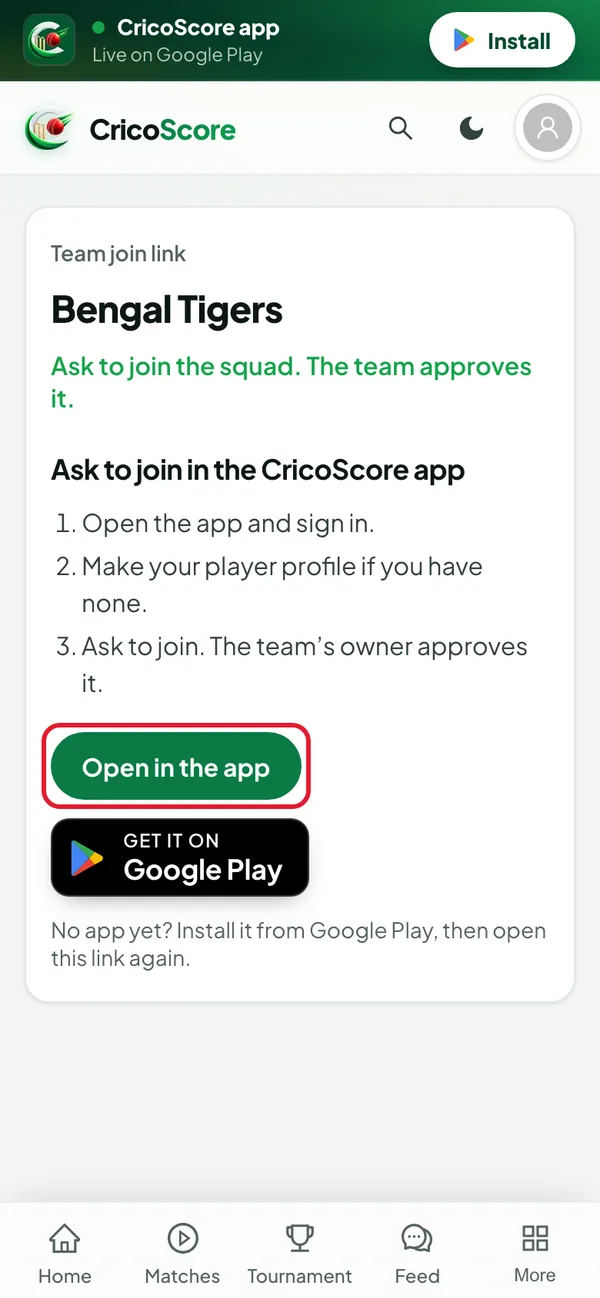
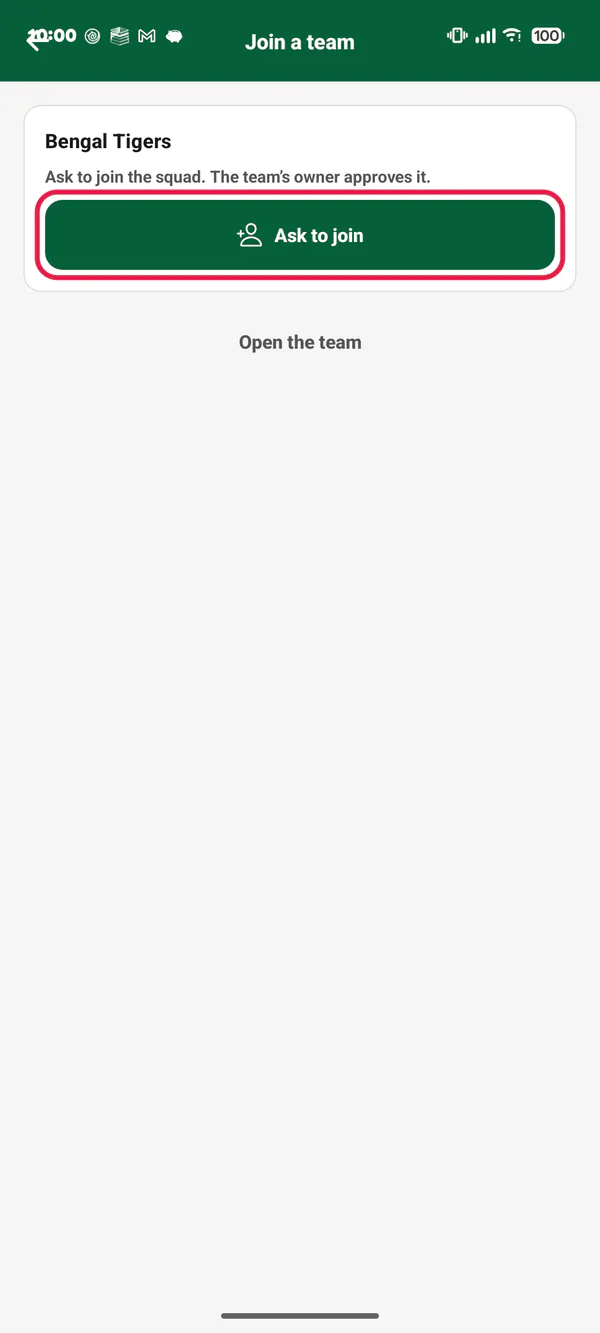
Picture 13. Tap or click to see it bigger. A team's link: tap Ask to join. Don't have a player profile yet? Make it first.
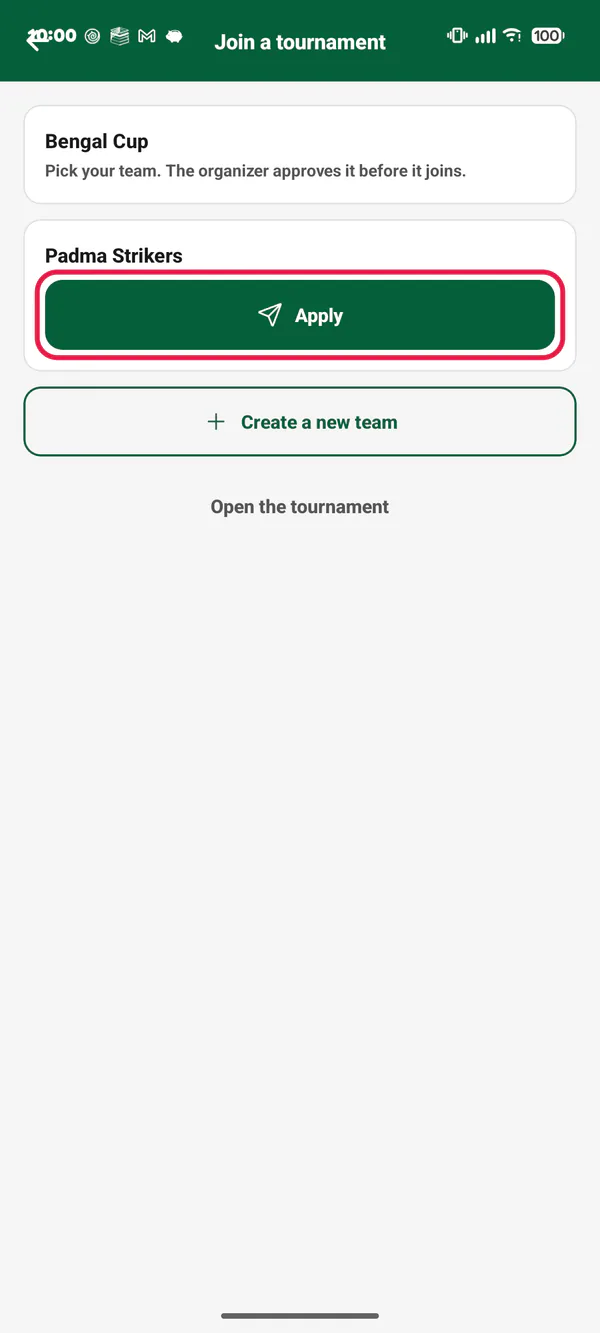
Picture 14. Tap or click to see it bigger. A tournament's link: find your team. Tap Apply. No team yet? Tap Create a new team, then apply with it.
Picture 15. Tap or click to see it bigger. The app says Request sent. You get a notice when they decide.
Common problems
| Problem | What to do |
|---|---|
| "… isn't in this tournament yet. Add or invite it first." | A tournament match needs both teams in the tournament. Invite the team. Make the match after they accept. |
| The team is still under Waiting | They have not answered yet. Ask the team's owner to open Requests → Teams. |
| "Sign in to ask to join this team." | Sign in first. Then tap the link again. |
| "Make your player profile first, then ask to join." | Make your player profile. See How to edit your profile. |
| The link says it can't be opened | The link is old. The team or tournament made a new one. Ask them for the new link. |
| A player was added at once, with no invite | They are a name-only player, or the team is your own. That is normal. |