


Follow cricket
How to see teams and players on the website
You will open a team or a player, see their stats, follow them and save a share card.
Who can do this
Everyone can look. To Follow, you need an account.
Before you start
A phone or computer with internet.
See a team
Open More, then click (or tap on a phone) Teams.
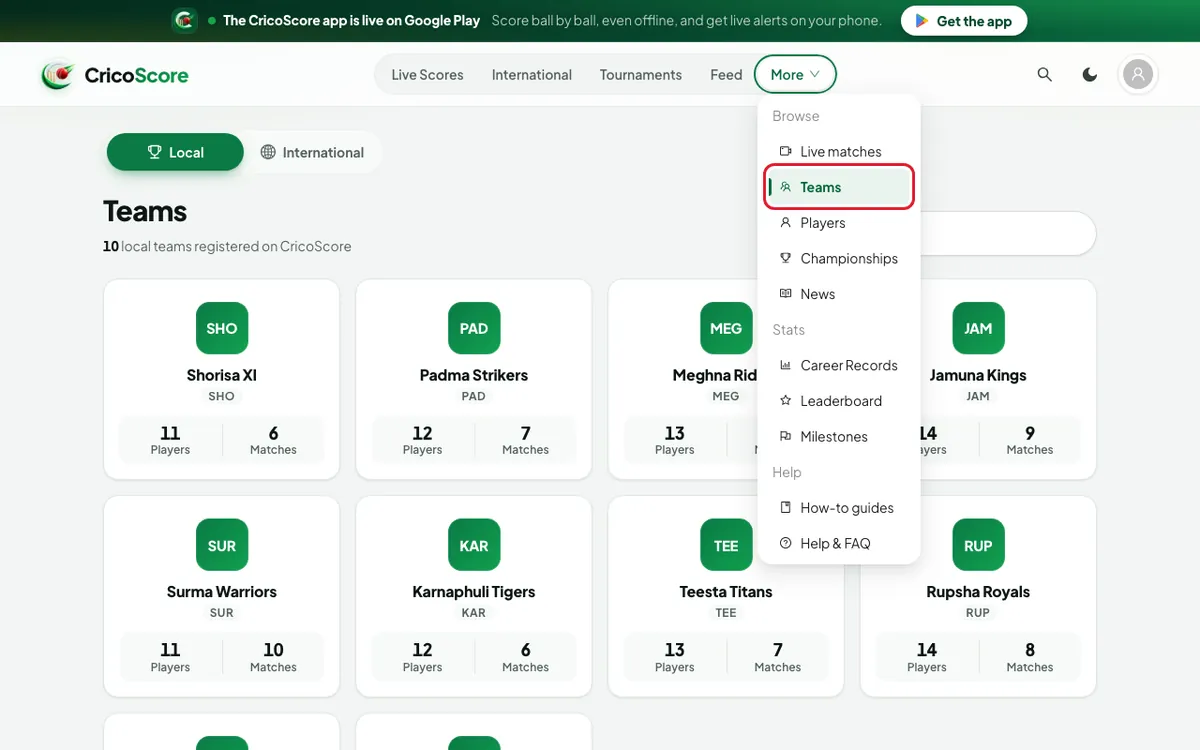
Picture 1. Tap or click to see it bigger. Type a name in the Search teams... box. Example: "Shorisa".
Click (or tap on a phone) the team. The team page opens.
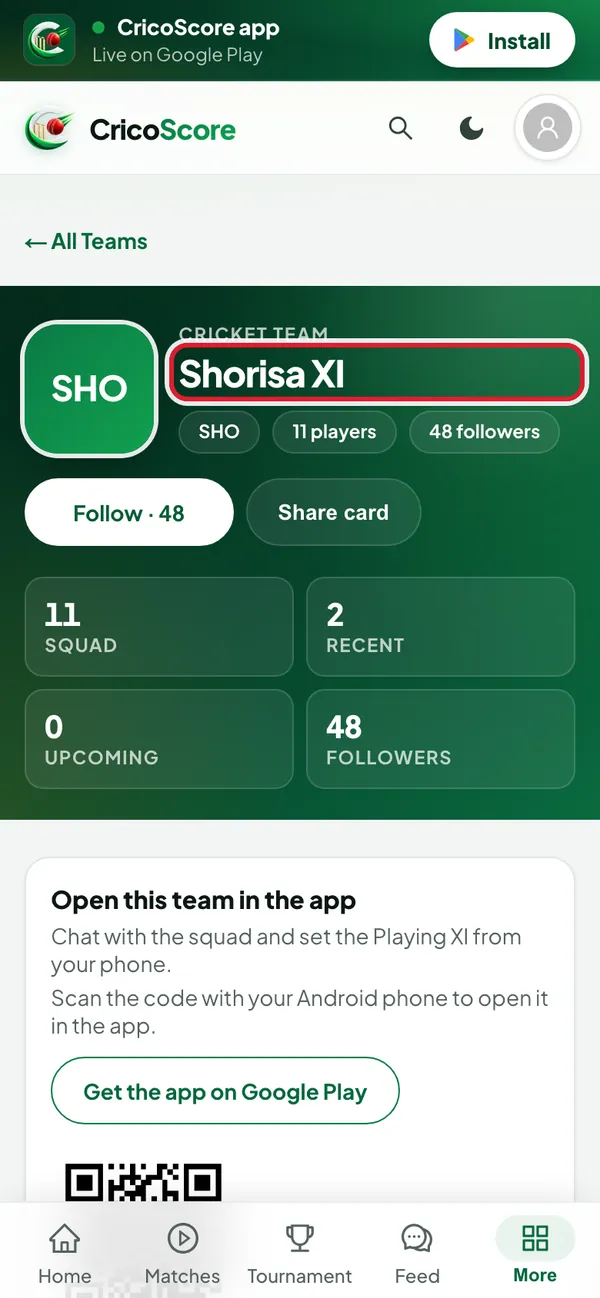
Picture 2. Tap or click to see it bigger. Use the tabs:
Squad (with the number of players): the players. Click (or tap on a phone) a name to open the player.
Matches: recent matches and upcoming fixtures.
Tournaments: where the team played.
Stats: wins, losses and top players.
H2H: results against each other team ("head to head").
Trophies: titles and awards.
Posts: news from the team.
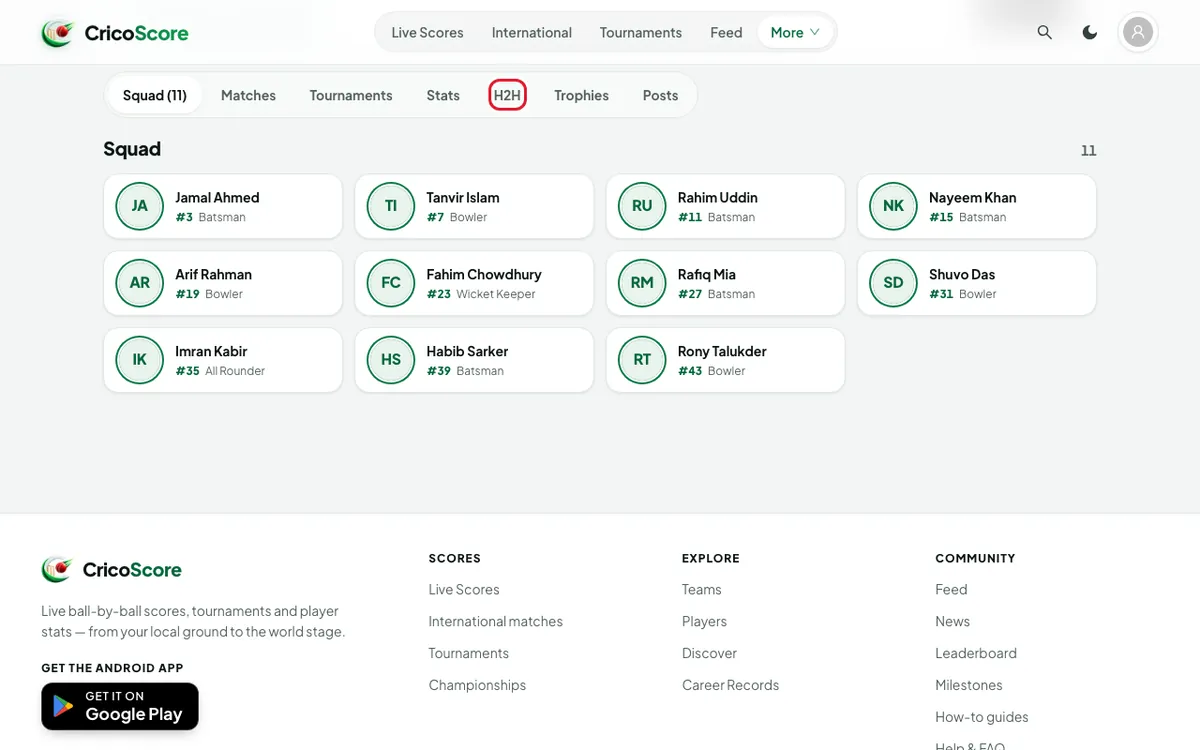
Picture 3. Tap or click to see it bigger.
See a player
Open More, then click (or tap on a phone) Players.
Type a name in the Search by player name... box. Example: "Rahim Uddin". You can also choose a role, like Bowler.
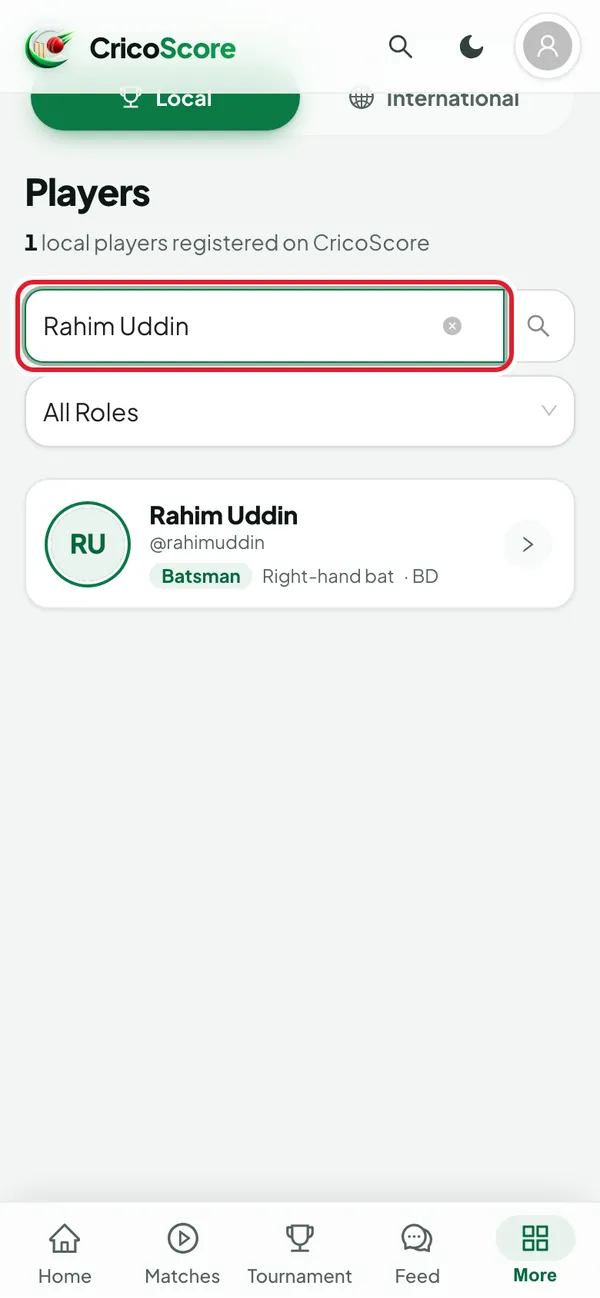
Picture 4. Tap or click to see it bigger. Click (or tap on a phone) the player. The profile opens. Choose Batting or Bowling to see the career stats.
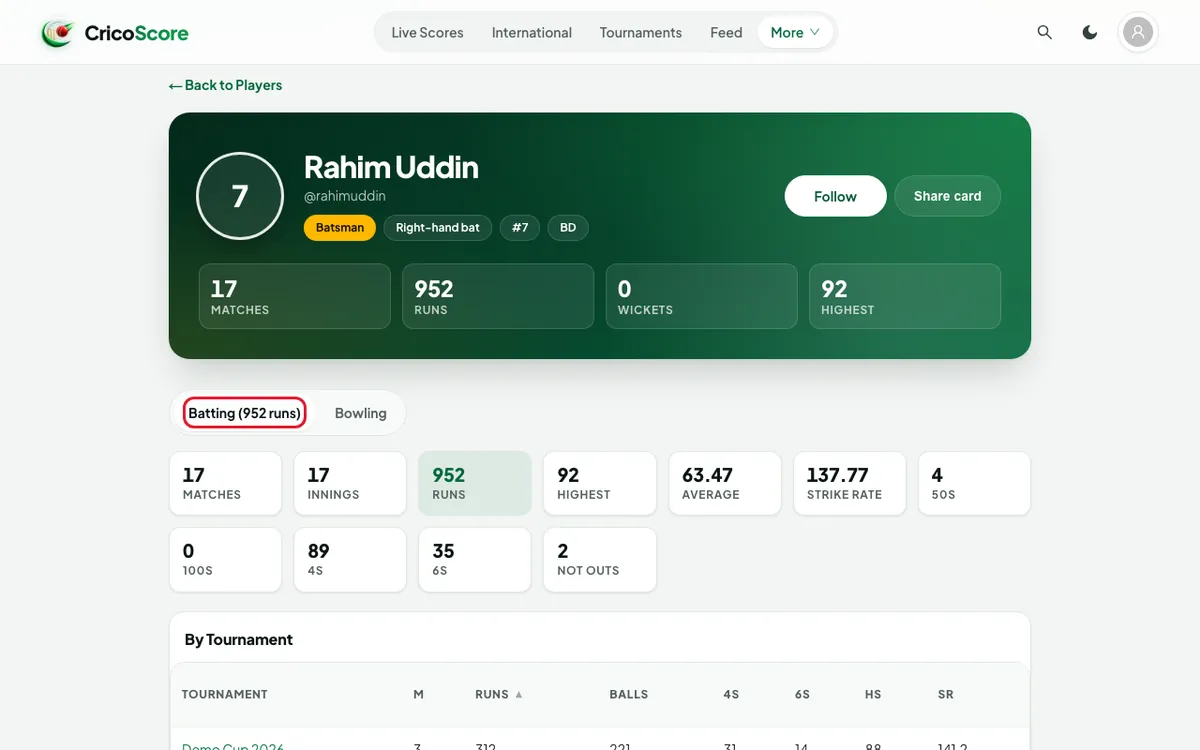
Picture 5. Tap or click to see it bigger.
Follow and share
Click (or tap on a phone) Follow on a team or player page. It changes to Following. Click again to stop following.
Click (or tap on a phone) Share card. Your browser saves a picture of the stats. Share it in WhatsApp or Facebook.
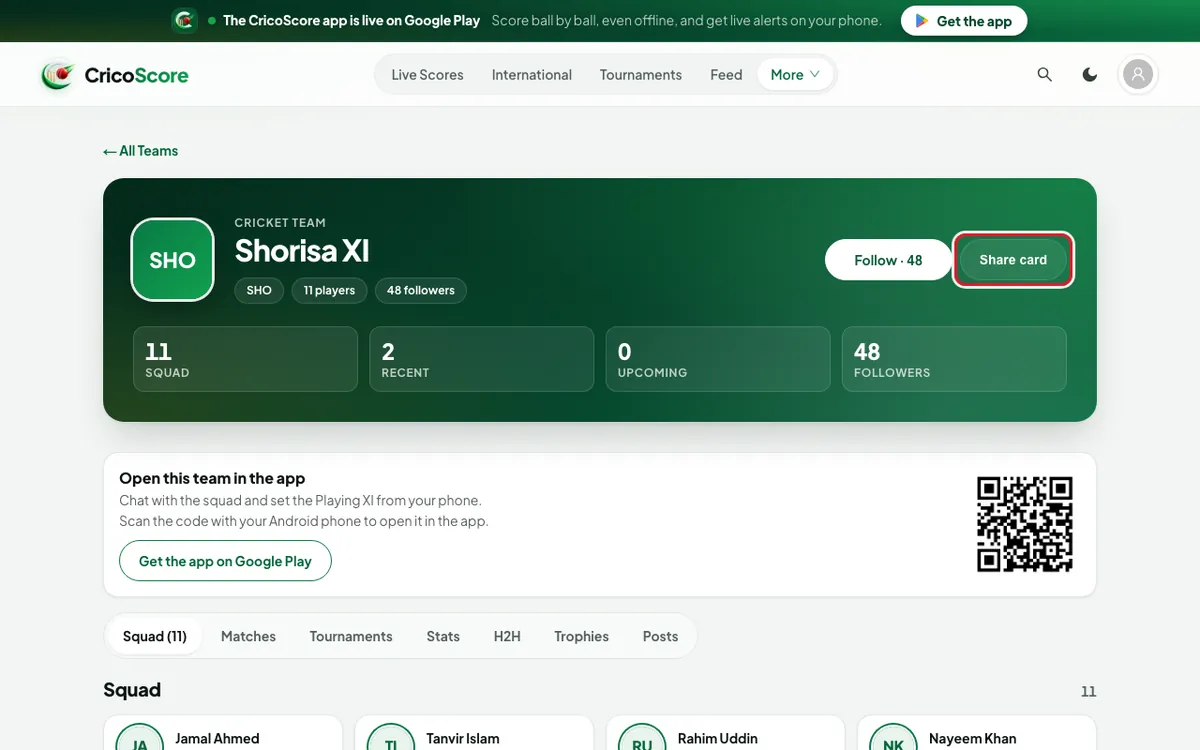
Picture 6. Tap or click to see it bigger.
Common problems
| Problem | What to do |
|---|---|
| Not signed in, and Follow opens the sign-in page | Sign in first. See How to create an account and sign in. |
| No card yet — this team hasn’t completed a match. | The team needs 1 finished match first. |
| I don't see Share card on a player | The player has no match stats yet. |
| The image didn’t save. Try again — nothing was lost. | Click (or tap on a phone) Share card again. |
| I see world teams or players | Choose Local at the top of the page. |