


More to explore
How to find players on the website
Find any player on CricoScore by name, role or country, and open their profile.
Who can do this
Everyone. You don't need an account.
Before you start
A phone or computer with internet.
Open cricoscore.app in your browser.
Find a player on the Players page
Open the More menu (More in the top menu on a computer, or in the bottom bar on a phone).
Click (or tap on a phone) Players. The Players page opens on Local.
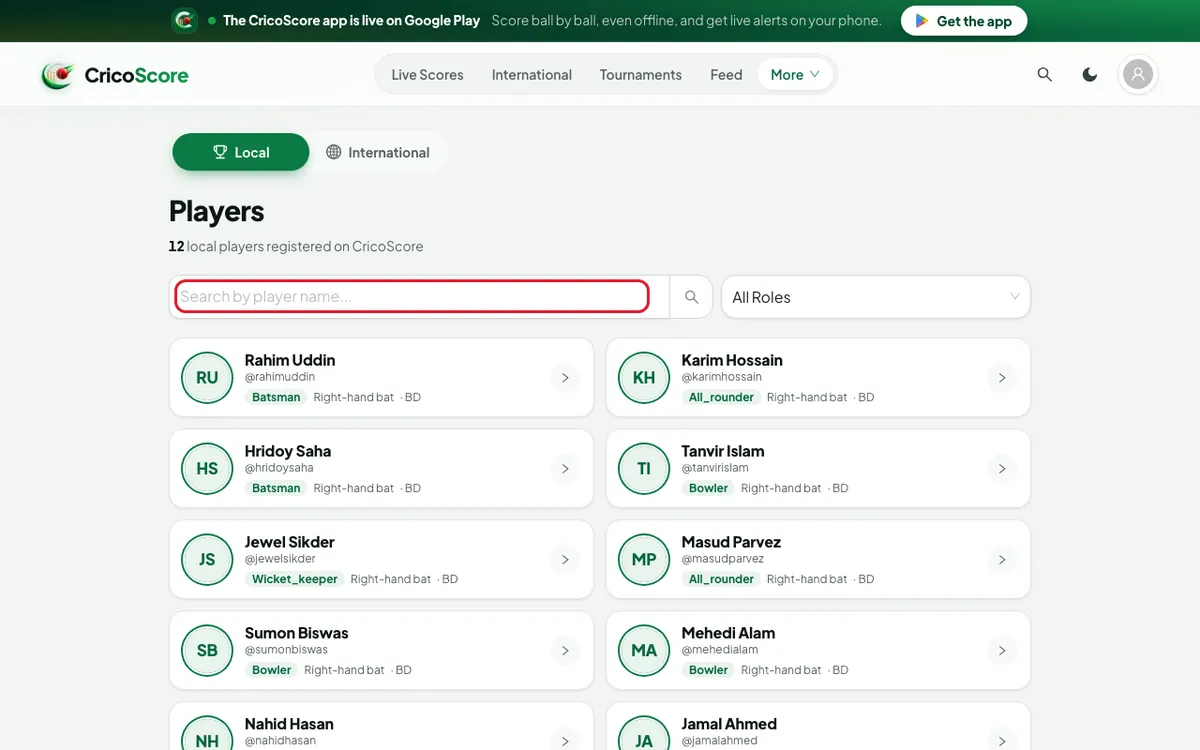
Picture 1. Tap or click to see it bigger. Type the player's name, for example Rahim Uddin.
To show only one kind of player, open the All Roles menu and choose a role.
Click (or tap) the player. Their profile opens.
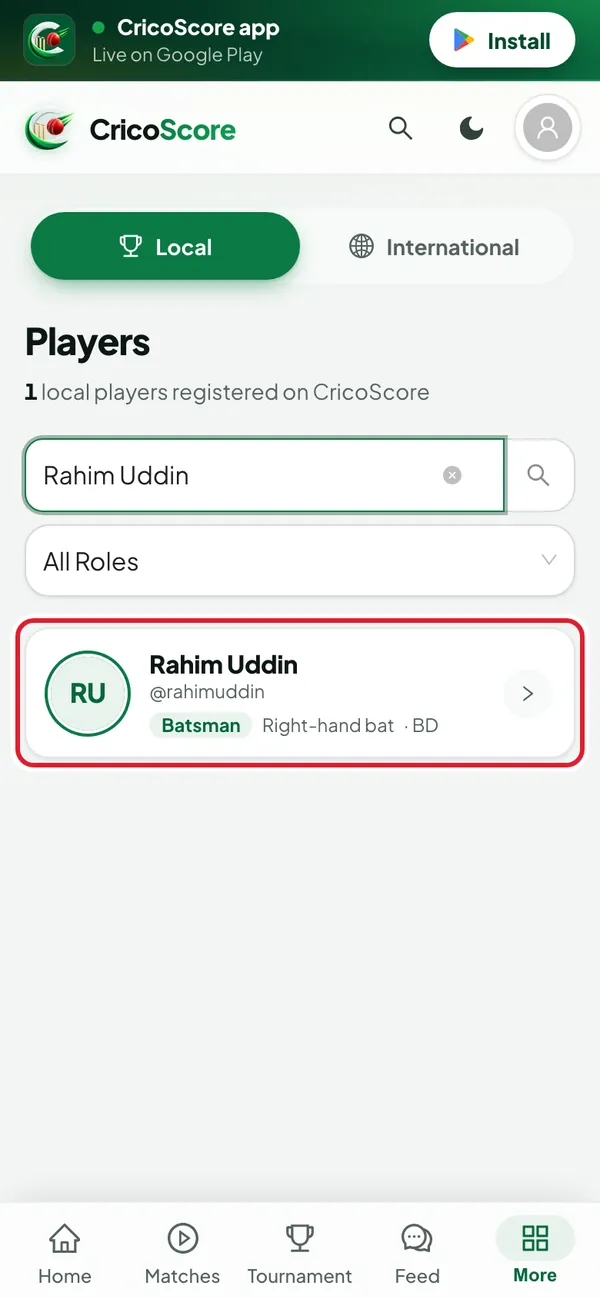
Picture 2. Tap or click to see it bigger. For international players, click (or tap) International at the top. Type at least 3 letters of the name.
Find a player on the Discover page
The Discover Players page can also filter by country.
Scroll to the very bottom of any page.
Click (or tap) Discover under EXPLORE.
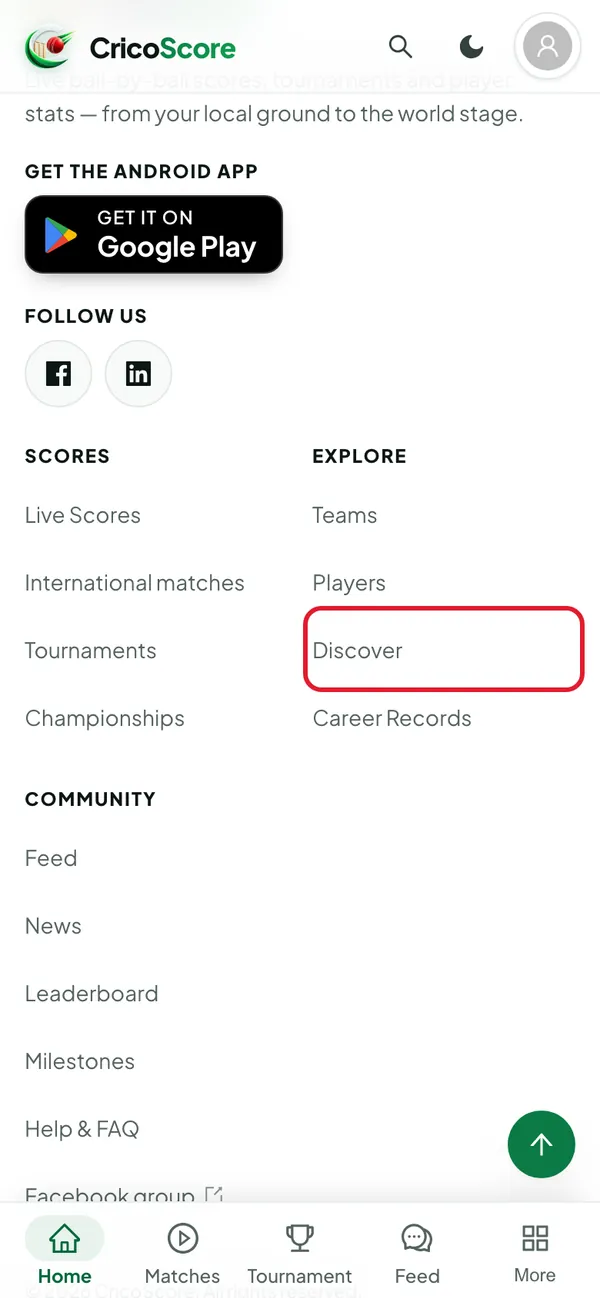
Picture 3. Tap or click to see it bigger. Type a name in the Name box.
Choose a role in the All roles menu.
Type a country in the Country box, for example Bangladesh.
Click (or tap) a player to open their profile.
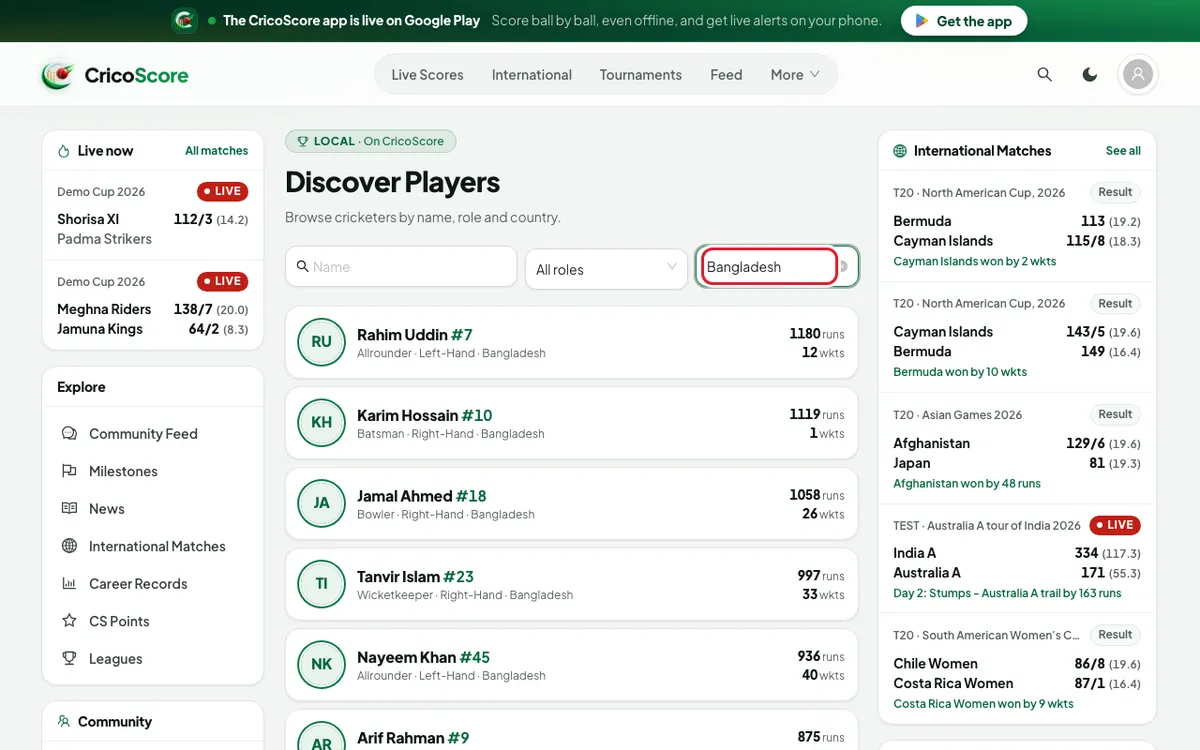
Picture 4. Tap or click to see it bigger.
Common problems
| Problem | What to do |
|---|---|
| I can't find Discover in the menu | It is only at the bottom of the page, under EXPLORE. |
| No players match those filters. | Remove the country or role, and search again. |
| The international search shows nothing | Type at least 3 letters. |
| The role names are different on the two pages | They mean the same. Batsman = Batter, Wicket Keeper = Wicket-keeper. |