


Live video
How to change the look of the live stream
Choose the colours and the score bar style that viewers see on your live video.
Who can do this
One match: anyone who can stream the match. Use the camera phone or CricoStudio.
A whole tournament: the tournament owner or a Manager.
Before you start
Your phone has internet.
The look works on video sent with This phone, and on the OBS scoreboard.
Change the look of one match
On the camera screen, tap Cards at the top right.
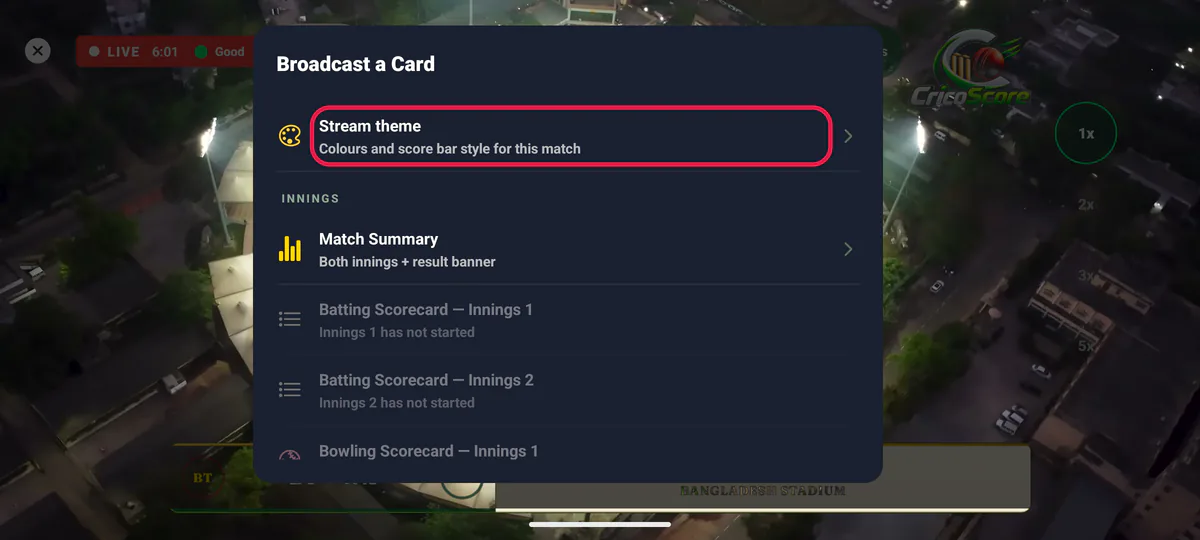
Picture 1. Tap or click to see it bigger. Under LOOK, tap Stream theme. The Stream theme screen opens. A small picture at the top shows how the bar will look.
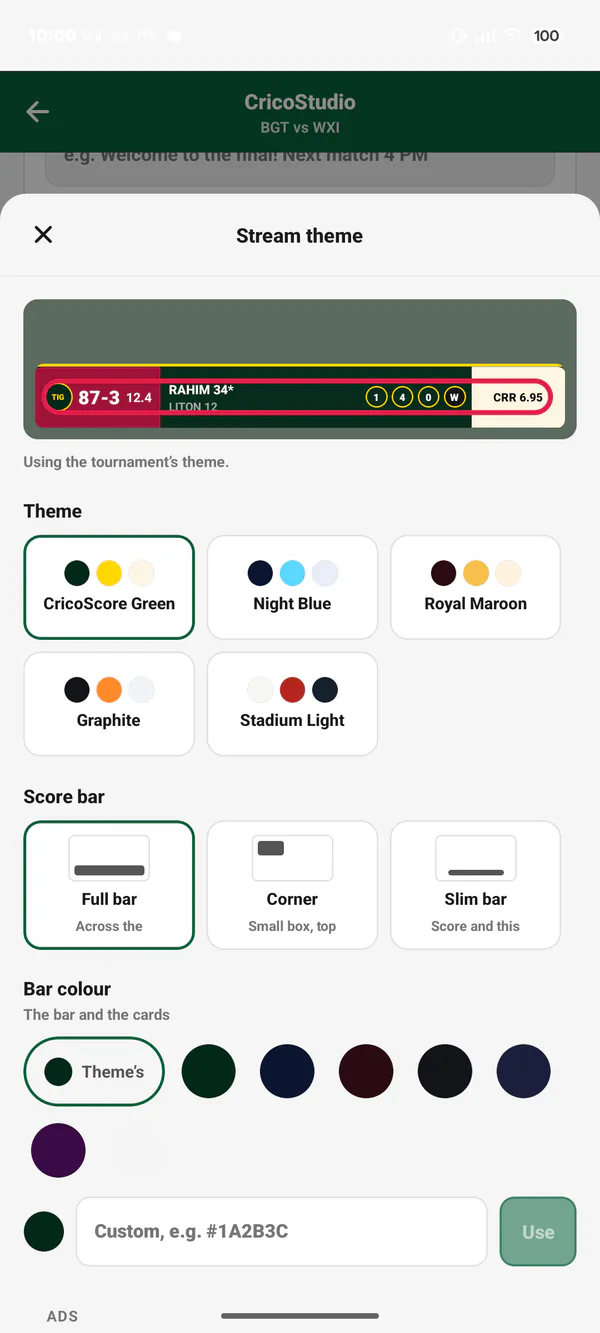
Picture 2. Tap or click to see it bigger. Under Theme, tap a theme, for example Night Blue. Each one shows its three colours.
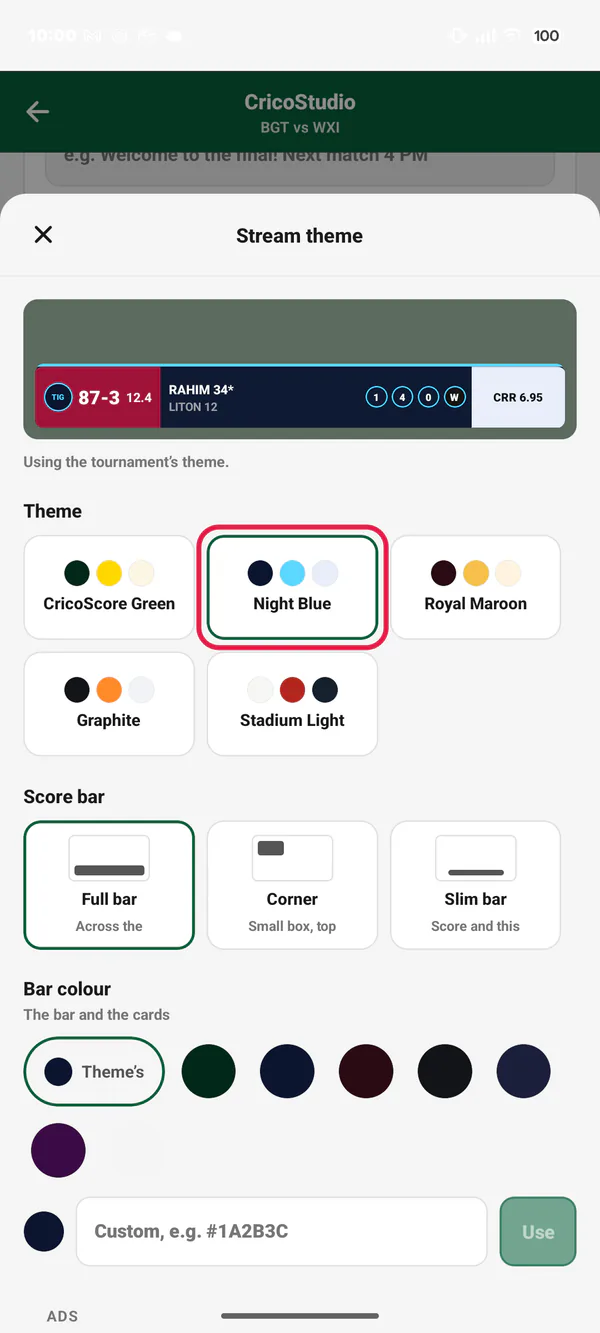
Picture 3. Tap or click to see it bigger. Under Score bar, choose a style:
Full bar: across the bottom.
Corner: a small box at the top left.
Slim bar: only the score and this over.
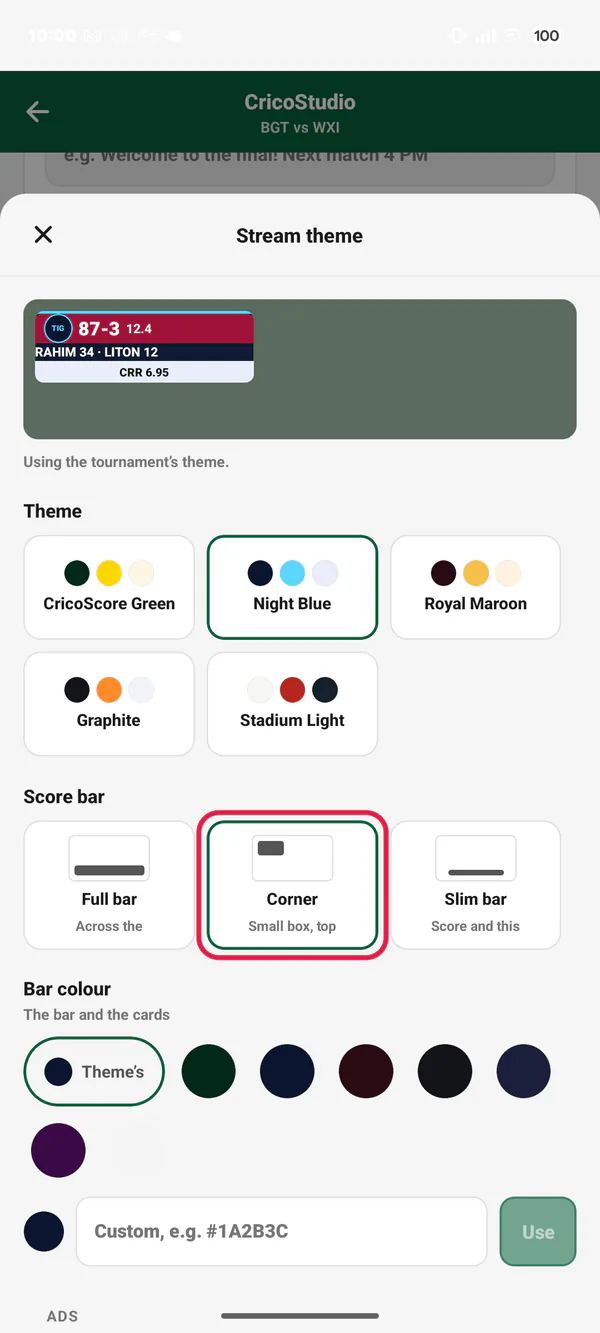
Picture 4. Tap or click to see it bigger. You can choose your own Bar colour, Accent colour and Panel colour. Tap a colour. Or type one, like #1A2B3C, and tap Use. Tap Theme's to go back to the theme's own colour.
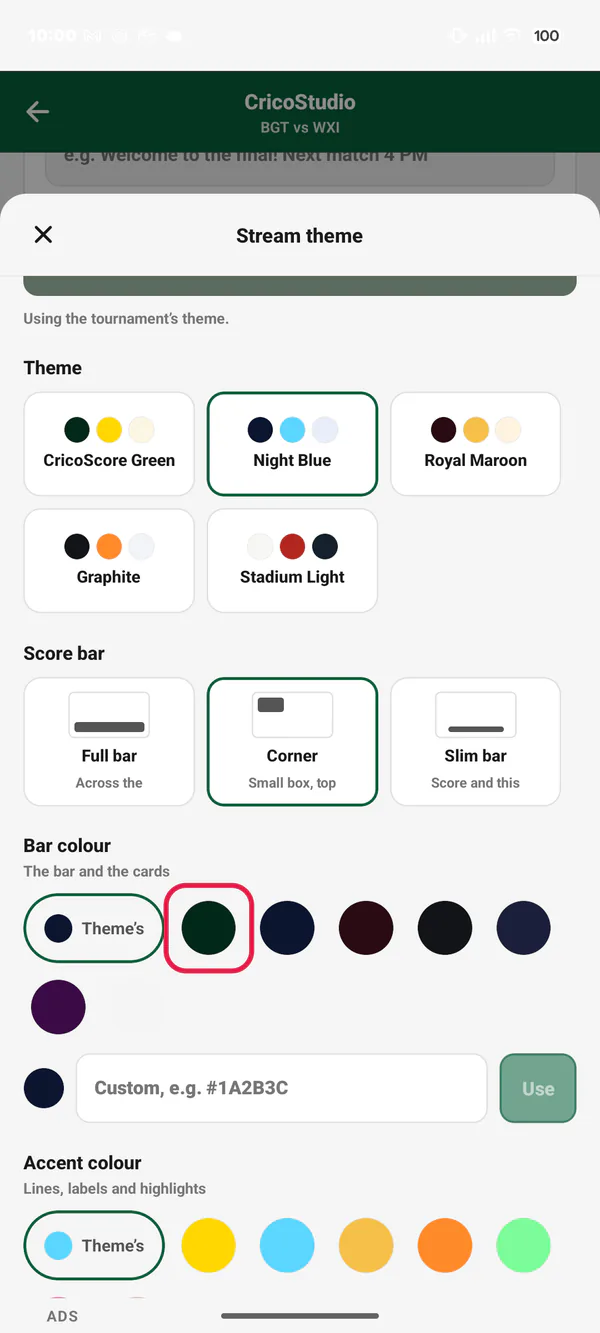
Picture 5. Tap or click to see it bigger. Under Team colours (this match only), you can give a team a colour for this match. This helps when both teams wear the same colour. Type a colour, then tap Use. Tap Team's to go back. The team's own colour does not change.
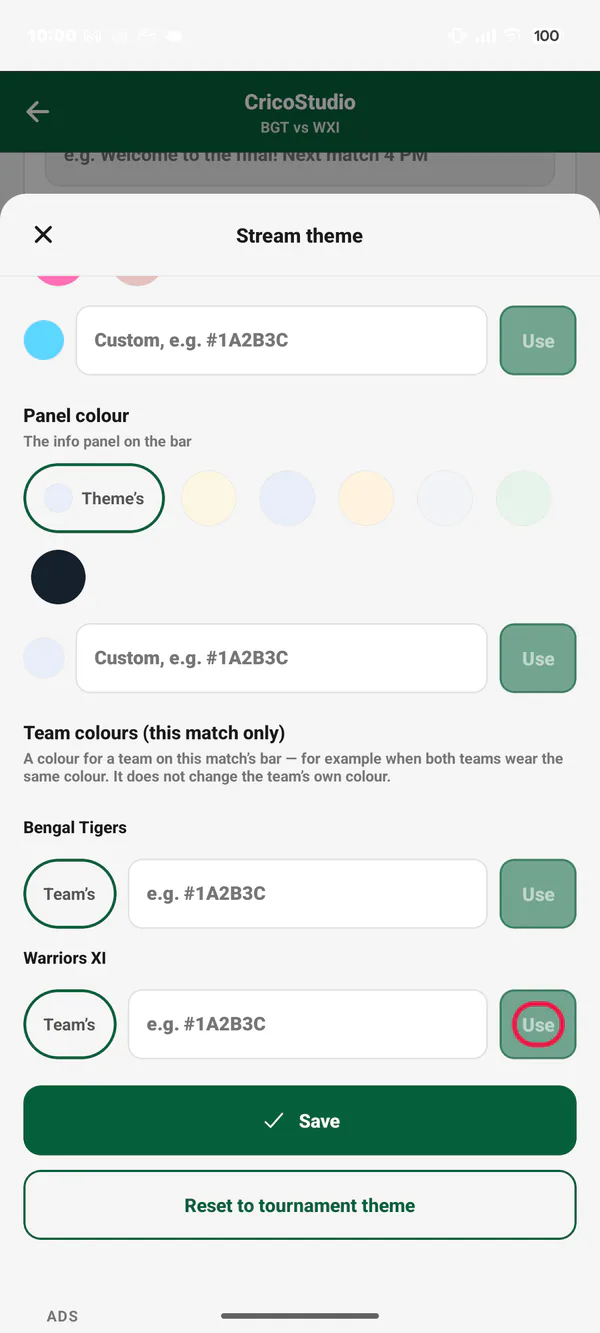
Picture 8. Tap or click to see it bigger. Tap Save. You see "Saved. The stream changes in a moment."
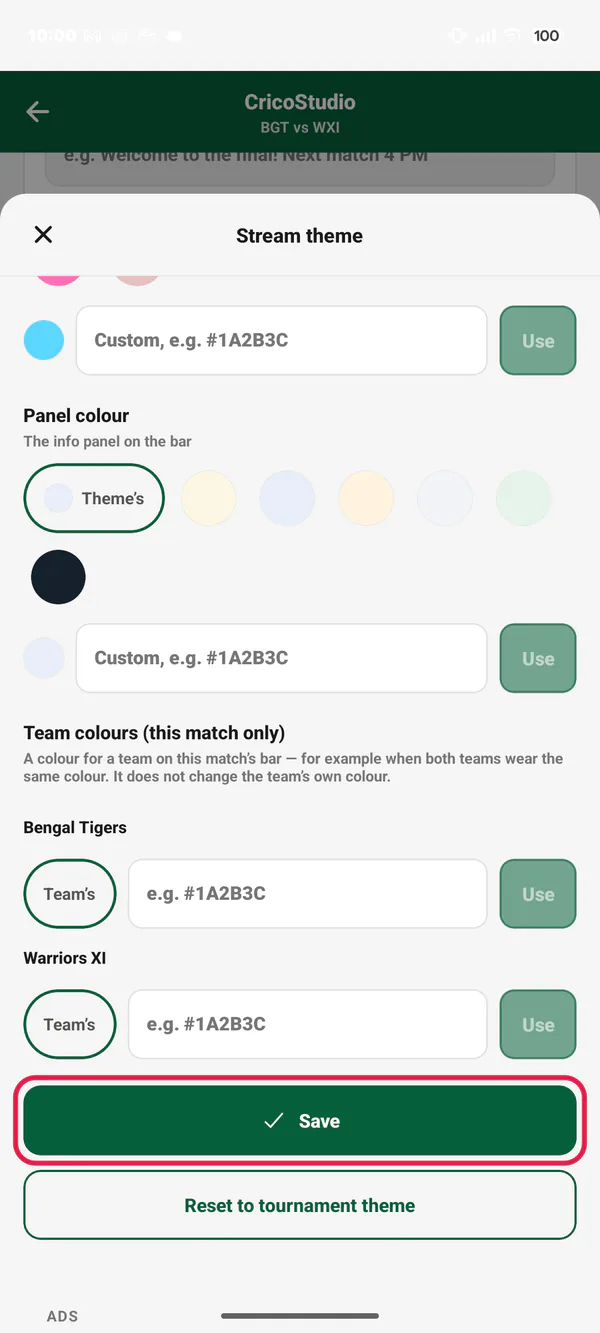
Picture 6. Tap or click to see it bigger.
On a second phone, open CricoStudio. Under STREAM THEME, tap Colours and score bar. It is the same screen. See How to use CricoStudio.
Change the look of a whole tournament
Open the tournament. Tap the Manage tab.
Under STREAM ADS, tap Stream theme.
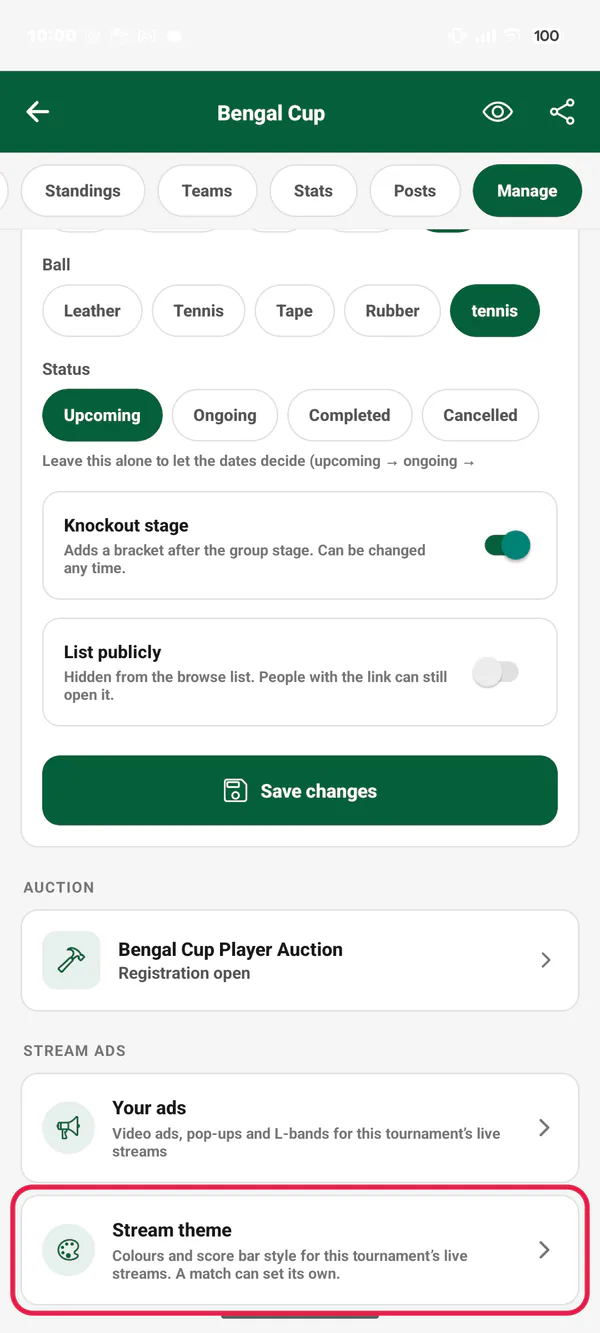
Picture 7. Tap or click to see it bigger. Choose the theme, the score bar and the colours, as above. Tap Save.
Every match of the tournament gets this look. A match can still have its own.
Some matches may already have their own colours. If those are hard to read with the new tournament look, you see a list of those matches after you save. On the video, those matches use their theme's own colours. To fix one, open that match's Stream theme. Choose other colours, or tap Reset to tournament theme.
Go back
One match: tap Reset to tournament theme. The match uses the tournament's look again. In a match with no tournament, the button says Reset to default.
A tournament: tap Reset to default. The CricoScore green comes back.
Common problems
| Problem | What to do |
|---|---|
| "The accent colour is hard to read on the bar colour." | Choose a lighter or darker accent colour. |
| "Type a colour like #1A2B3C." | Type # and 6 letters or numbers (0–9, A–F). |
| The video did not change | Wait a few seconds. The look changes on the live video, not on a recording made earlier. |
| After saving the tournament: "… matches have their own colours that are hard to read with this theme." | Open each match on the list. In its Stream theme, choose other colours, or tap Reset to tournament theme. |
| I don't see Stream theme on the Manage tab | Only the owner and Managers can change a tournament's look. |
| Team colours look the same | Set each team's colour on the team form. See How to create a team and manage its squad. |