


Live video
How to show fours, sixes and wickets on the live video
The live video shows big moments by itself. You only score the match. A four, a six or a wicket appears on the video a moment later.
Who can do this
The match's scorer. The moments come from the score.
Before you start
The match is live on video, sent with This phone. See How to go live.
Someone scores the match ball by ball. See How to score each ball.
Steps
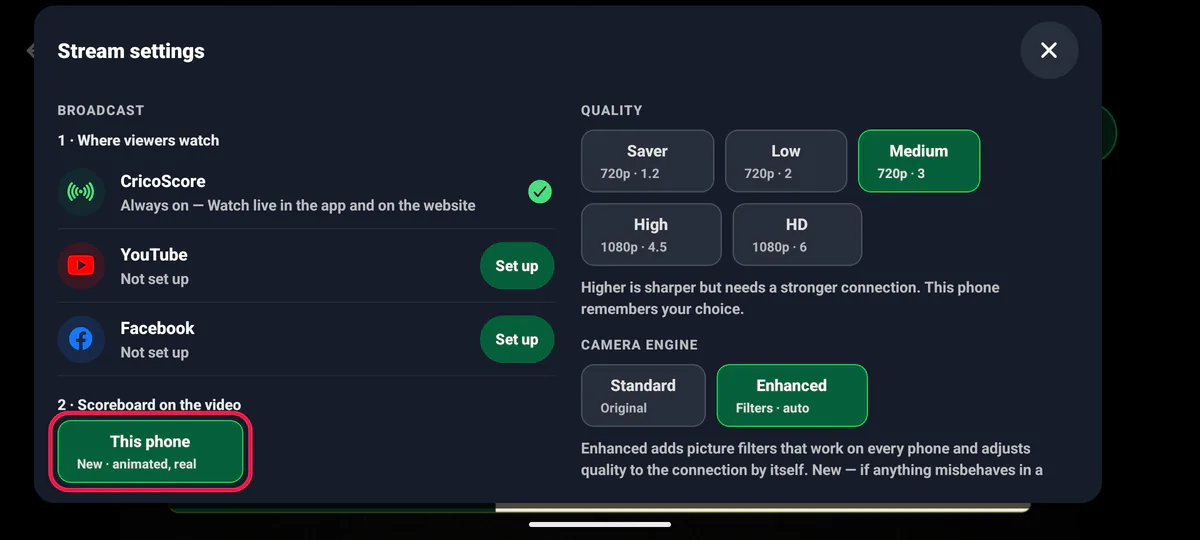
On the camera phone, open Stream settings. Under 2 · Scoreboard on the video, check that This phone is chosen.
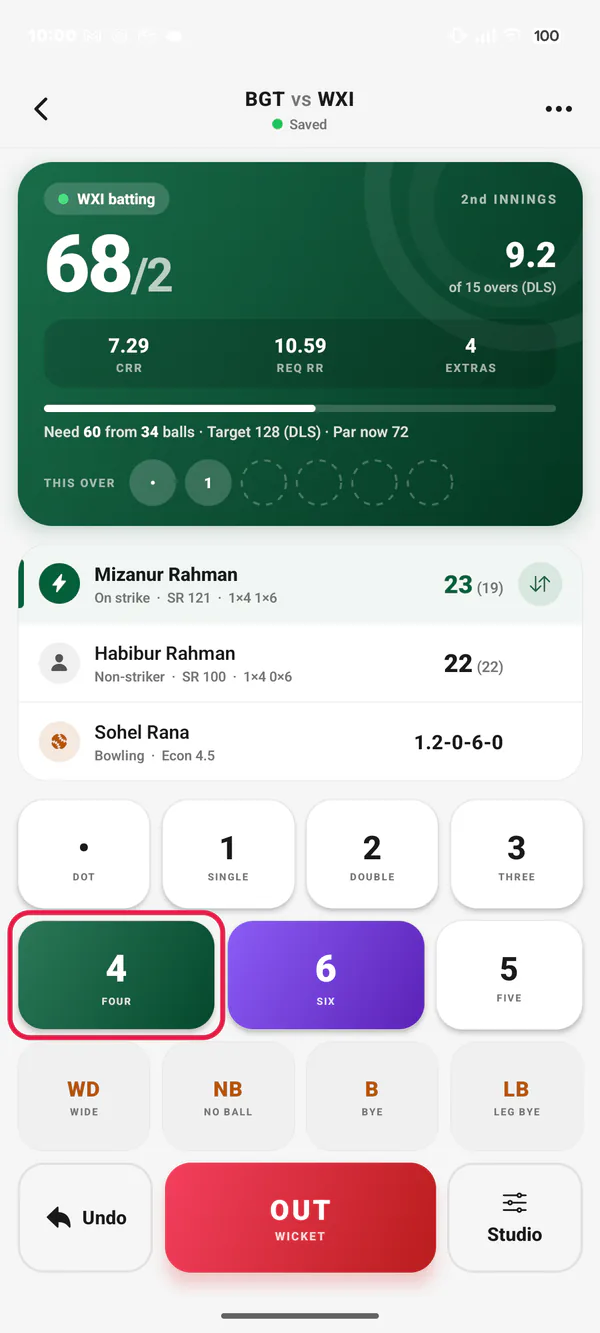
Picture 1. Tap or click to see it bigger. On the scoring phone, score the ball. For example, tap 4.
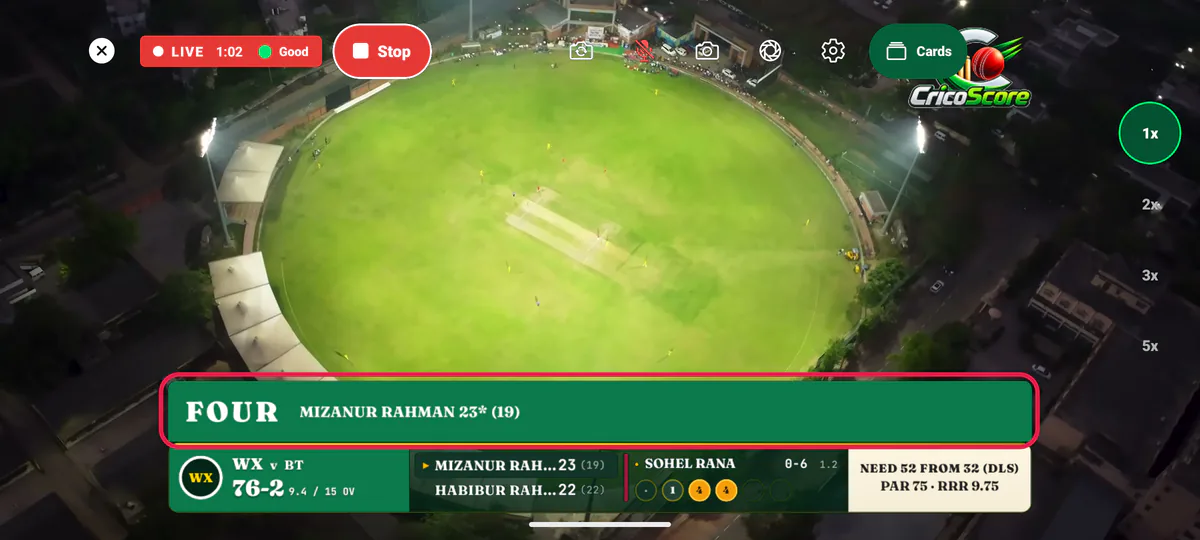
Picture 2. Tap or click to see it bigger. Look at the video. A big FOUR shows above the score bar, with the batter's name and runs.
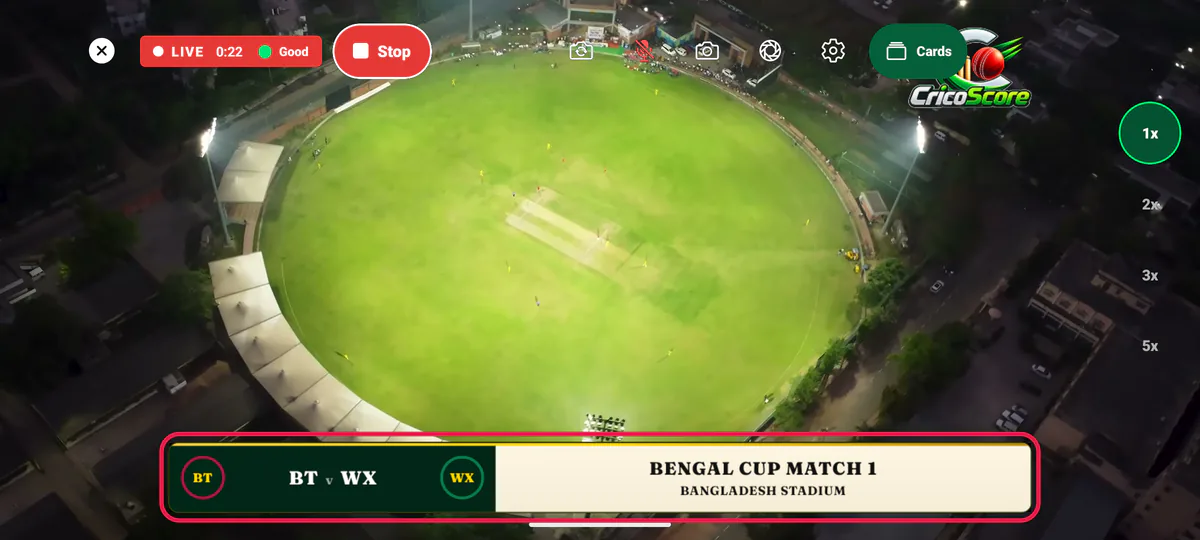
Picture 3. Tap or click to see it bigger.
The score bar stays on the video under the moment.
What fans see, and when
| When | What the video shows |
|---|---|
| Before the first ball | Both team codes, like BGT v WXI. Then the toss, like BGT WON THE TOSS · ELECTED TO BAT. |
| A four or a six | FOUR or SIX, in the batting team's colour. |
| A wicket | WICKET, in the bowling team's colour, with how the batter got out. |
| Out for 0 | DUCK. Out on the first ball: GOLDEN DUCK. |
| 3 wickets in a row by one bowler | ON A HAT-TRICK after 2. HAT-TRICK on the 3rd. A wide in between does not break it. |
| A batter reaches 50 or 100 | FIFTY or HUNDRED. With a four or a six: WITH A FOUR or WITH A SIX. |
| A partnership reaches 50, 100, 150 or 200 | 50 PARTNERSHIP, with both names. |
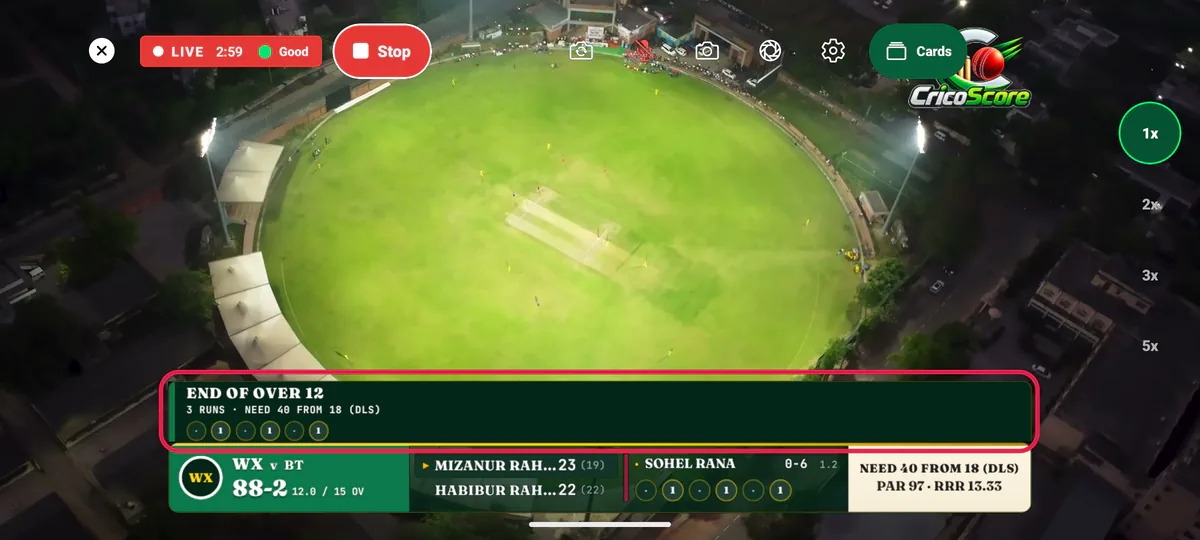
| End of an over | END OF OVER 12, the bowler's figures and the over's balls. MAIDEN for a maiden. |
| A new batter after a wicket | The batter's name and NEW BATTER. |
| A new bowler | The bowler's name and INTO THE ATTACK. |
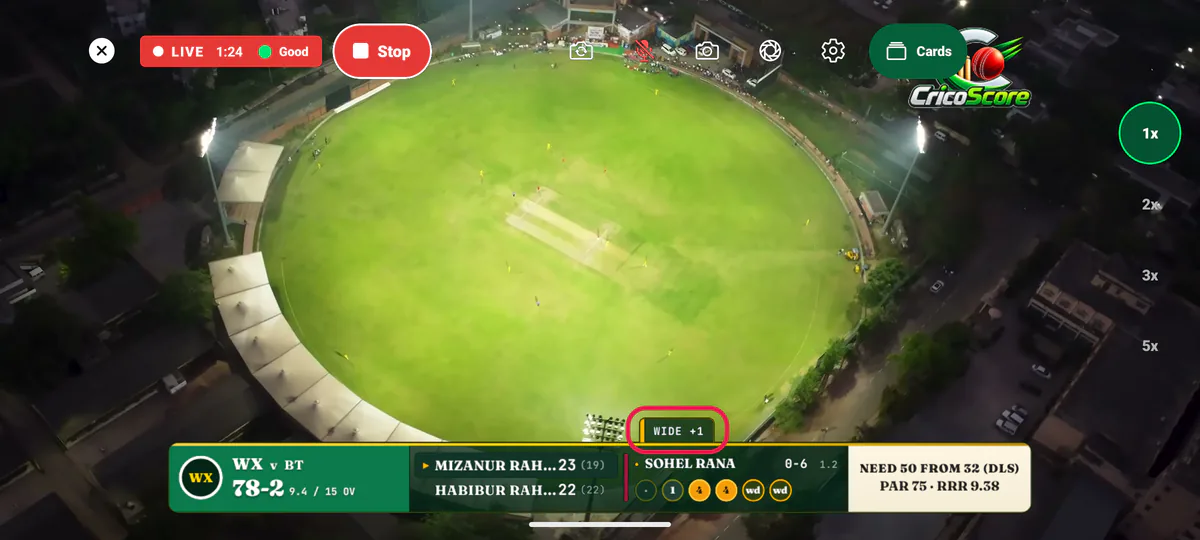
| A wide, no ball, bye or leg bye | A small yellow chip, like WIDE +1 or 2 BYES. |
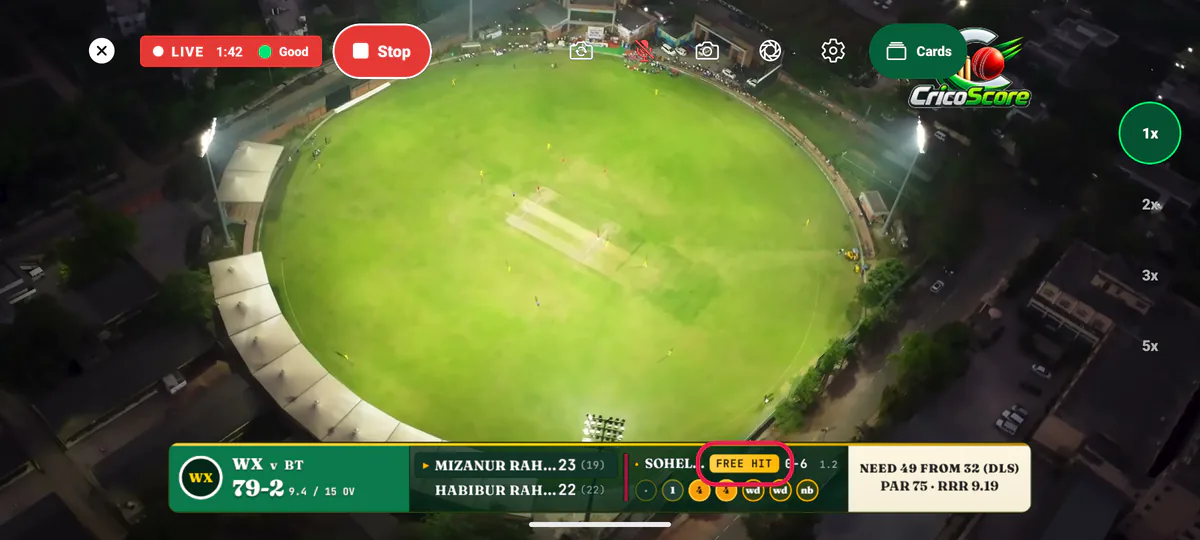
| The next ball is a free hit | FREE HIT next to the bowler. It glows once. |
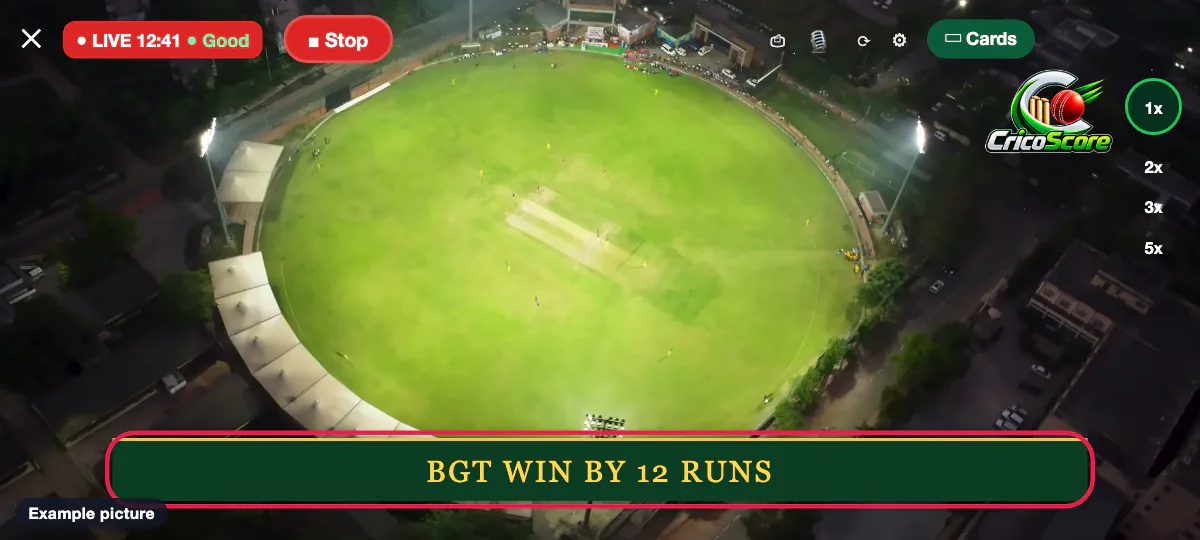
| The match ends | The result, like BGT WIN BY 12 RUNS. Or MATCH TIED. |
Show the Player of the Match after the result
On the result screen, under PLAYER OF THE MATCH, tap a player, like Ibrahim Riaz. Don't leave it on Auto. See How to end the innings and save the result.
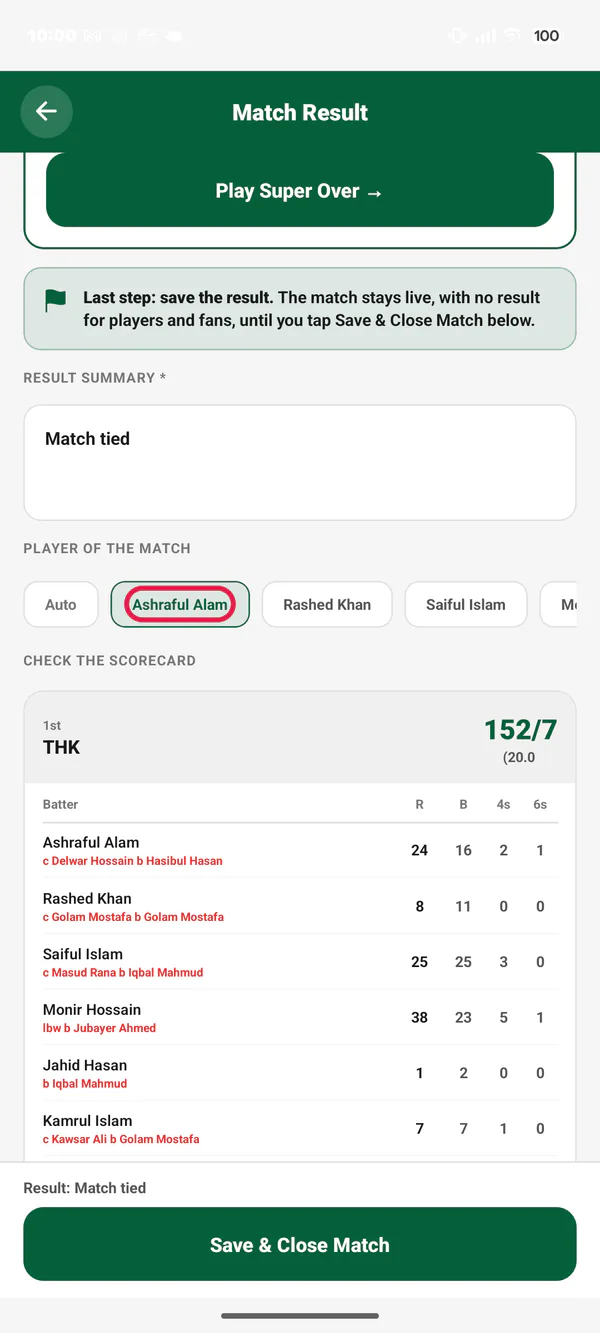
Picture 9. Tap or click to see it bigger. Save the result. The result shows on the video. A few seconds later, the PLAYER OF THE MATCH card shows once.
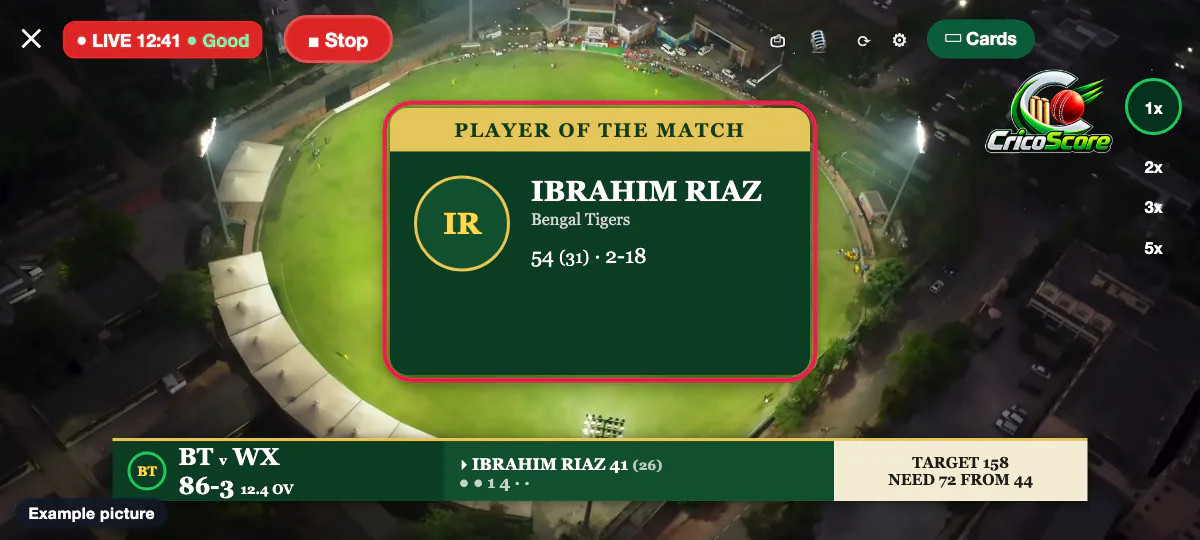
Picture 10. Tap or click to see it bigger.
Common problems
| Problem | What to do |
|---|---|
| No moments on the video | Check that the camera phone uses This phone. With CricoScore server, the server draws its own score bar, without these moments. |
| A FOUR showed, but it was a mistake | Tap Undo on the scoring screen. The score bar fixes itself. The moment can't be taken back. |
| No NEW BATTER panel | It shows only after a wicket, when you choose the new batter within 5 minutes. It does not show for retired hurt. |
| No PLAYER OF THE MATCH card | You left it on Auto. Show it yourself: tap Cards, then Player of the Match. See How to show score cards. |
| Both teams have the same colour | Change one team's colour for this match. See How to change the look of the live stream. |