


Live video
How to get the score link for OBS
Copy the match's live score link. Paste it into OBS on a computer. The score then shows on your video.
Who can do this
The match's scorer. The link itself works for anyone. You don't need to sign in on the computer.
Before you start
The match is Public. A Private match shows no live score in OBS. See Nobody can see my match.
A computer with OBS Studio, and your camera in OBS.
Before the toss
Open the match to score it. On the Toss screen, look under MORE OPTIONS.
Tap Overlay URL.
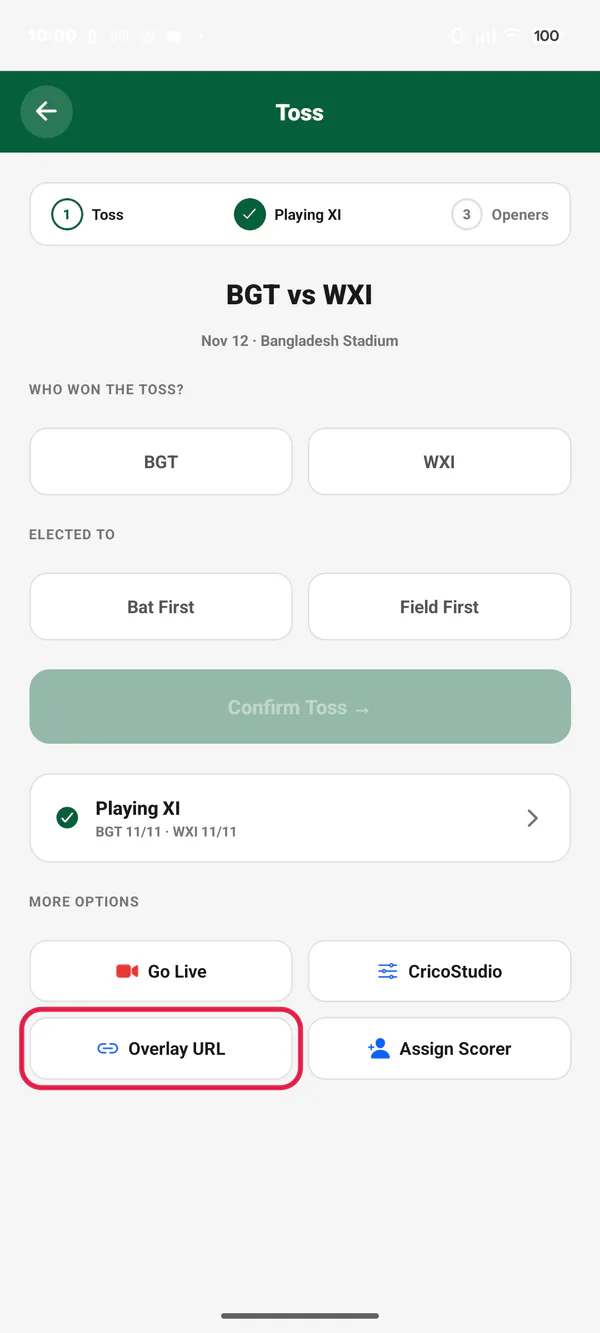
Picture 1. Tap or click to see it bigger.
While you score
On the scoring screen, tap the ⋯ button at the top right.
Tap Overlay URL (OBS).
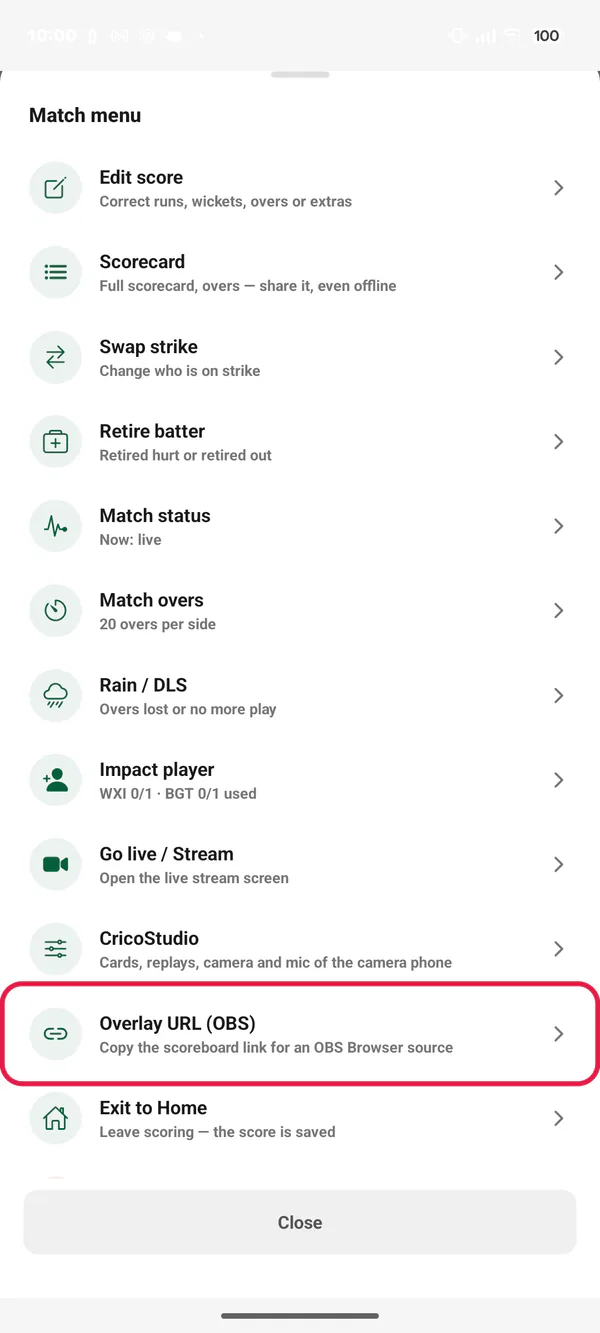
Picture 2. Tap or click to see it bigger.
Send the link to the computer
The app copies the link and shows Overlay URL copied. The link looks like
https://cricoscore.app/overlay/bengal-cup-match-7.Tap Share. Send the link to yourself, for example on WhatsApp. Open it on the computer.
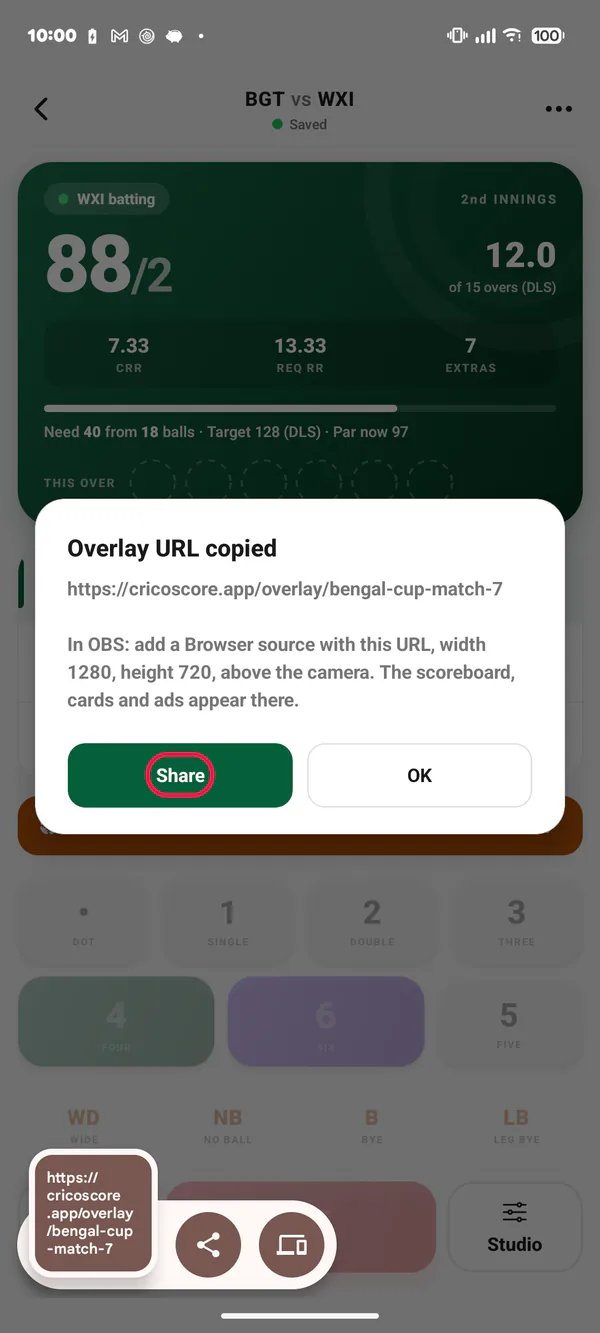
Picture 3. Tap or click to see it bigger. In OBS, add a Browser source with this link. Put it above the camera. The full steps are on the website: How to show the score in OBS.
Common problems
| Problem | What to do |
|---|---|
| "No link yet" | The match has no web address yet. Wait a moment and tap again. |
| OBS shows no score | Check that the match is Public. Check that you pasted the whole link. |
| The score is stretched | Width and height in OBS must match your video. See the website guide. |