


Player auction
Watch an auction live and see the results on the website
After this guide, you can follow each sale on a computer and, at the end, see and share every squad.
Before you start
Signed in with the account you used for the auction.
The auction shows Live, Paused, Completed or Finalized.
Who this is for: Anyone taking part: team owners, players, the organiser and helpers.
Auctions are private. Only the organiser, approved teams and registered players can open these pages. Fans in the hall watch the big screen, or the organiser's live stream.
Part 1: Open the live page
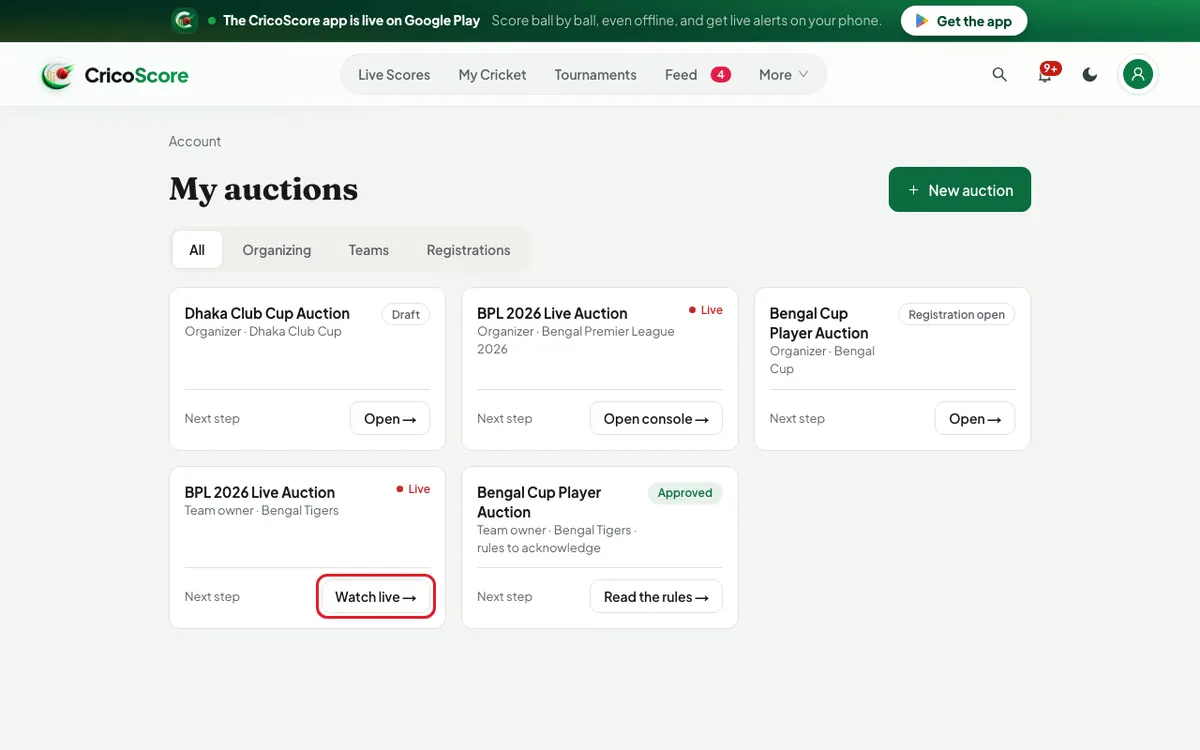
Click your picture at the top right → My auctions.
On the auction's card, click Watch live →.
Picture 1. Tap or click to see it bigger.
Not started yet? The page says Not live yet and WAITING TO COMMENCE. Keep it open: it changes by itself.
Part 2: Read the live page
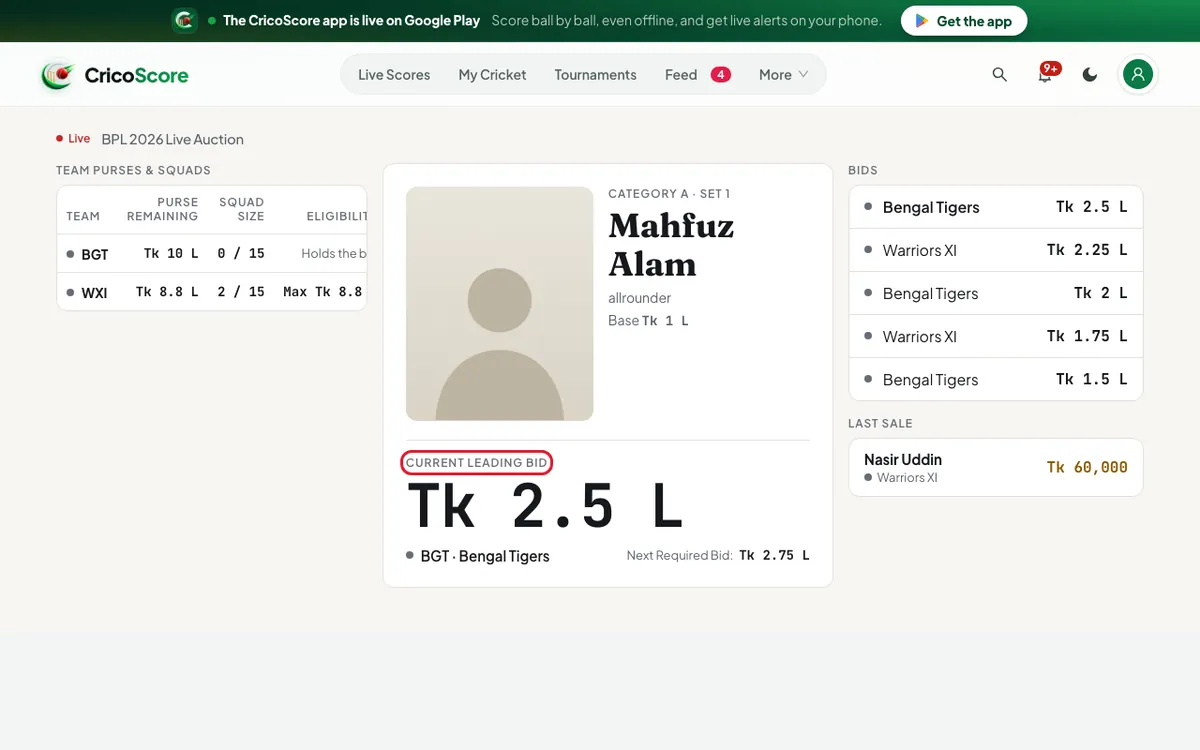
The player on the block: photo, role, category and Base price.
Opening Price before the first bid. Then Current Leading Bid, the team that holds it, and the Next Required Bid:.
The clock (in SEC), if the organiser uses one. Time is up — awaiting auctioneer hammer means the auctioneer decides now.
Bids: the latest bids. Last sale: the player sold just before.
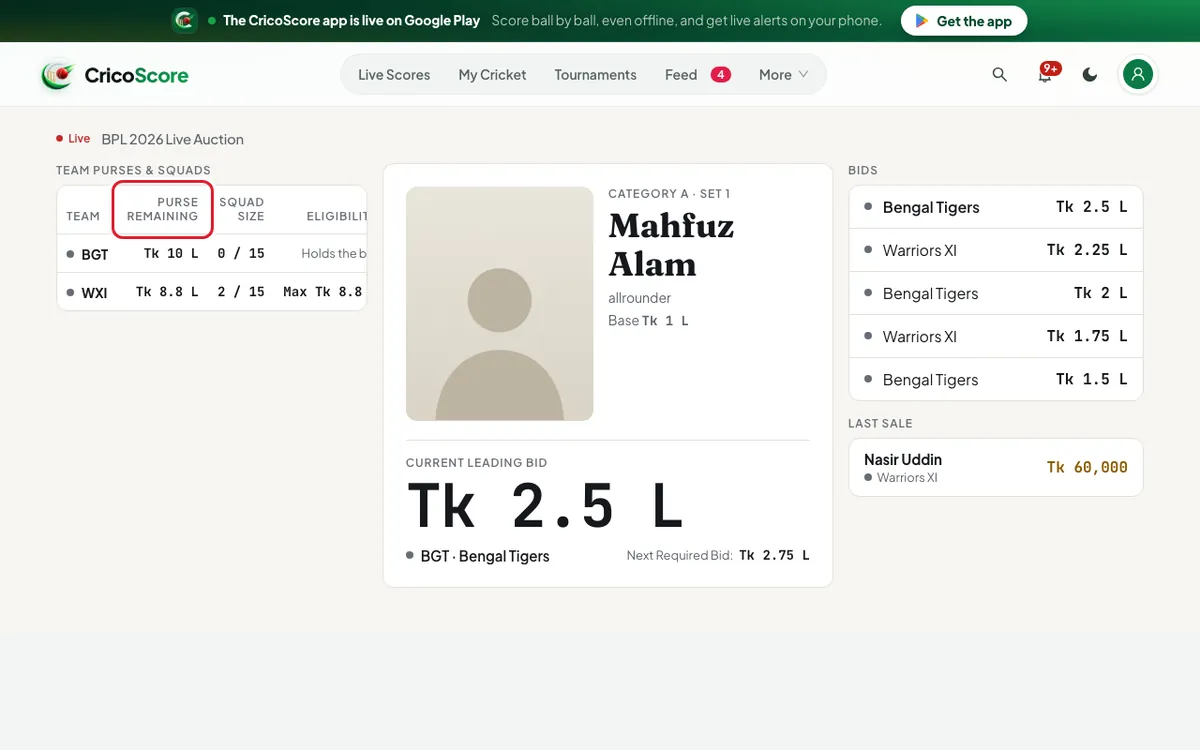
Team Purses & Squads: each team's Purse Remaining, Squad Size and Eligibility for this player.
Picture 3. Tap or click to see it bigger.
When a player is sold, a big SOLD shows the team and the price.
Example: Bengal Tigers start with Tk 25 L and buy Mahfuz Alam for Tk 2.5 L. Their Purse Remaining shows Tk 22.5 L.
You may also see:
Auction is Paused: the organiser stopped for a break.
RTM?: a player's former team may match the price.
Tie-break: two teams offered the same top price. The organiser settles it.
Up next: the next players, between sales.
Team owners: you bid from the Your team card. See WK5, Part 6.
Part 3: See the results
When the auction is over, the page says The auction is over. Click See results and squads →. Or click Results and squads → in My auctions.
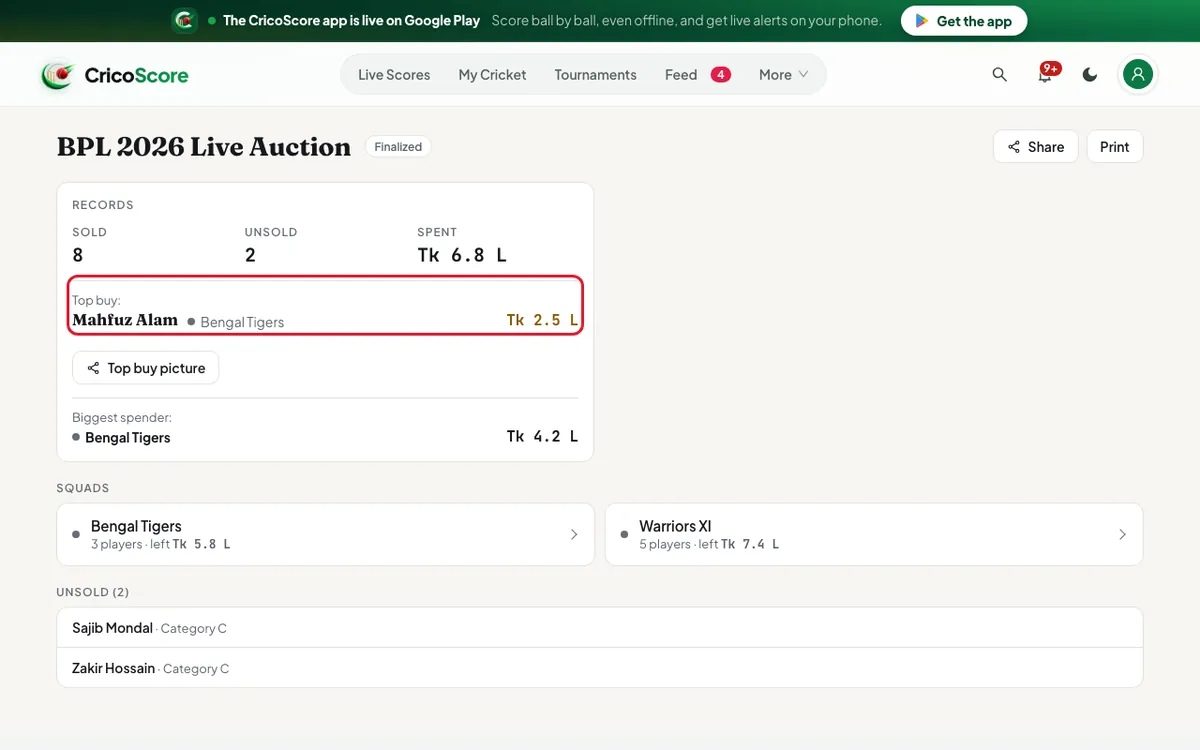
Picture 4. Tap or click to see it bigger. At the top, Records shows Sold, Unsold, Spent, the Top buy: and the Biggest spender:.
Under Squads, click a team to open its players and prices.
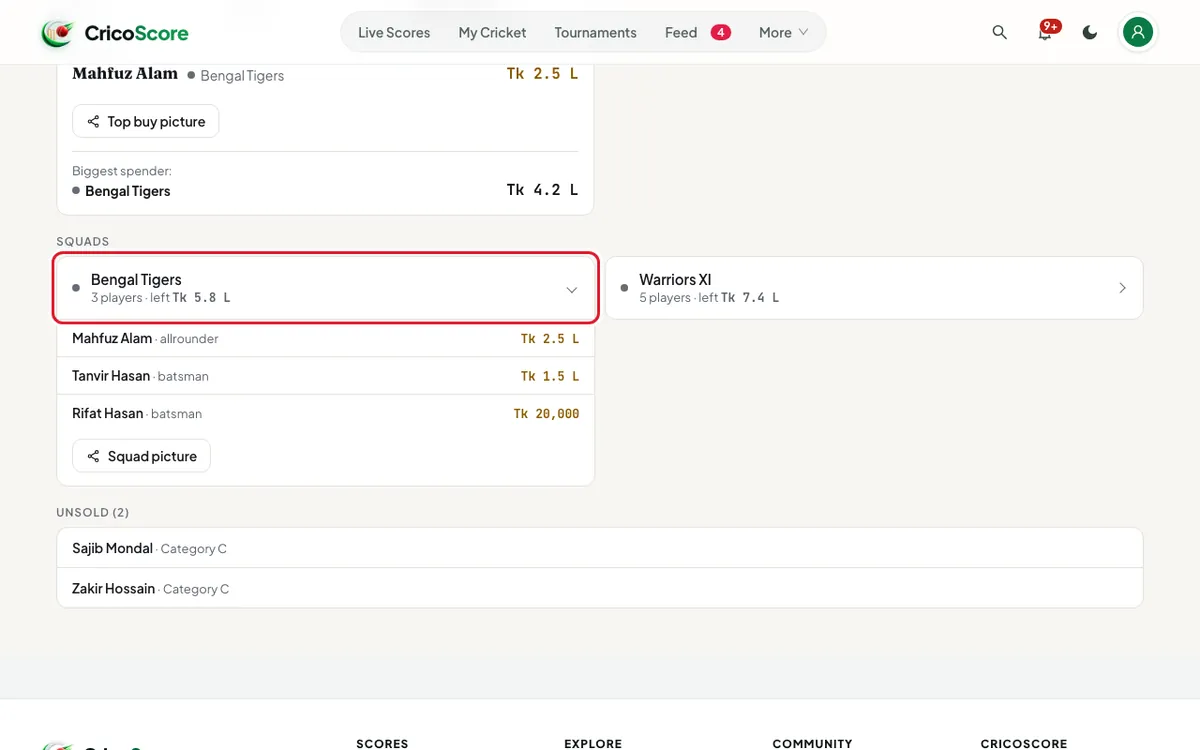
Picture 5. Tap or click to see it bigger. Under Unsold, see the players nobody bought.
Click a player's name. You see the Base price, who bought them, and Career on CricoScore. Click Full profile for more.
Part 4: Share
Share at the top copies the results link. You see Link copied. Paste it into WhatsApp.
Print prints every squad.
Top buy picture (under Records), Squad picture (in a team) and Share Sold! picture (on a sold player's page) make a picture. You see Picture saved.
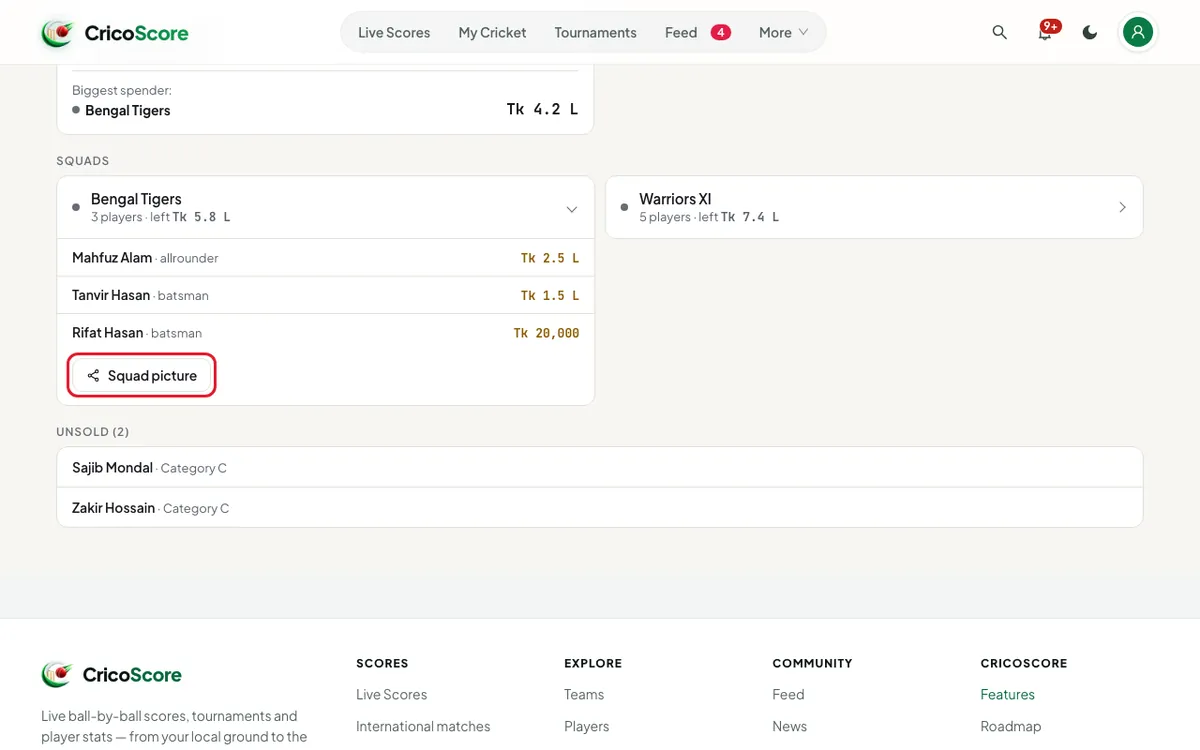
Picture 6. Tap or click to see it bigger.
Common problems
| Problem | What to do |
|---|---|
| This auction isn’t public | Sign in with the account the organiser added. |
| Results aren’t public | The auction isn't over, or you are not taking part. Sign in with the right account. |
| Reconnecting… showing the latest we have. | Your internet dropped. Wait. The page catches up. |
| No Watch live → on my card | The auction is not live yet. |
| REHEARSAL MODE at the top | This is the organiser's practice copy. Nothing here counts. |
| My friend wants to watch | Only people taking part can open it. Your friend can watch the big screen or the stream. |
| What does a notice mean? | See WH10. |
What happens next
The organiser fixes any sales and finalizes the squads. The teams then play the tournament.