


Player auction
Player on the website, from the player link to your team
After this guide, you are registered for the auction, you know what each status means, and you can see where you were sold.
Before you start
A CricoScore account. No account? Create one on the sign-in page.
The Player link from the organiser.
Who this is for: Players using a computer.
Part 1: Register
Open the Player link. You see Player registration is open.
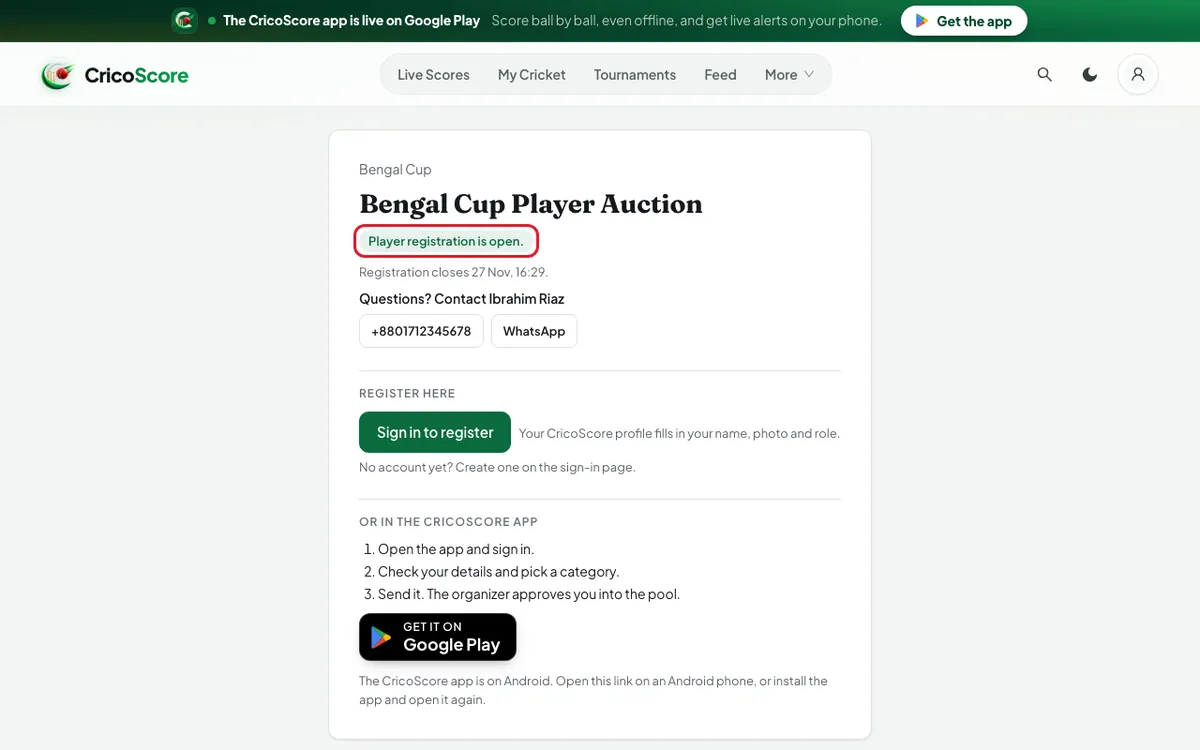
Picture 1. Tap or click to see it bigger. Not signed in? Click Sign in to register. Your profile fills in your name, photo and role.
Signed in, the form says Your name, photo, role and playing styles come from your profile. Want them to look right? Update your profile first.
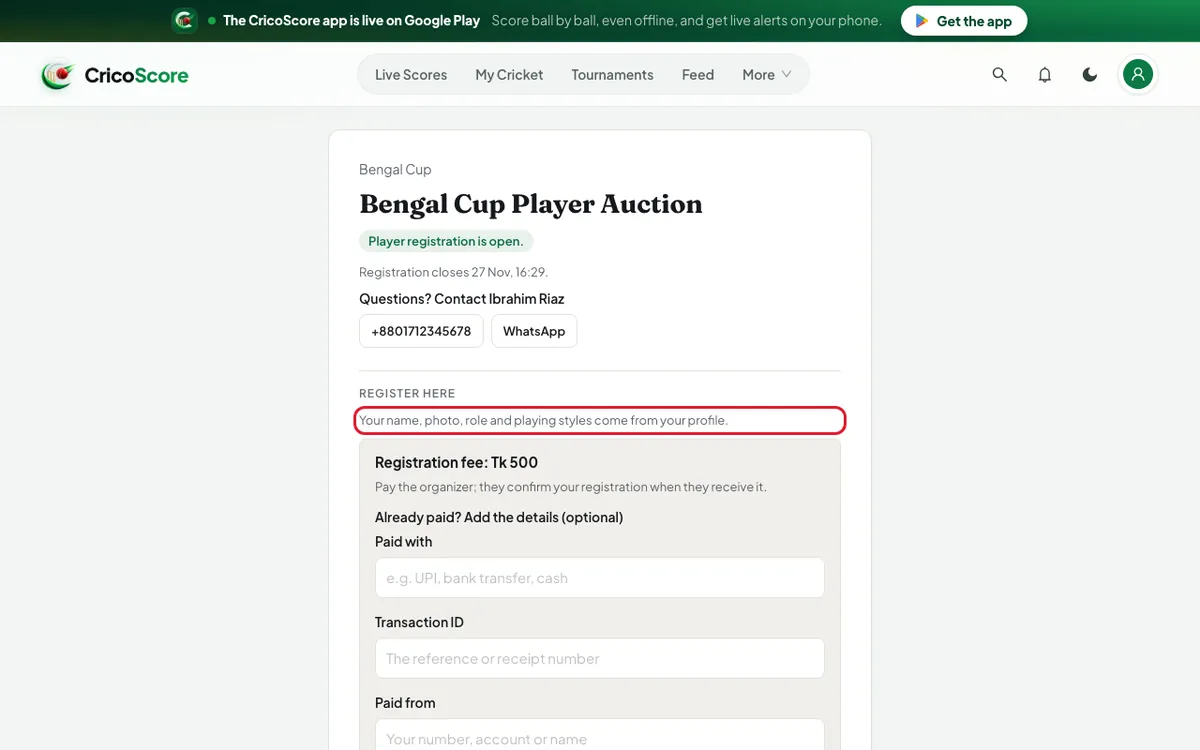
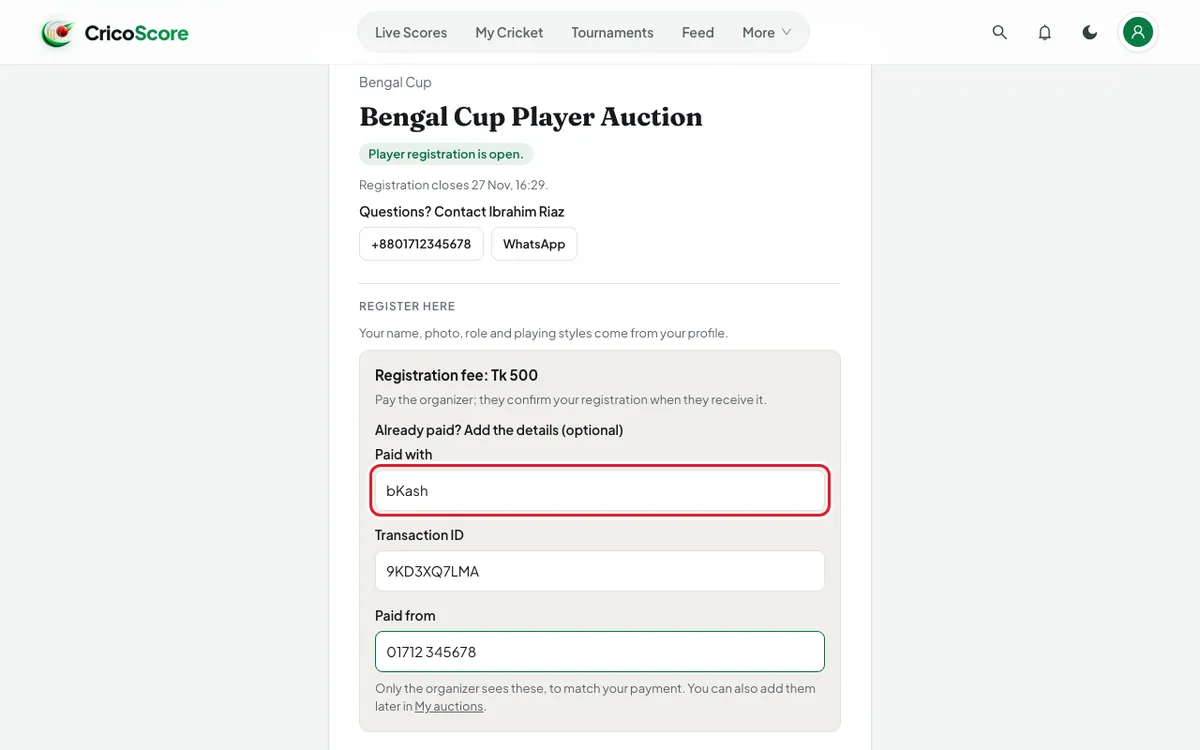
Picture 2. Tap or click to see it bigger. Is there a Registration fee? Pay the organiser in the way shown. Already paid? Fill in Already paid? Add the details (optional): Paid with (for example bKash), Transaction ID and Paid from.
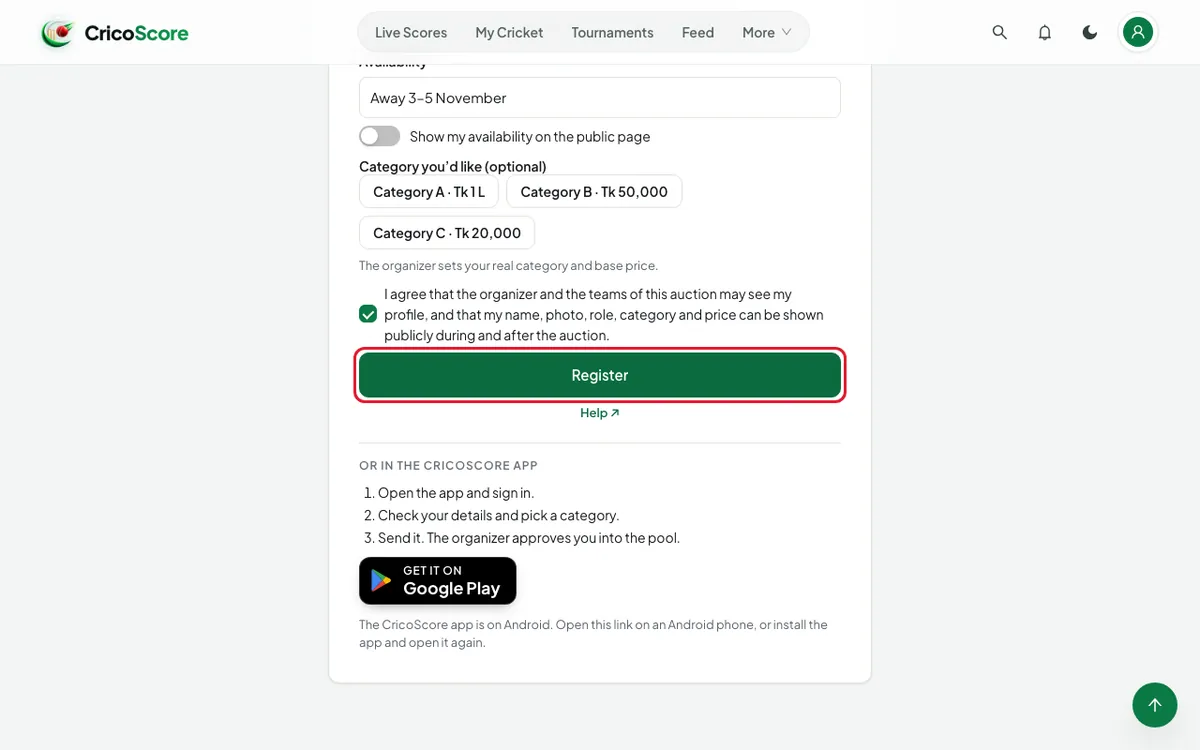
Picture 3. Tap or click to see it bigger. Check Country (for cricket). Type your Availability, for example "Away 3–5 November".
Under Category you’d like (optional), pick one if you want. The organiser sets your real category and base price.
Tick the box I agree that the organizer and the teams of this auction may see my profile….
Click Register. You see You’re registered.
Picture 4. Tap or click to see it bigger.
Stuck? Click Help ↗ under the form.
Part 2: Add payment details later
Click your picture at the top right → My auctions. Click the Registrations tab.
On your card, click Add payment details →.
Click Add payment details. Fill in Paid with, Transaction ID and Paid from.
Click Save. You see Payment details saved.
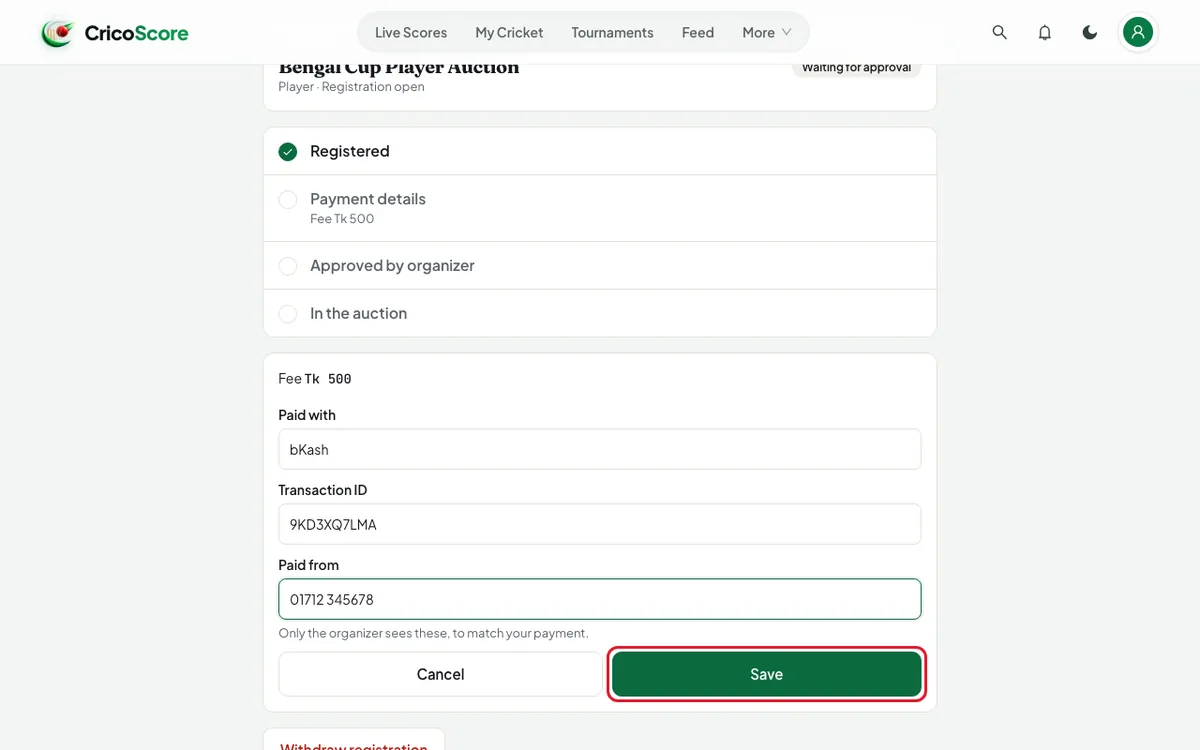
Picture 5. Tap or click to see it bigger.
Made a mistake? Click Change payment details.
Part 3: Follow your status
Open your card in My auctions. My registration shows the steps: Registered, Payment details, Approved by organizer, In the auction.
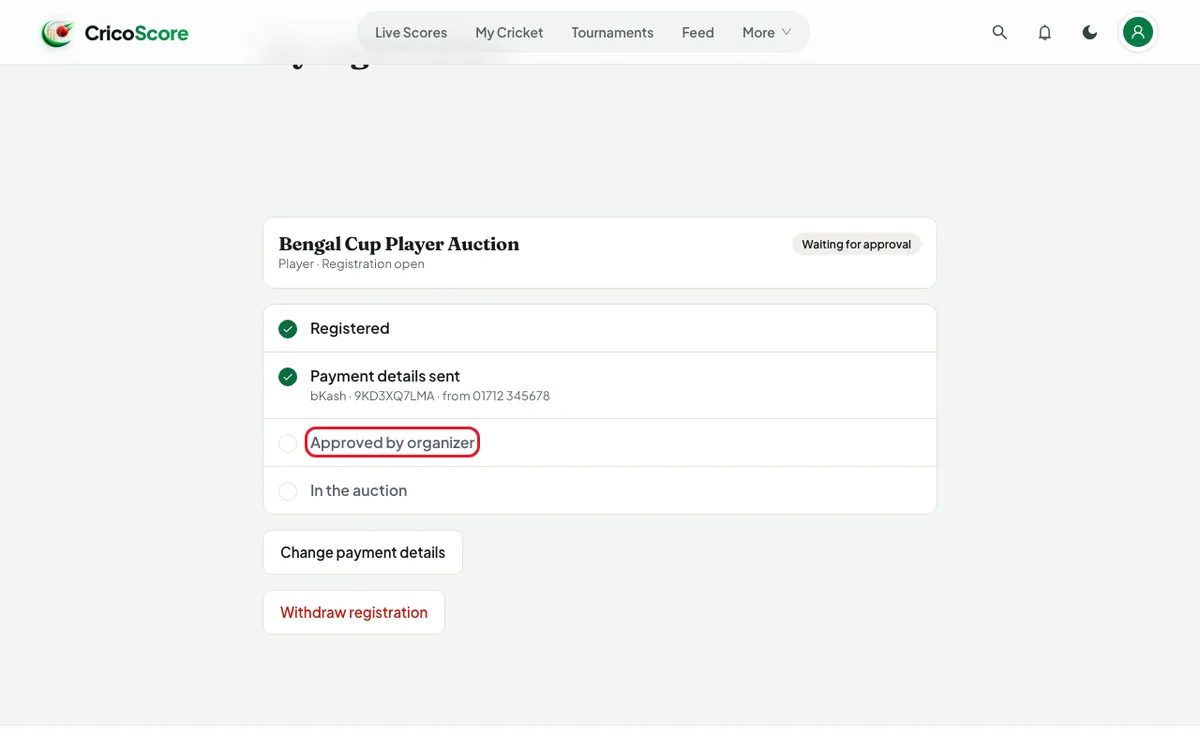
| Status | What it means |
|---|---|
| Waiting for approval | The organiser has not decided yet. |
| In the pool | You are approved. Teams can buy you. |
| Not picked | The organiser did not approve you. |
| Expired | Not confirmed in time. Open the Player link to register again. |
| Sold | A team bought you. |
| Unsold | No team bought you. |
Part 4: Notices and auction day
You get a notice (the bell at the top) when:
the organiser decides: You're in the … pool, with your category and base price,
you are on the block: You're up now in the … — watch live.
you are sold: SOLD! You join the team, with the price.
Click a notice to open the right page. On auction day, your card shows Watch live →. Example: base Tk 50,000, sold for Tk 1.5 L to Bengal Tigers. Your card then shows Sold.
Too many notices? On My account, turn off Auction notifications. You still see them under Notifications, without the push.
Common problems
| Problem | What to do |
|---|---|
| Register is grey | Tick the box I agree that the organizer… first. |
| Player registration is closed. | Registration has ended. Ask the organiser. |
| This link is not valid any more. Ask the organizer for a new one. | Ask for the new Player link. |
| You have already registered for this auction. | You are in. Check My auctions → Registrations. |
| Open this from the organizer’s player link to register. | Open the exact link the organiser sent. |
| No Add payment details | There is no fee, or you are already approved. |
| What does a notice mean? | See WH10. |
What happens next
The organiser approves the pool and runs the auction. Watch it and see your team: WK7.