


Player auction
How to fix sales and finalize the auction
After this guide, you can correct a sale and place unsold players. You can also lock the team squads.
Who can do this
The tournament owner or a Manager.
Before you start
A computer with internet.
An auction that is Live, Paused or Completed. See How to run the auction console.
Part 1: Open the sales list
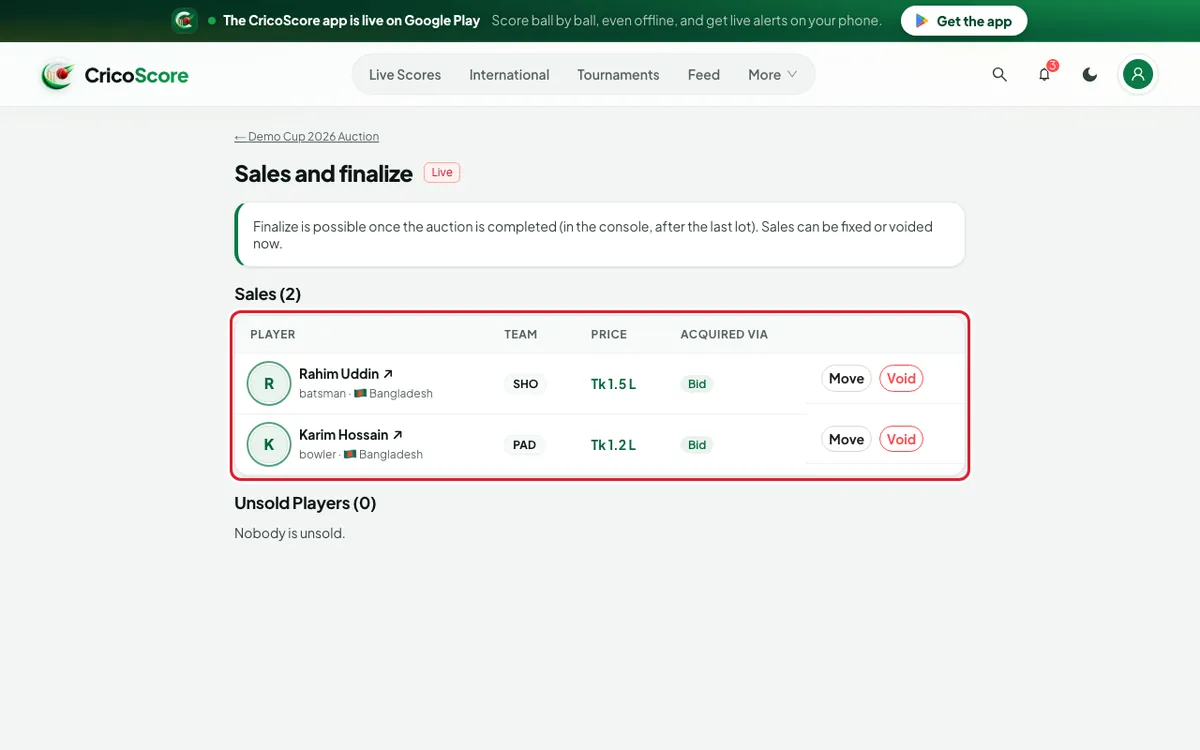
On the auction page, click Sales and finalize. While the auction is live, it is called Sales. In the console, click Fix a sale.
Look at the table. It shows PLAYER, TEAM, PRICE and ACQUIRED VIA for every sale.
Picture 1. Tap or click to see it bigger.
Part 2: Move or void a sale
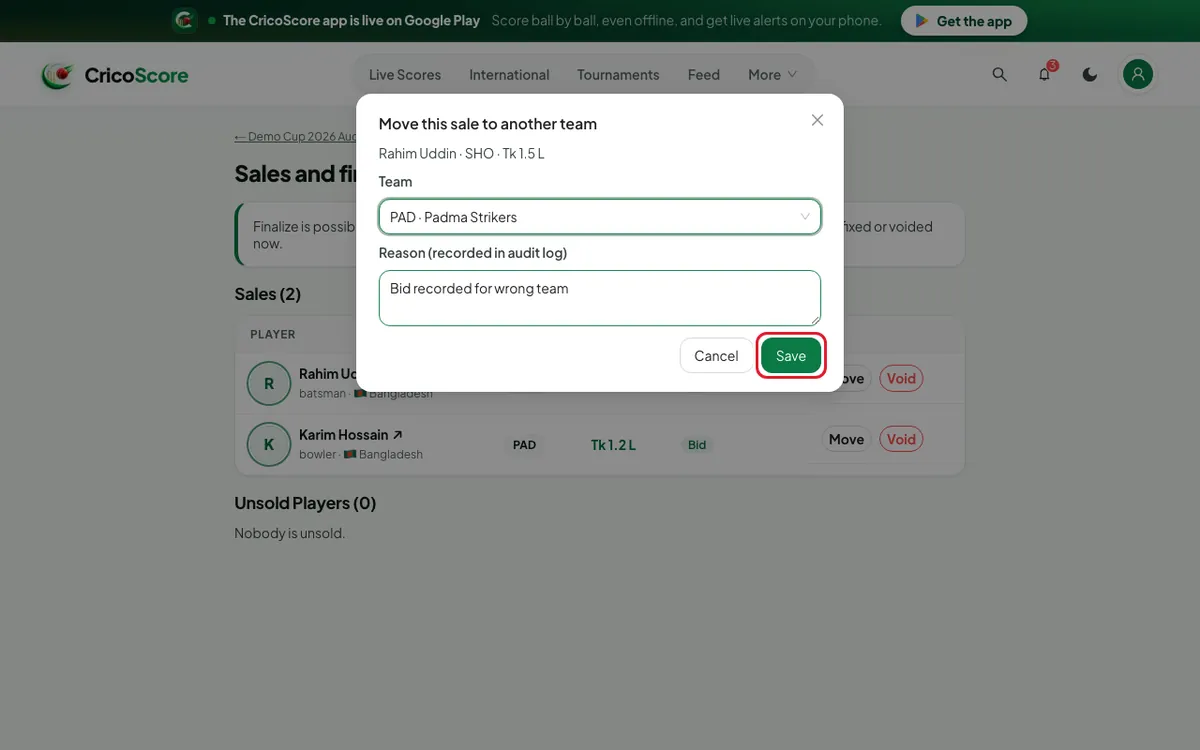
To give the player to another team, click Move on that row.
Under Team, choose the right team. Example: "PAD · Padma Strikers".
Type why under Reason (recorded in audit log). Then click Save.
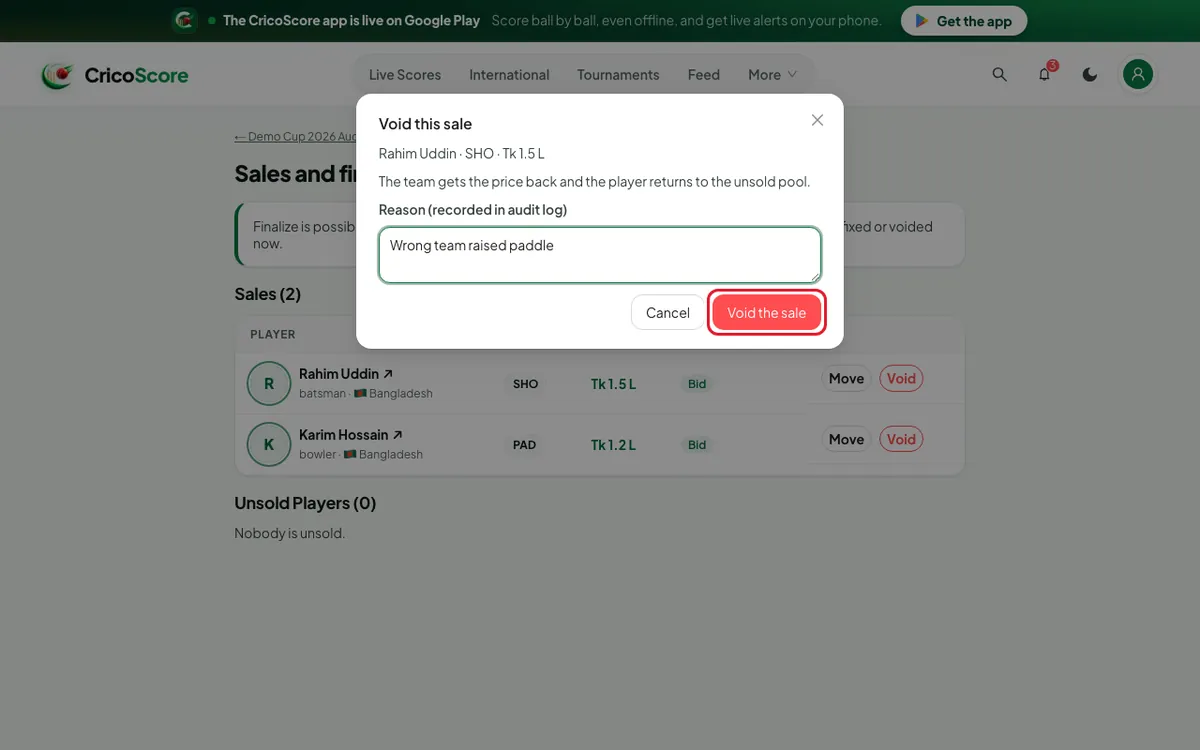
Picture 2. Tap or click to see it bigger. To cancel a sale, click Void on that row. Type the reason.
Click Void the sale. The team gets the price back. The player goes back to the unsold players.
Picture 3. Tap or click to see it bigger.
Part 3: Place unsold players
You can do this once the auction shows Completed.
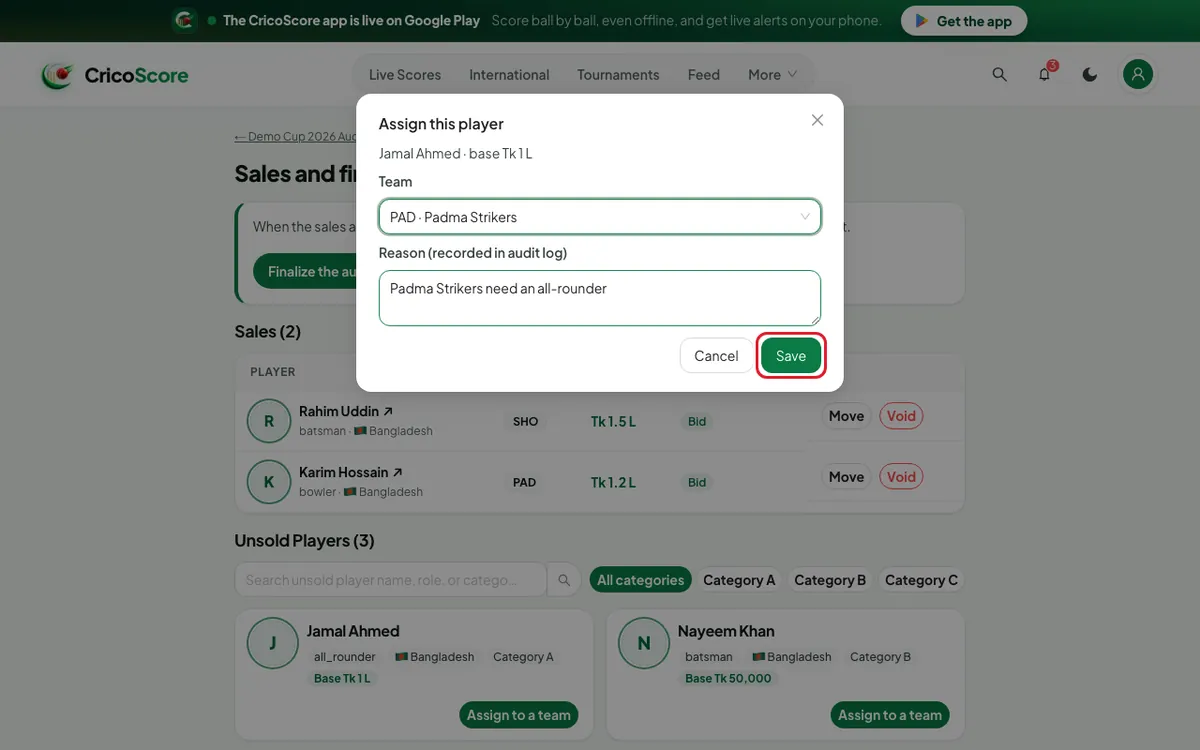
Find the player under Unsold Players.
Click Assign to a team. Choose the Team. Type the reason.
Click Save. The player joins that team at the base price.
Picture 4. Tap or click to see it bigger.
Part 4: Finalize
Check the sales list one last time.
Click Finalize the auction. A box asks Finalize the auction?
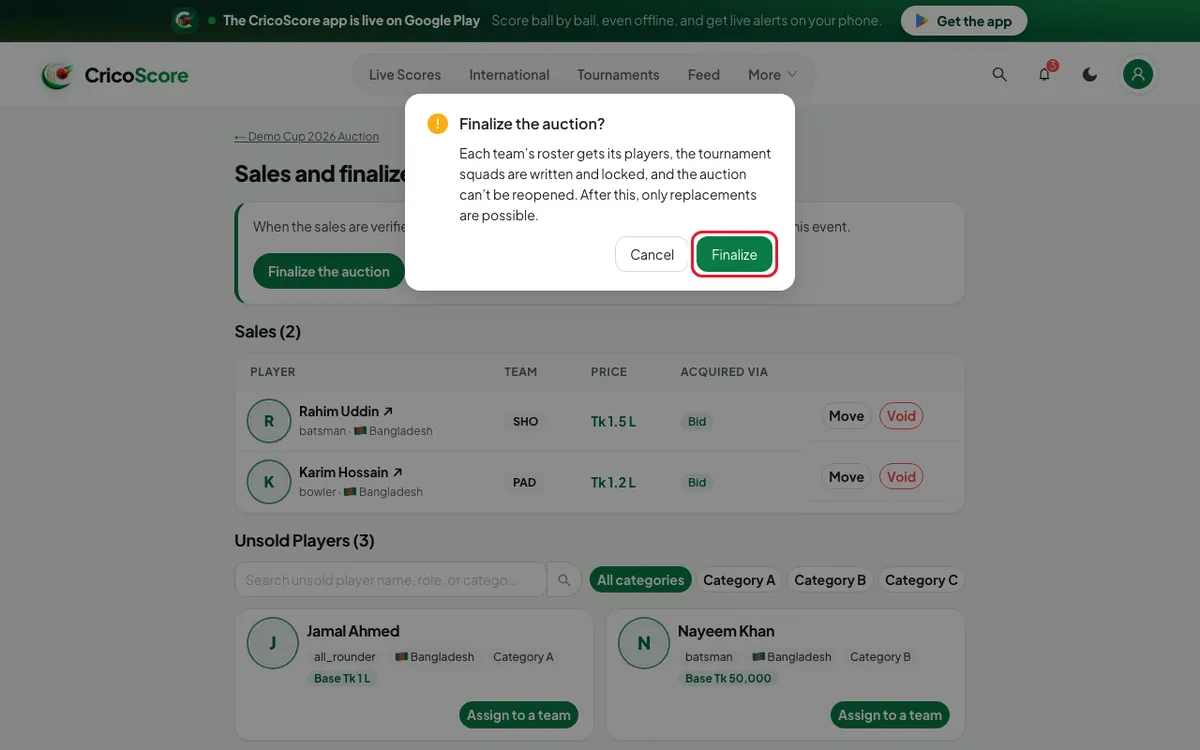
Picture 5. Tap or click to see it bigger. Click Finalize. You see Finalized. The squads are written and locked.
Common problems
| Problem | What to do |
|---|---|
| I don't see Finalize the auction | First complete the auction in the console. See WK2. |
| Save is grey | Choose a team and type a reason. Both are needed. |
| A sale has no Move | Right-to-match (RTM) sales can't be moved. Void it instead. |
| Can be assigned once the auction is completed | Complete the auction first. |
| You can’t manage this auction | Only the owner or a Manager can fix sales. |