


Organise tournaments
How to create and edit a team on a computer
After this guide, your team has a logo, a squad and admins who can help you.
Who can do this
Anyone with organiser tools on can create a team. The team owner and team admins can edit it. Only the team owner can add or remove admins.
Before you start
Organiser tools are on. See How to turn on organiser tools.
Your team name and player names.
Part 1: Create the team
On the My Cricket page, click New team.
Type the Team name. Example: "Shorisa XI".
Type a Short name, like "SHO". Leave it empty to use the first 4 letters.
Click Create team. The Edit team page opens and shows Team created.
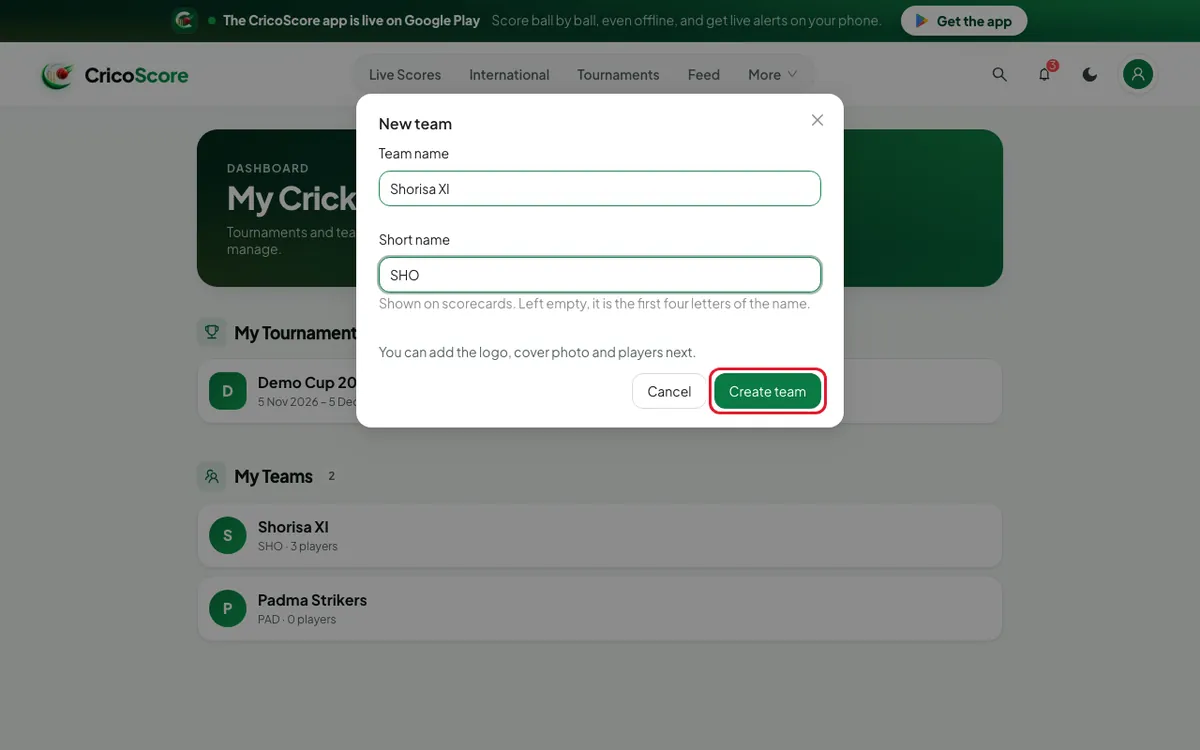
Picture 1. Tap or click to see it bigger.
Part 2: Logo, cover and squad
Under Cover photo, click Add cover. Frame the picture. Click Use cover.
Under Logo, click Add logo. Frame it. Click Use logo.
Click Manage squad.
Choose a Role. Type the player's name. Click Add.
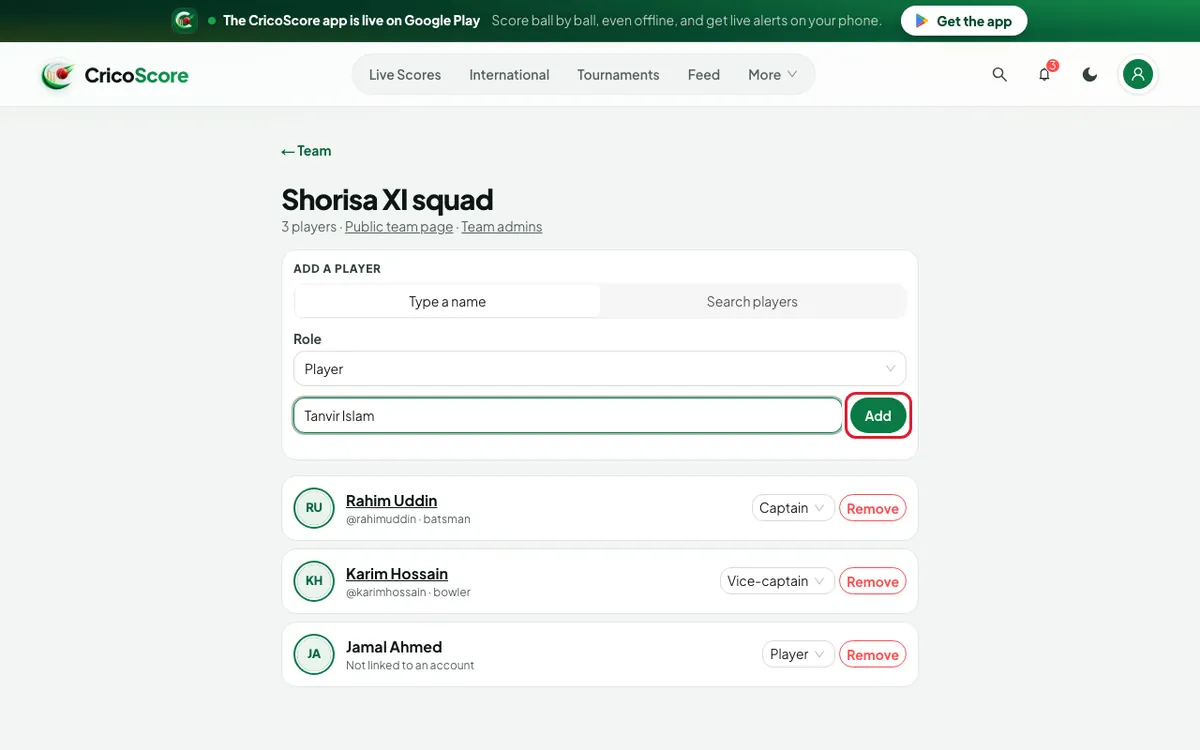
Picture 2. Tap or click to see it bigger.
To change a role later, use the menu next to the player.
Part 3: Add and remove team admins
On the Edit team page, click Team admins.
Type the person's email, phone number or @username.
Click Add. The website shows Admin added.
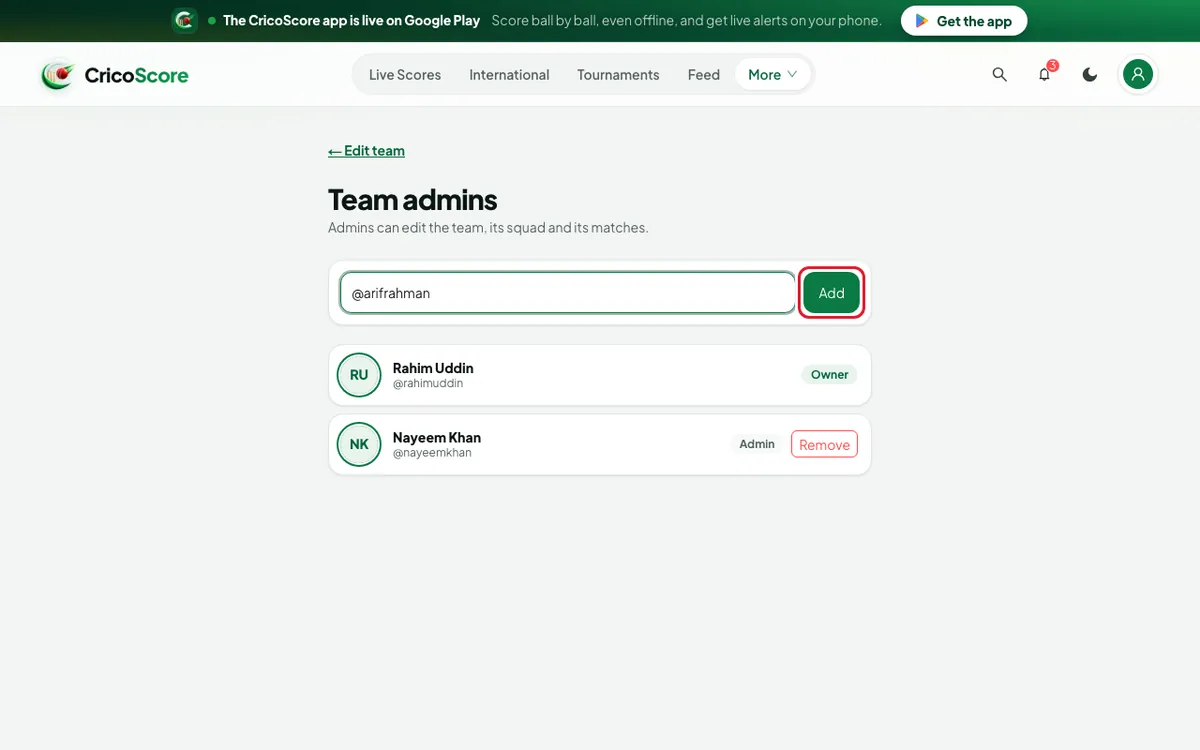
Picture 3. Tap or click to see it bigger. To remove an admin, click Remove next to them.
Click Remove again to confirm. They can no longer edit the team.
Common problems
| Problem | What to do |
|---|---|
| Team name is required | Type a name. |
| You don't manage this team | Only the owner and its admins can edit. Ask the owner to add you. |
| The squad page says View only | You are not the owner or an admin of this team. |
| No account found with this email (or phone, or handle) | Check it with the person. They need a CricoScore account. |
| I want to stop being an admin | On Team admins, click Leave next to your name. |
| I want to delete my team | You can't do this on the website. |