


Organise tournaments
How to make a championship and add its seasons on a computer
After this guide, your yearly tournaments sit together under one championship. Each tournament is one season.
Who can do this
Any organiser can make a championship. The owner or a manager of the championship can add seasons.
Before you start
Organiser tools are on. See How to turn on organiser tools.
At least one tournament you own or manage. Example: "Demo Cup 2026".
Part 1: Make the championship
On the My Cricket page, click Leagues.
Click New league.
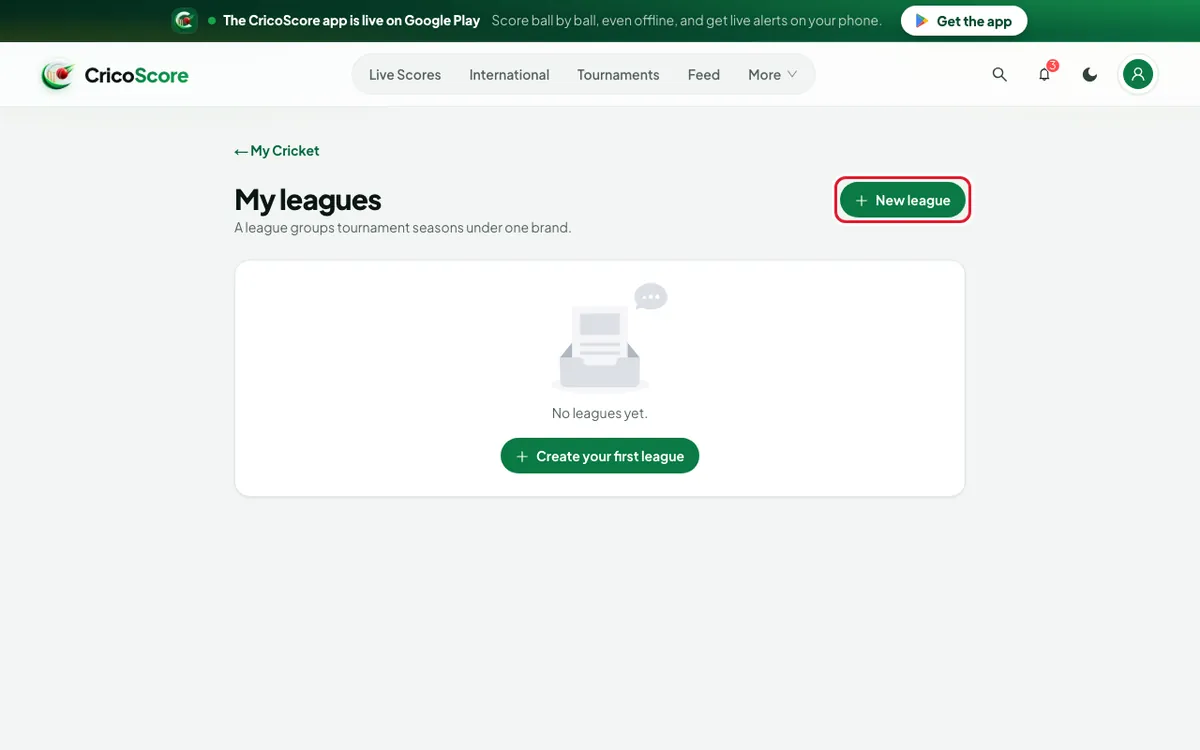
Picture 1. Tap or click to see it bigger. Type the League name. Example: "Demo Cup".
Fill in Short name, Founded and Description if you like.
Click Create league. The championship page opens on the Seasons tab.
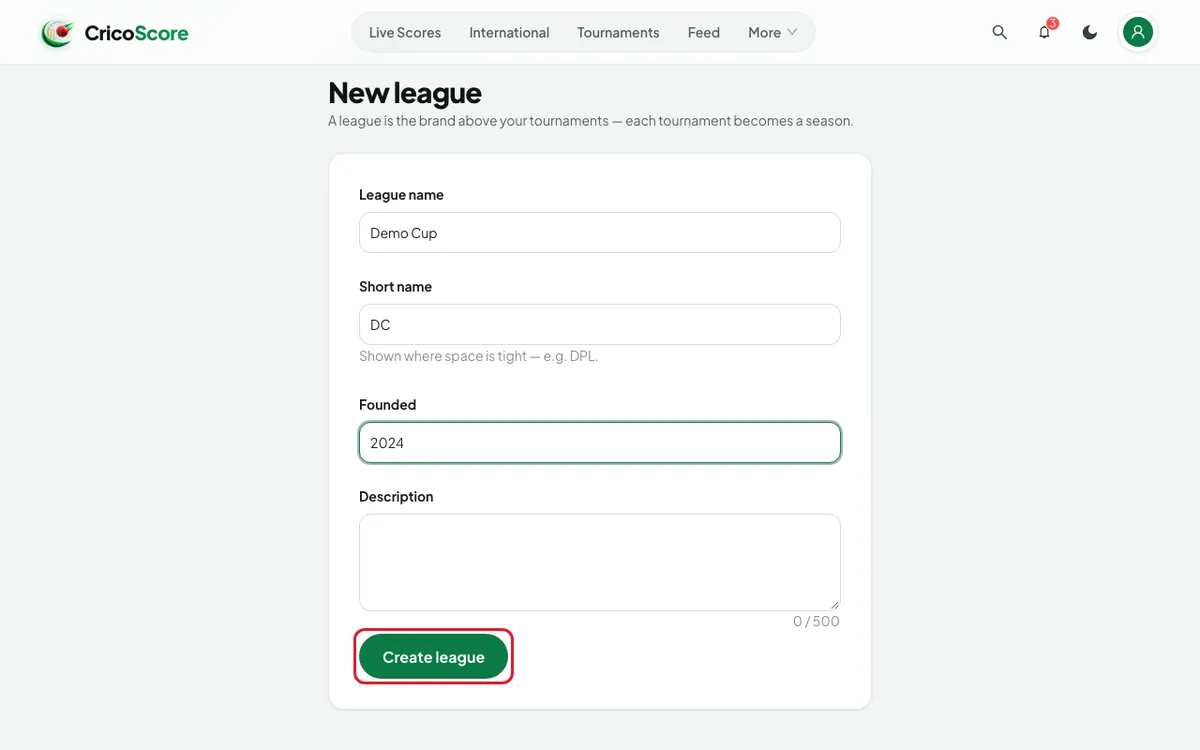
Picture 2. Tap or click to see it bigger.
Part 2: Add a season
Under ATTACH AN EXISTING TOURNAMENT, find your tournament.
Click Attach. It moves up under SEASONS.
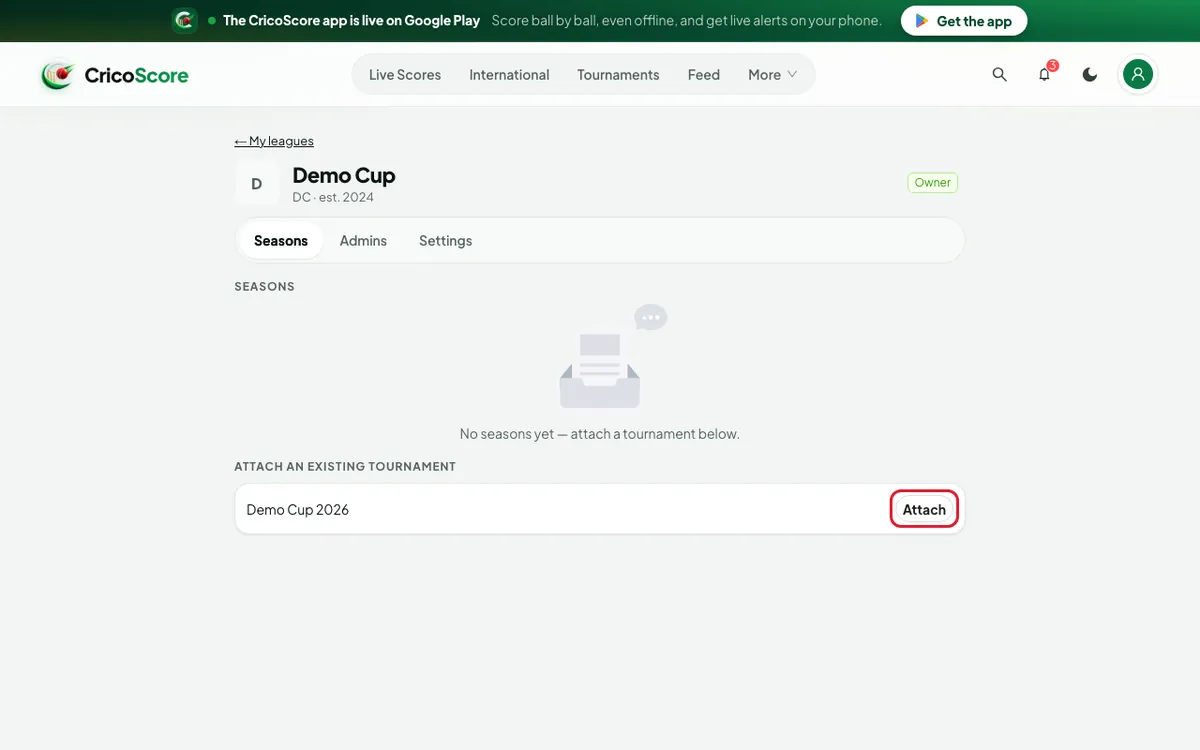
Picture 3. Tap or click to see it bigger.
Part 3: Give the season a name
Under SEASONS, click the tournament. Its page opens.
Click the Settings tab. Go to the Championship card.
Type the Season label. Example: "2026".
Click Save. The website shows Championship saved.
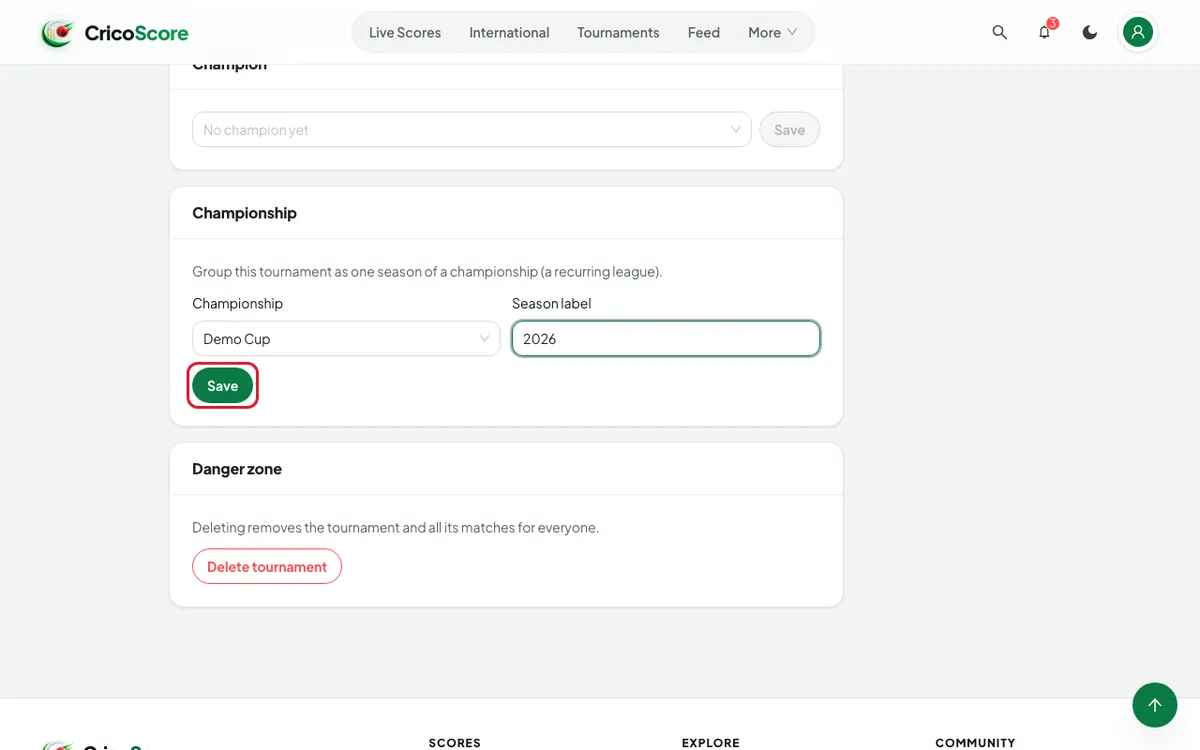
Picture 4. Tap or click to see it bigger.
Common problems
| Problem | What to do |
|---|---|
| My tournament is not under ATTACH AN EXISTING TOURNAMENT | It is already in a championship, or you are not its owner or Manager. |
| That season is already taken in this championship. | Use a different Season label. |
| I attached the wrong tournament | Open it. On Settings, clear the Championship box and click Save. |
| Add a league admin by their account email address. | On the Admins tab, type the person's email, not a phone or @username. |