


Quick answer
Where is the Google or Facebook login?
The website doesn't have it yet. You can sign in with your email or phone and a password only.
Did you make your account in the app with Continue with Google or Continue with Facebook? Then you don't know your password yet. Make one with Forgot password?:
What to do
Click the person icon at the top right. Then click Log in.
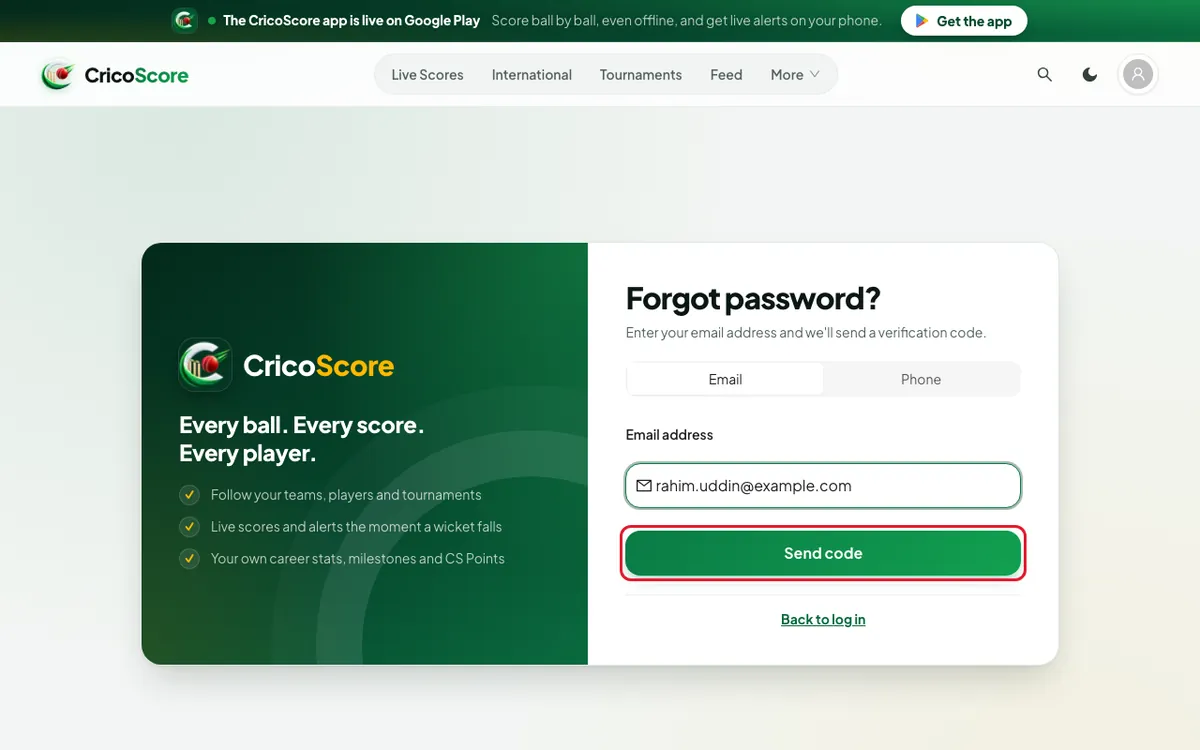
Click Forgot password?.
Choose Email. Type the email of your Google or Facebook account.
Click Send code. Find the 6-number code in that email.
Type the code and a new password. Click Reset password.
Sign in with that email and your new password.
Full steps: How to reset your password.
No email on your account?
Sometimes Facebook does not share your email. Then your account has no email or phone. Forgot password? can't send you a code. Add one in the app first:
Open the CricoScore app. Sign in with Continue with Facebook.
Tap the Profile tab at the bottom. Tap Edit Profile.
Under Account, type your email in the Email box. Or type your phone number in the Phone box.
Tap Save changes.
On the website, follow What to do above. Use that email or phone.