


The feed
How to read and post on the feed on the website
You will read posts from players and fans, and write your own post with photos or a video.
Who can do this
Everyone can read the feed. To post, you need an account.
Before you start
A phone or computer with internet.
To post, sign in. See How to create an account and sign in on the website.
Steps
Read the feed
Click Feed in the top menu. On a phone, tap Feed in the bottom bar. The Community Feed page opens.
To see one kind of post, use the buttons at the top: All, Milestones, Photos, Videos or Stories.
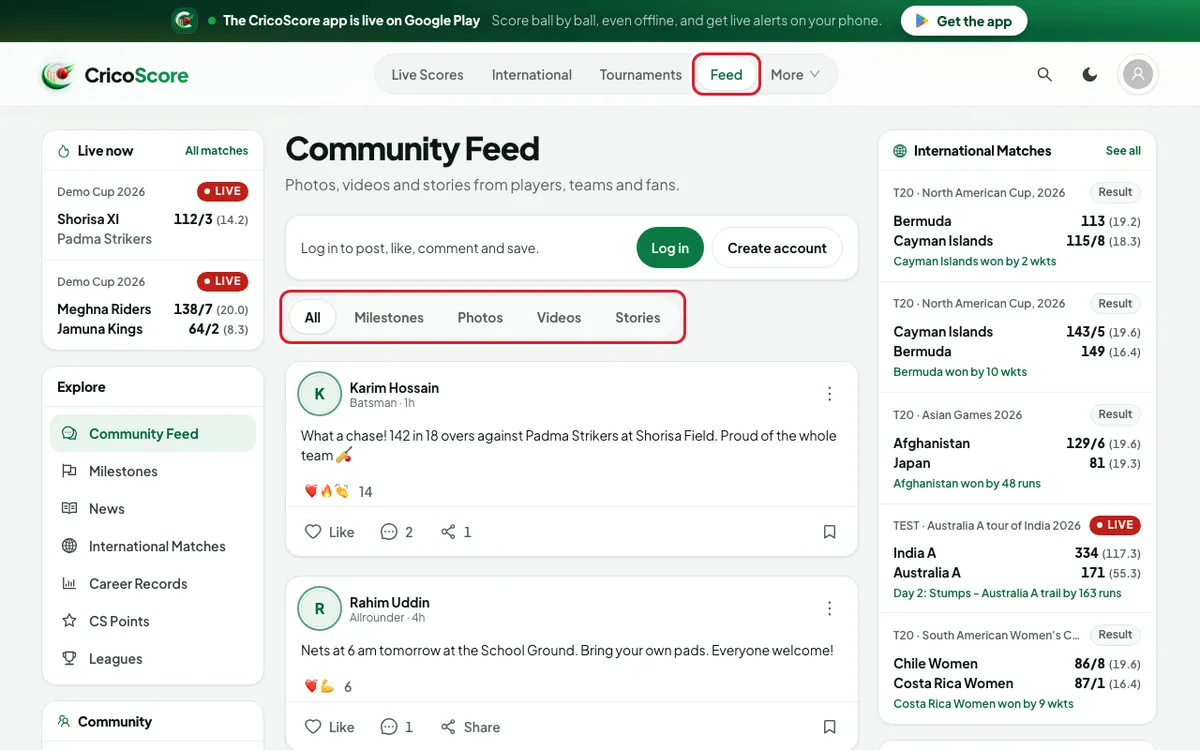
Picture 1. Tap or click to see it bigger.
Write a post
Click (or tap on a phone) What's on your mind? at the top of the feed. The Create post box opens.
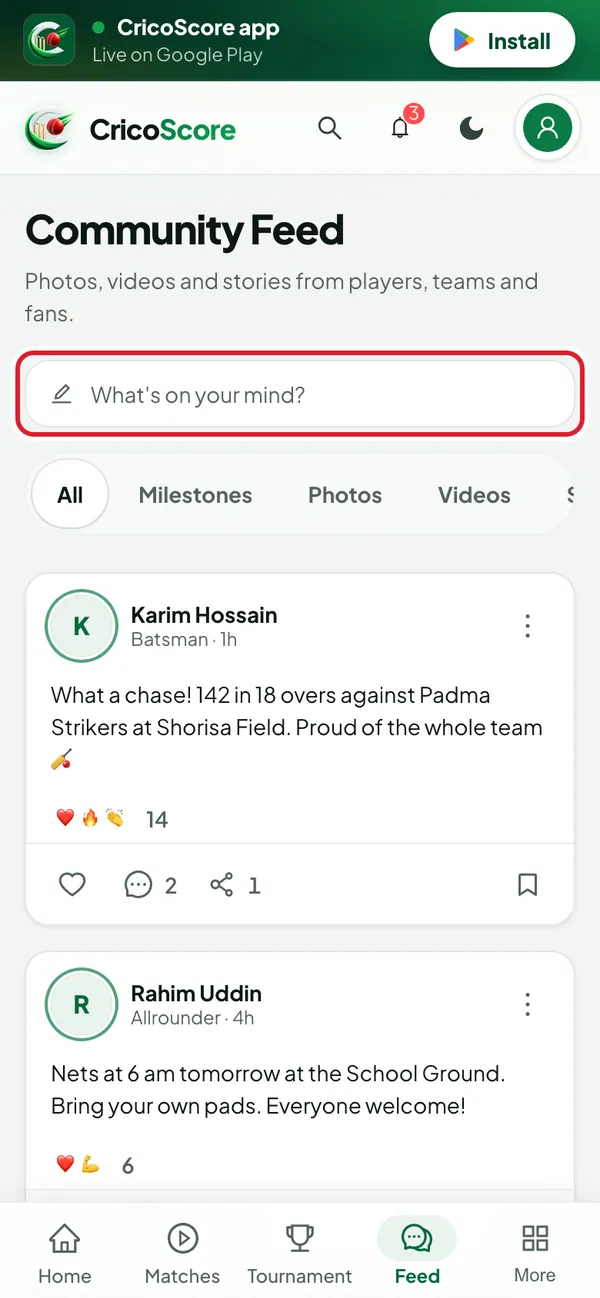
Picture 2. Tap or click to see it bigger. Type your post. To mention a player, type @ and their username. Then click their name in the list.
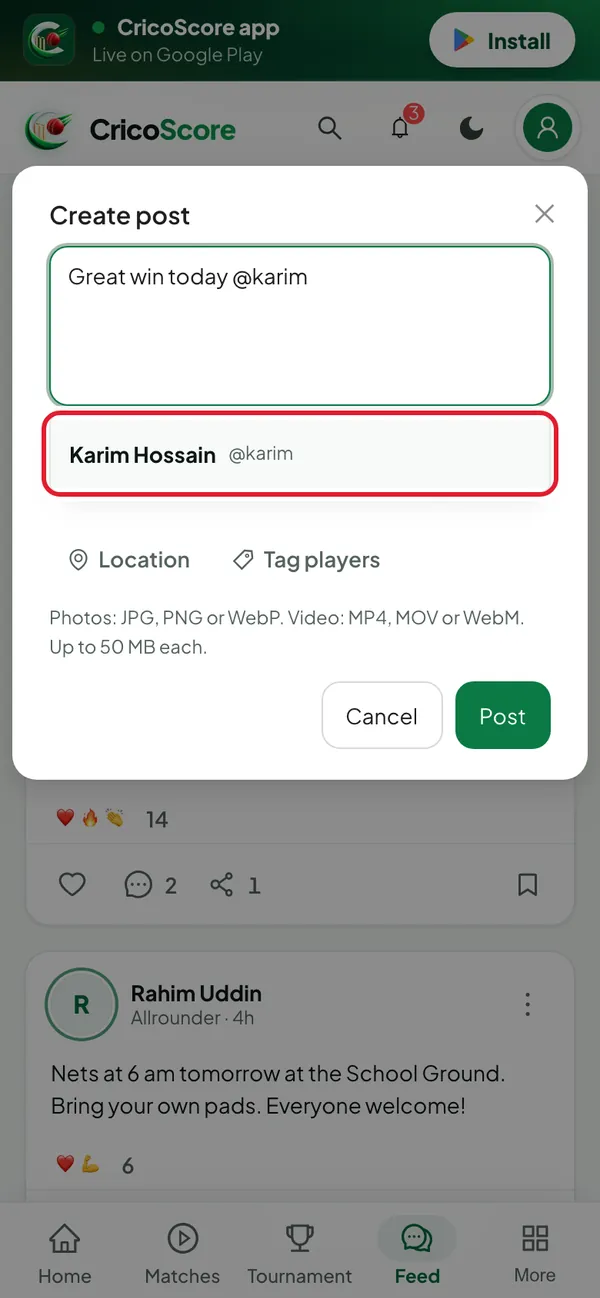
Picture 3. Tap or click to see it bigger. To add pictures, click Photo and choose up to 10 pictures. To add a video, click Video and choose 1 video.
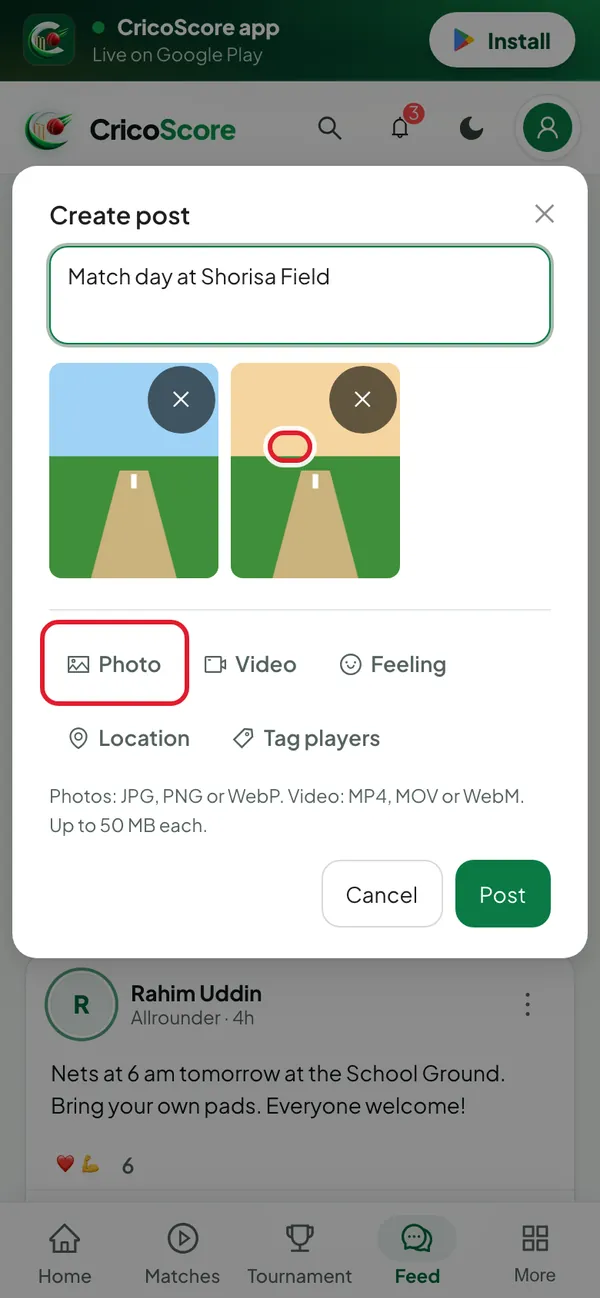
Picture 4. Tap or click to see it bigger. To tag players, click Tag players. Search a name, click each player, then click Done.
To add a feeling or a place, click Feeling or Location. Then choose a word, like proud, or type the place.
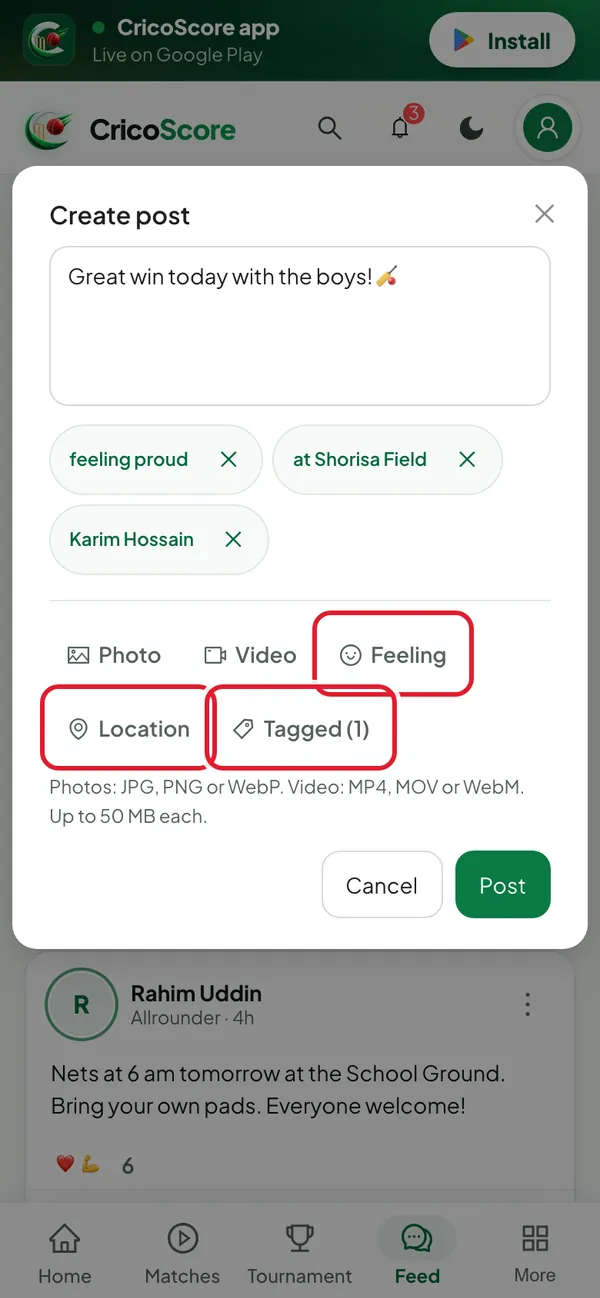
Picture 5. Tap or click to see it bigger. Click Post. You see Posted. Your post shows at the top of the feed.
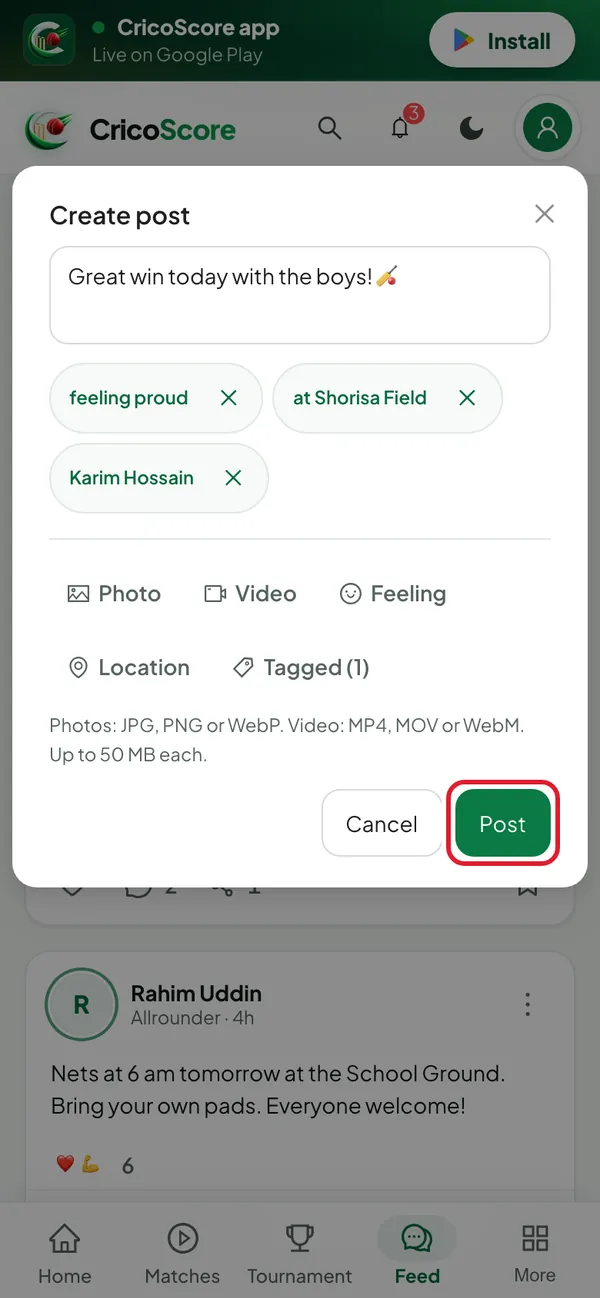
Picture 6. Tap or click to see it bigger.
Change or delete your post
Click the ⋮ button at the top right of your post.
Click Edit post to change it. Or click Delete post to remove it.
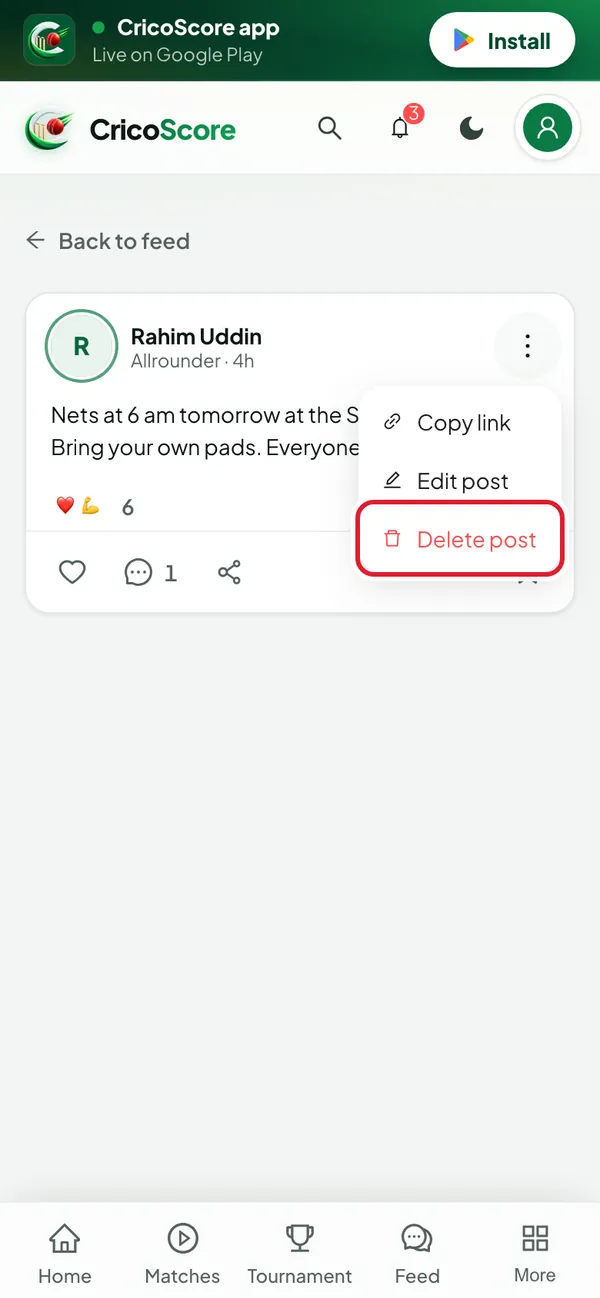
Picture 7. Tap or click to see it bigger.
In the Delete this post? box, click Delete. You see Post deleted.
Common problems
| Problem | What to do |
|---|---|
| I don't see What's on your mind? | You are not signed in. Click Log in on the feed page, then come back. |
| I see "Write something or add a photo." | A post can't be empty. Type something, or add a photo or video. |
| I see "… is too large. The limit is 50 MB." | Choose a smaller file, or make the video shorter on your phone first. |
| I see "A post can carry up to 10 photos and videos." | Remove some files, or make a second post. |
| The name list doesn't open after @ | Type at least 1 letter after @. Check the spelling of the username. |
| I closed the box by mistake | If you wrote something, the website asks Discard this post? first. Choose to keep it. |