


Your account
How to see your notifications, saved posts and friends on the website
You will find your notifications, the posts you saved, and the players you follow.
Who can do this
Anyone with an account.
Before you start
Sign in on the website. See How to sign in on the website.
Steps
Notifications
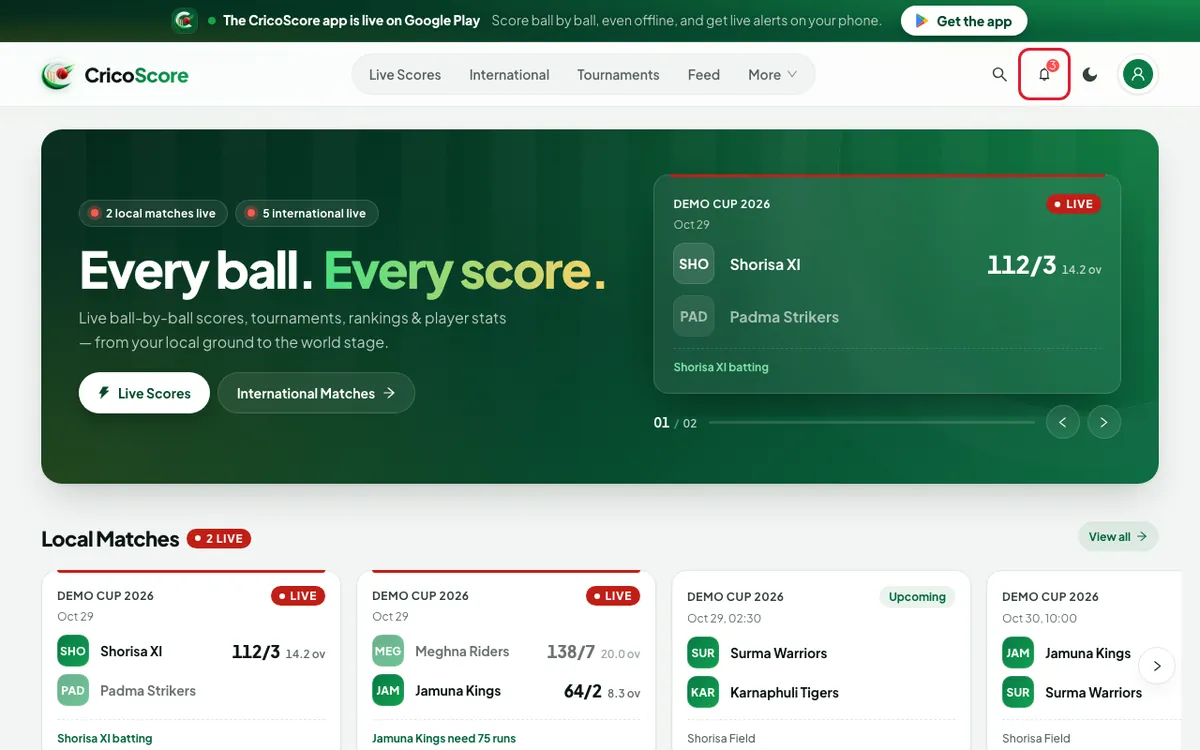
Click (or tap on a phone) the bell at the top right. A number on the bell shows how many are new. The Notifications page opens.
Picture 1. Tap or click to see it bigger. Click a notification. The website opens the match, post or page it is about.
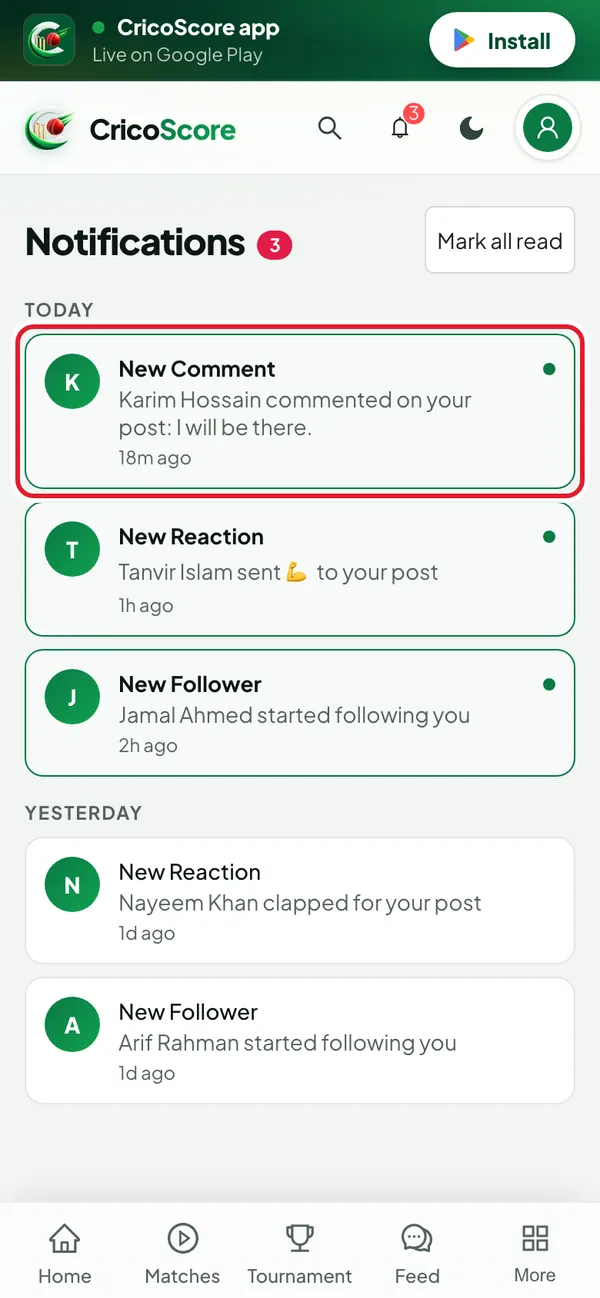
Picture 2. Tap or click to see it bigger. To clear the new dots, click Mark all read at the top.
Saved posts
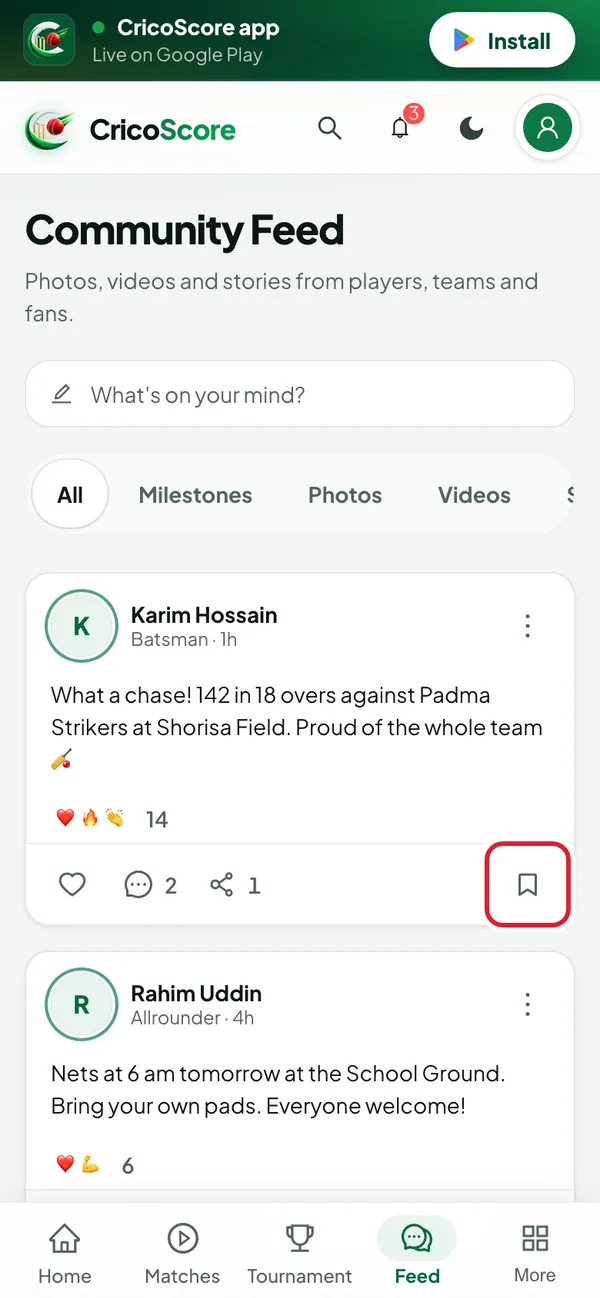
On any post in the feed, click the bookmark at the bottom right. You see Saved.
Picture 3. Tap or click to see it bigger. To see them all, open My account. Then click Saved posts.
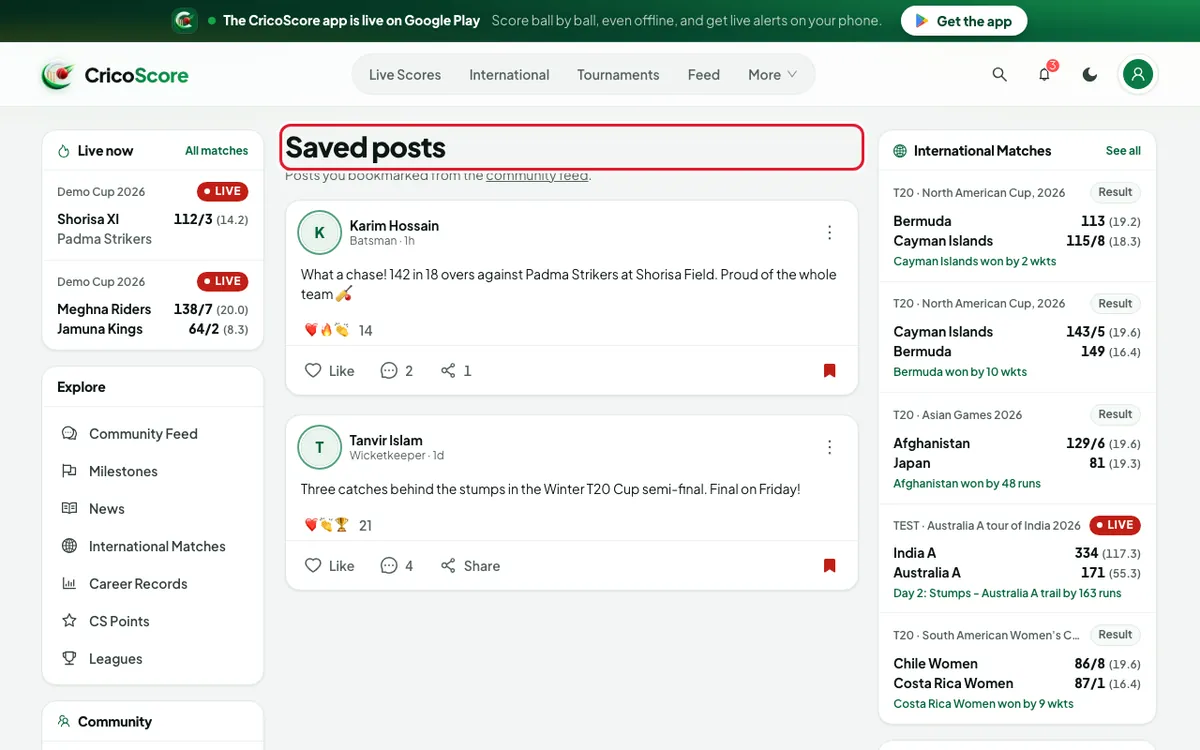
Picture 4. Tap or click to see it bigger. To remove one, click its bookmark again. You see Removed from saved posts.
Friends
Click your picture at the top right. Then click Friends.
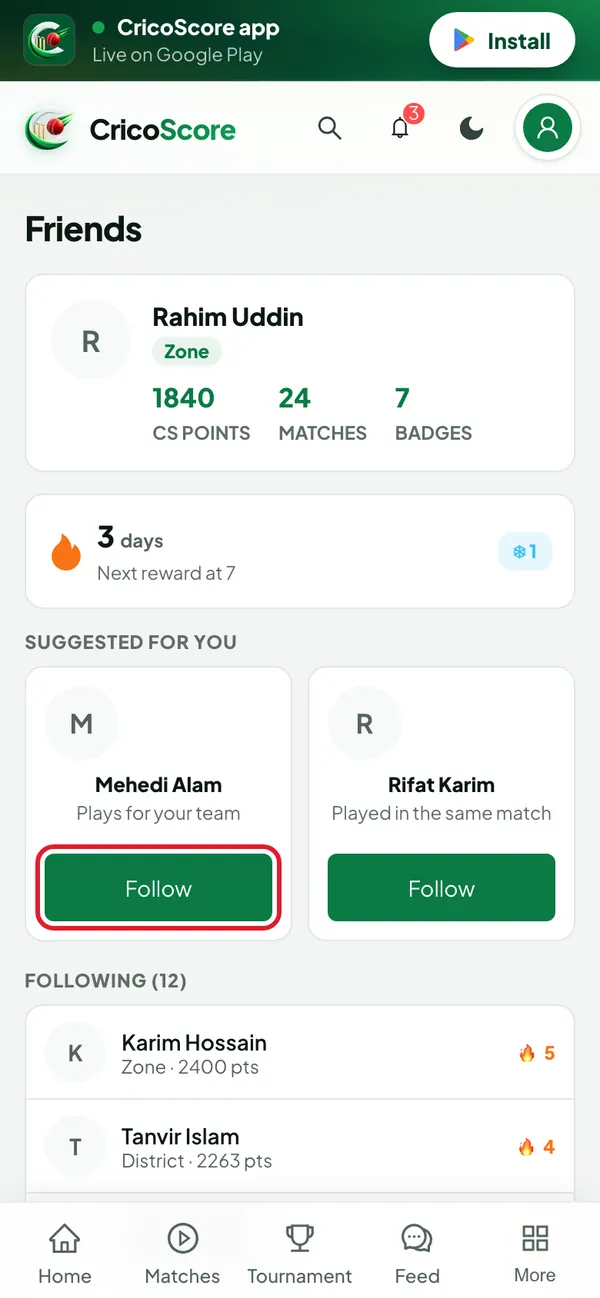
Picture 5. Tap or click to see it bigger. Look at the top for your CS POINTS, MATCHES, BADGES and your streak.
Under SUGGESTED FOR YOU, click Follow to follow a player.
Under FOLLOWING, click a name to open that player's profile.
Common problems
| Problem | What to do |
|---|---|
| I see Nothing here yet. on Notifications | You have no notifications yet. They appear when people like, comment on or share your posts, or follow you. |
| I see Nothing saved yet. | Click the bookmark on a post in the feed first. |
| I can't find Saved posts in the menu | It is on the My account page. |
| The bell shows no number, but I expected news | The number updates about once a minute. Open the Notifications page to check. |
| I don't see a bell at all | The bell shows only when you are signed in. Sign in first. |
| I want fewer notifications | Change this in the app. See Notifications & settings in the app. |