


Player auction
Player auction: start here
After this page, you know what a player auction is, the six stages, and which guide is yours.
Before you start
The CricoScore app, signed in. See How to create an account.
Who this is for: Everyone in an auction: the organiser, helpers, team owners, players and fans.
What is a player auction?
Teams buy players for a tournament. Each team has a purse (money or points to spend). The auctioneer shows one player at a time. Teams bid, and the highest bid buys the player. At the end, every team has its squad.
The six stages
You see the stage on the auction card in My auctions.
Draft: the organiser sets the rules.
Registration open: players register and teams join. Then Registration closed.
Retentions: teams ask to keep their old players.
Ready: the rules are locked. Everyone gets ready for the day.
Live: players are sold, one by one. Paused means a short break.
Completed, then Finalized: the results are final and the squads go to the tournament.
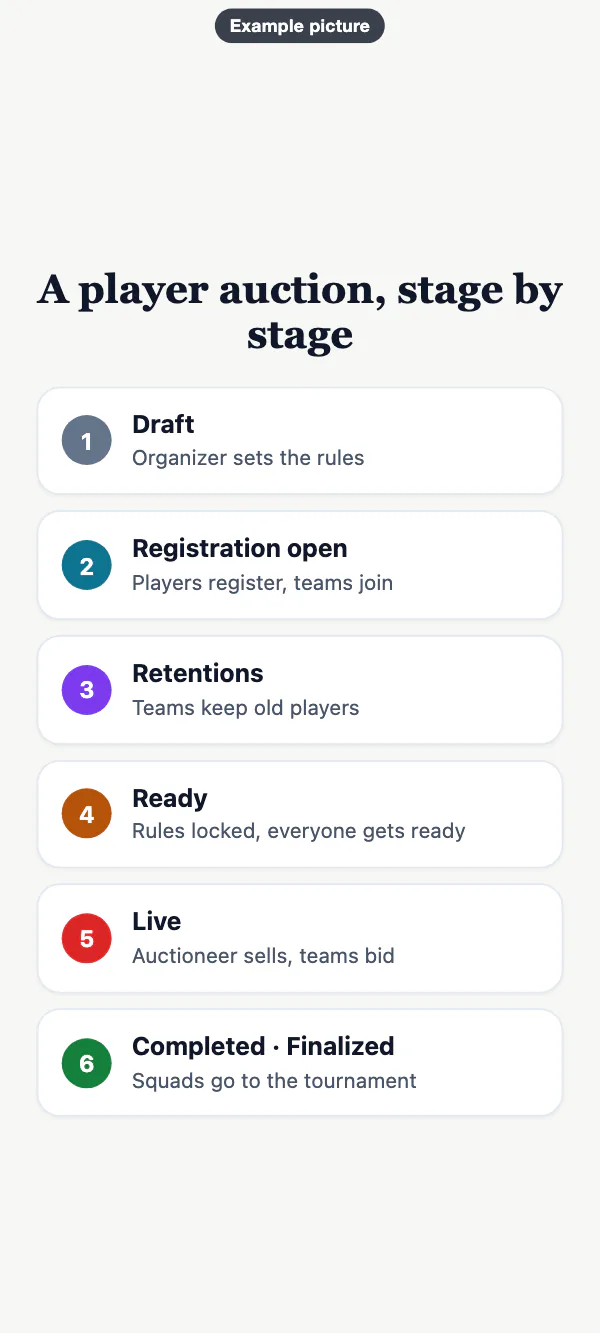
Picture 1. Tap or click to see it bigger.
Find your part
| You are | Read these, in this order |
|---|---|
| Organiser | K1 Set up → K6 Settings → K4 Run the auction |
| Helper or auctioneer | K4 Run the auction |
| Team owner | K2 Teams in the auction → K5 Live and results |
| Player | K3 Register → K5 Live and results |
| Fan | Watch on the big screen in the hall, or on the organiser's live stream |
A sample timeline
| When | What happens | Who |
|---|---|---|
| 2 weeks before | Create the auction and fill in the settings | Organiser |
| 10 days before | Open registration. Share the Player link and the Team link on WhatsApp | Organiser |
| Until 3 days before | Players register and pay the fee. Teams join and accept the rules | Players, team owners |
| 3 days before | Close registration. Teams send the players they want to keep | Organiser, team owners |
| 1 day before | Mark ready. Do a practice run | Organiser |
| Auction day | Go live. Sell every player | Organiser, team owners |
| After | Fix sales, then finalize. Share the results | Organiser |
This is only an example. Choose your own dates.
Auction words
Purse: what a team can spend. Example: Tk 25 L.
Base price: the lowest price for a player. Example: Category A Tk 1 L.
Bid step: how much each new bid adds. Example: 1 L → 1.1 L → 1.2 L.
Squad: the players a team buys. Example: at least 11, at most 15.
Retained player: a player a team keeps before the auction. Their price comes out of the purse.
RTM (right to match): a team takes back its old player by matching the winning bid. Example: Tigers buy Rafi for Tk 3 L. His old team uses an RTM card and gets him for Tk 3 L.
Sold / Unsold: bought by a team, or no team bid. Unsold players can come back in a later round.
I can't find my auction
Open My Cricket → ORGANIZE → My auctions.
Look under ORGANIZING, MY TEAMS or MY REGISTRATIONS.
Still not there? You may be signed in with another account. Sign in with the account you used for the auction.
Auctions are private. Only the organiser, approved teams and registered players can open them. Ask the organiser for the Player link or the Team link.
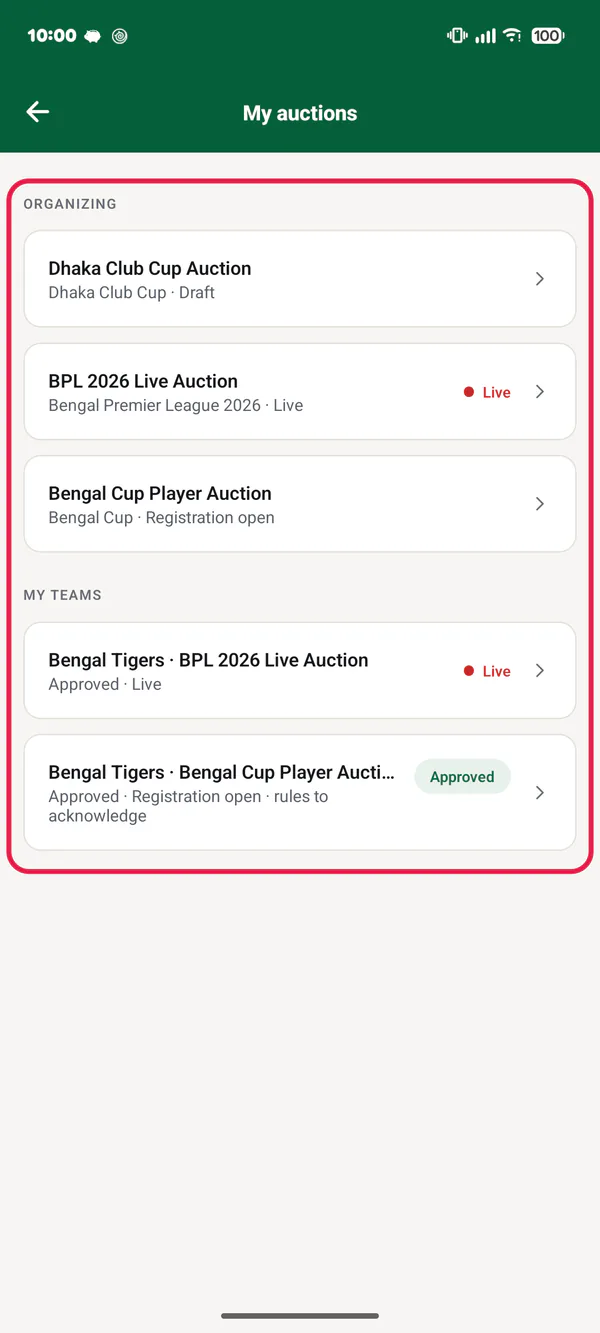
Picture 2. Tap or click to see it bigger.
Common problems
| Problem | What to do |
|---|---|
| Mark ready is grey | See Why can't I mark the auction ready? |
| What does this auction notice mean? | See What do the auction notifications mean? |
What happens next
Open the first guide for your part in the table above.