


Player auction
Auction settings explained, card by card
After this guide, you know what every box in Auction settings means, and how to choose good numbers.
Before you start
An auction in Draft. See K1.
The examples use taka. A points auction works the same, with points.
Who this is for: The organiser filling in the rules.
How Save works
Empty boxes show a grey example. Type money as "50 L", "1.5 Cr" or "5000000". The app shows it back: = Tk 25 L. Red Not an exact amount.? Type it again.
CONTACT AND DATES and LOOK have their own save buttons. Everything else saves with Save settings at the bottom.
After saving, the app says Saved, then The settings are complete., or lists what is Still blank.
Not saved and a red Fix these first box at the top? Fix each line and save again.
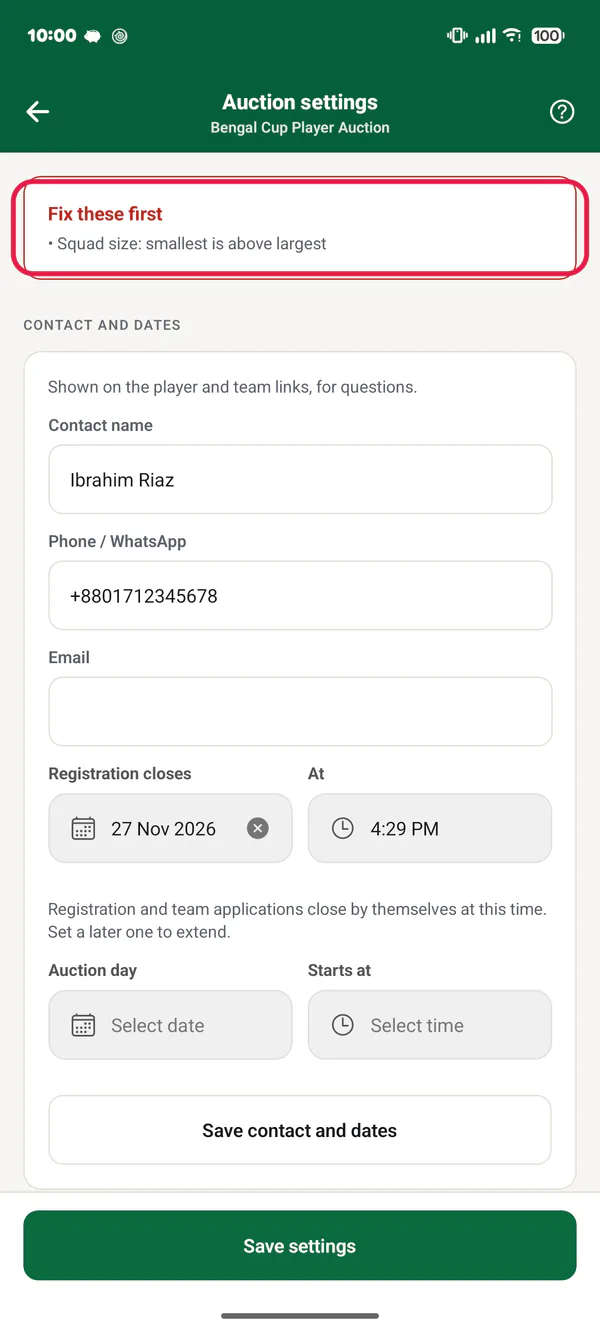
Picture 1. Tap or click to see it bigger.
The cards
CONTACT AND DATES: who players ask, and when. Registration closes shuts registration by itself. Closed too early? Choose a later time, save, then tap Open registration again on the auction screen.
LOOK: the colours of the live screen, big screen and results: Classic, Midnight, Heritage or Stadium. Tap Save look.
PURSE: the money each team can spend in the whole auction. Example: "25 L".
SQUAD SIZE: Smallest is the fewest players a team must buy. Largest is the most it may have. Example: 11 and 15.
SQUAD MIX (optional): rules every squad must follow. Tap Add a rule, choose At least or At most, then How many players and Count players by. Example: at least 4 who are Bowler or All-rounder.
BASE PRICES: each player starts at the base price of their category. Example: Category A "1 L". Fixed step: only if every bid in that category rises by the same amount. Example: base 1 L, fixed step 25,000 → 1 L, 1.25 L, 1.5 L.
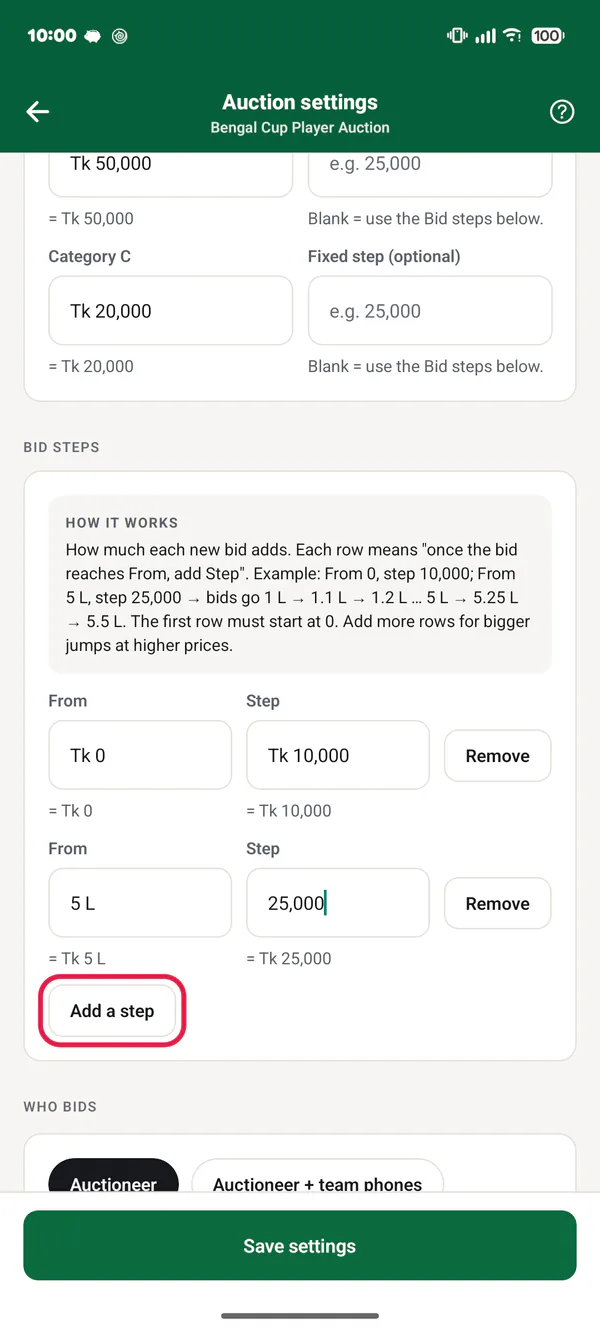
BID STEPS: how much each new bid adds. Each row means "from this amount, add this step". The first row starts at 0.
| From | Step |
|---|---|
| 0 | 10,000 |
| 5 L | 25,000 |
Bids go 1 L → 1.1 L → 1.2 L … 5 L → 5.25 L.
WHO BIDS: Auctioneer (you enter bids), Auctioneer + team phones, or Team phones only. With team phones, Teams may bid a higher amount lets a team jump above the next bid.
TIMER: Off (no clock), Assist (a clock shows; you still call the hammer) or Auto (when the clock runs out, the player is sold or unsold). Type First bid (seconds) (e.g. 30) and Between bids (seconds) (e.g. 15).
RETENTIONS AND RTM: how many players a team may keep. Blank means no limit.
Fixed cost by slot (optional): Slot 1 "20 L", Slot 2 "15 L" → a team keeping two pays 35 L from its purse.
Right to match: Simple match (the old team may take the player at the winning bid) or Final raise, then match (the winner may raise once first).
Cards: Same cards for every team (for example 2), or Fewer the more they retain.
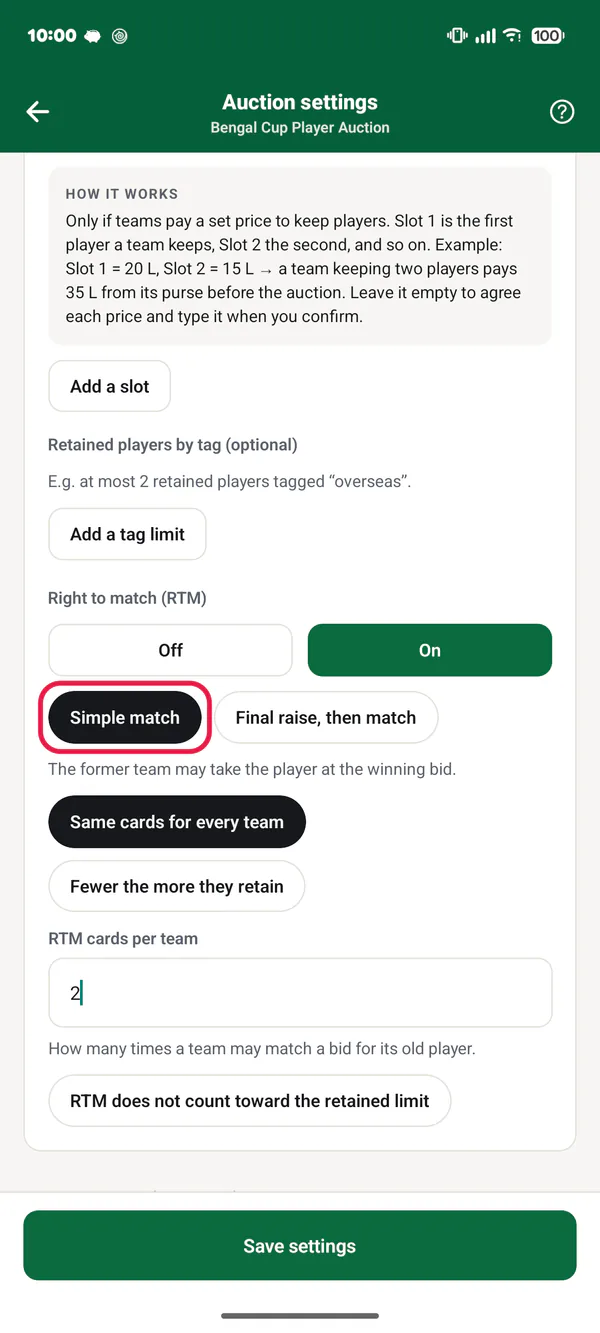
Picture 3. Tap or click to see it bigger.
PLAYER FEE CAP (optional): tap Cap what a player receives and type the most a player gets. Example: "10 L". The team still pays its full bid.
PLAYER REGISTRATION: the Registration fee (optional), the ways you accept money (for example bKash, Nagad) and How to pay (optional). You collect it, then approve. Expires after (days): a waiting player must register again after this. Blank means never.
How to choose good numbers
Money auction, 6 teams, squad 11–15:
Purse Tk 25 L each.
Base: Category A Tk 1 L, B Tk 50,000, C Tk 20,000.
Check: 11 players × Tk 20,000 = Tk 2.2 L. Every team can buy its smallest squad.
Steps: from 0 add 10,000; from 5 L add 25,000.
A team that spends Tk 20 L on two stars still has Tk 5 L for 9 more players.
Points auction: purse 10,000 points, base 500, step 100. 11 × 500 = 5,500 points, so the purse is enough.
What happens next
Save, then open registration. See K1, Part 3.
Common problems
| Problem | What to do |
|---|---|
| A team’s purse cannot buy its minimum squad | Raise the purse, or lower the base prices or the smallest squad. |
| The squad-mix minimums add up to more than the squad | Lower an "at least" rule. |
| The settings are locked once the auction is ready. | The rules can't change after Mark ready. |