


Getting started
How to get the CricoScore app from the website
Install the free Android app, or open a match, team or tournament in the app.
Who can do this
Everyone with an Android phone.
Before you start
An Android phone with internet.
There is no iPhone app yet. On an iPhone, keep using the website.
Install the app
At the very top of any page, tap the dark green bar. On a phone it says Install. On a computer it says Get the app.
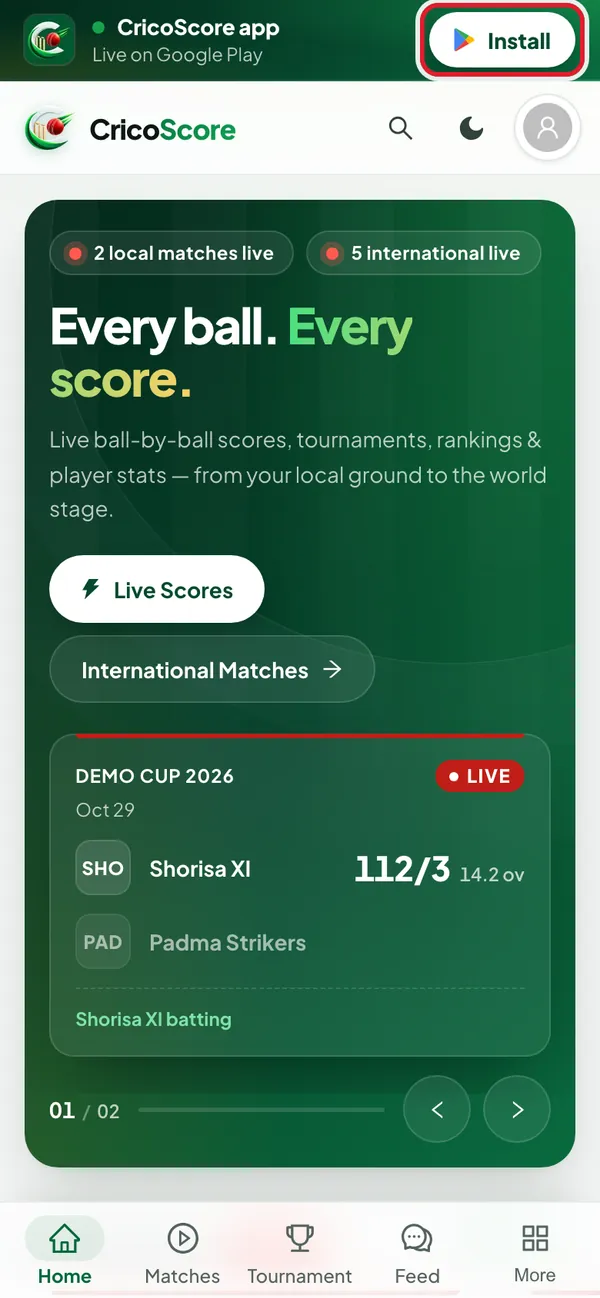
Picture 1. Tap or click to see it bigger. Google Play opens on the CricoScore app. Tap Install.
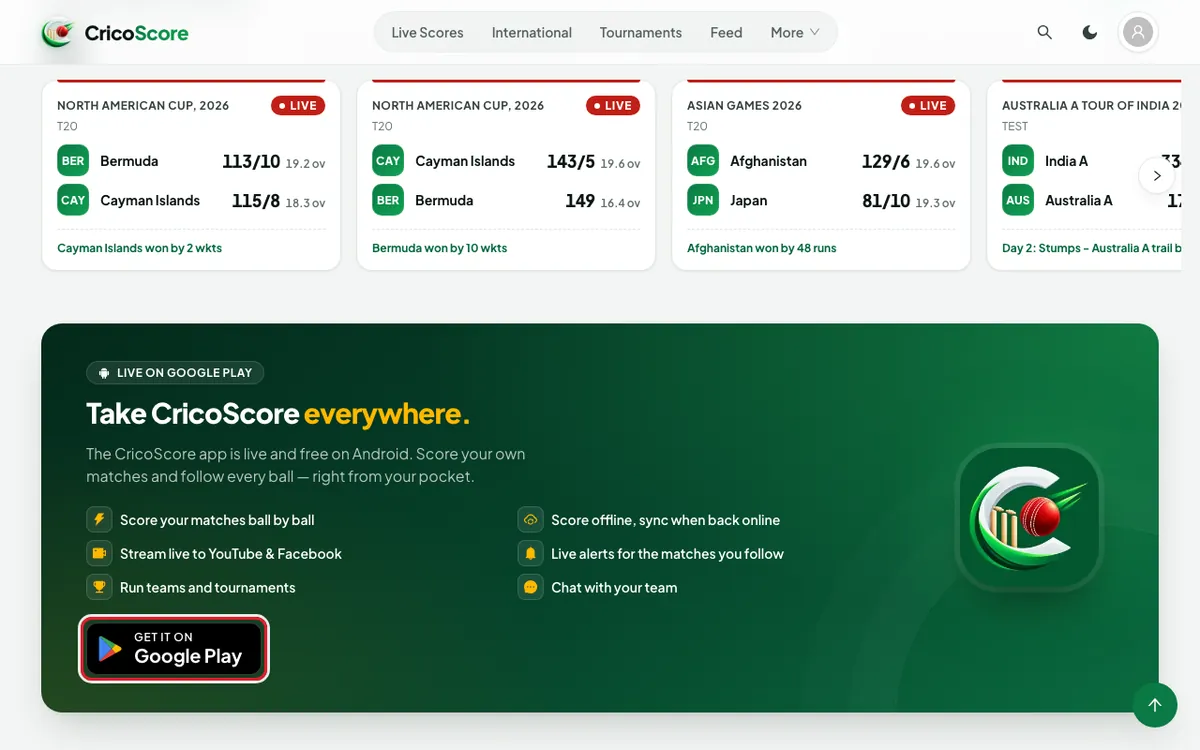
You can also use the GET IT ON Google Play button. It is on the home page, in Take CricoScore everywhere. It is also at the bottom of every page.
Open a match in the app (Android phone)
Open a match page on the website.
Scroll down below the tabs. Find the card with Open in the app.
Tap Open in the app. The app opens on that match. If the app is not installed, Google Play opens.
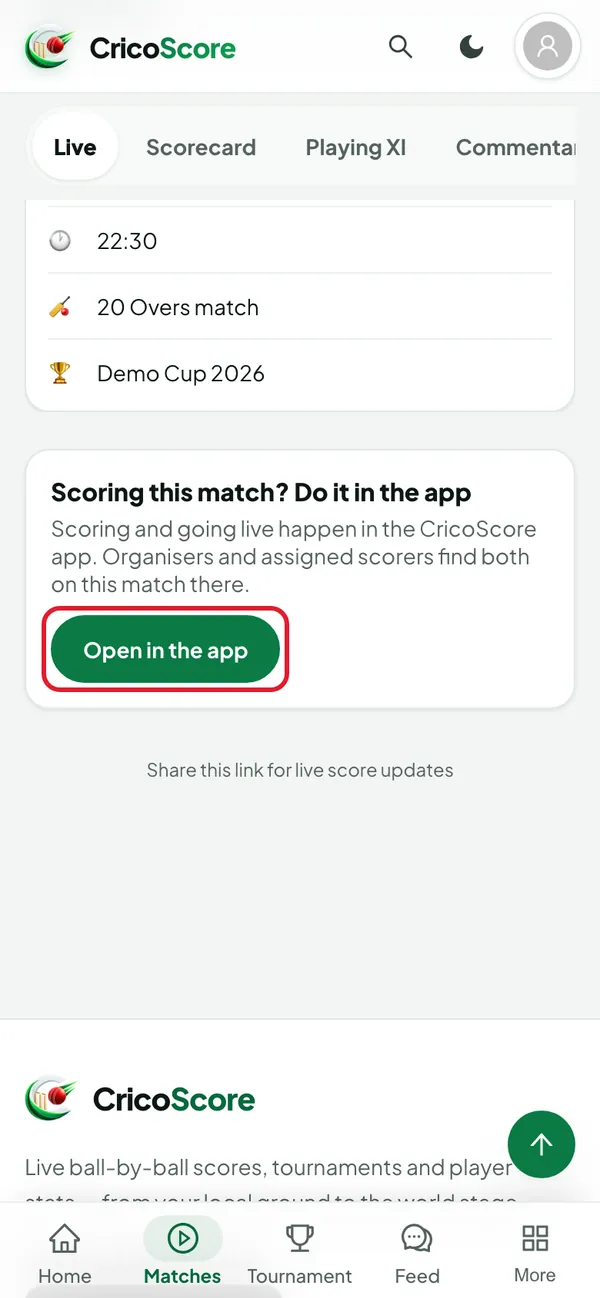
Picture 3. Tap or click to see it bigger.
Team pages and tournament pages have the same card.
Open a match in the app (computer)
Open the match page on your computer.
Find the card below the tabs. It shows a QR code.
Scan the QR code with the camera of your Android phone. The match opens in the app. If the app is not installed, the match page opens in your browser.
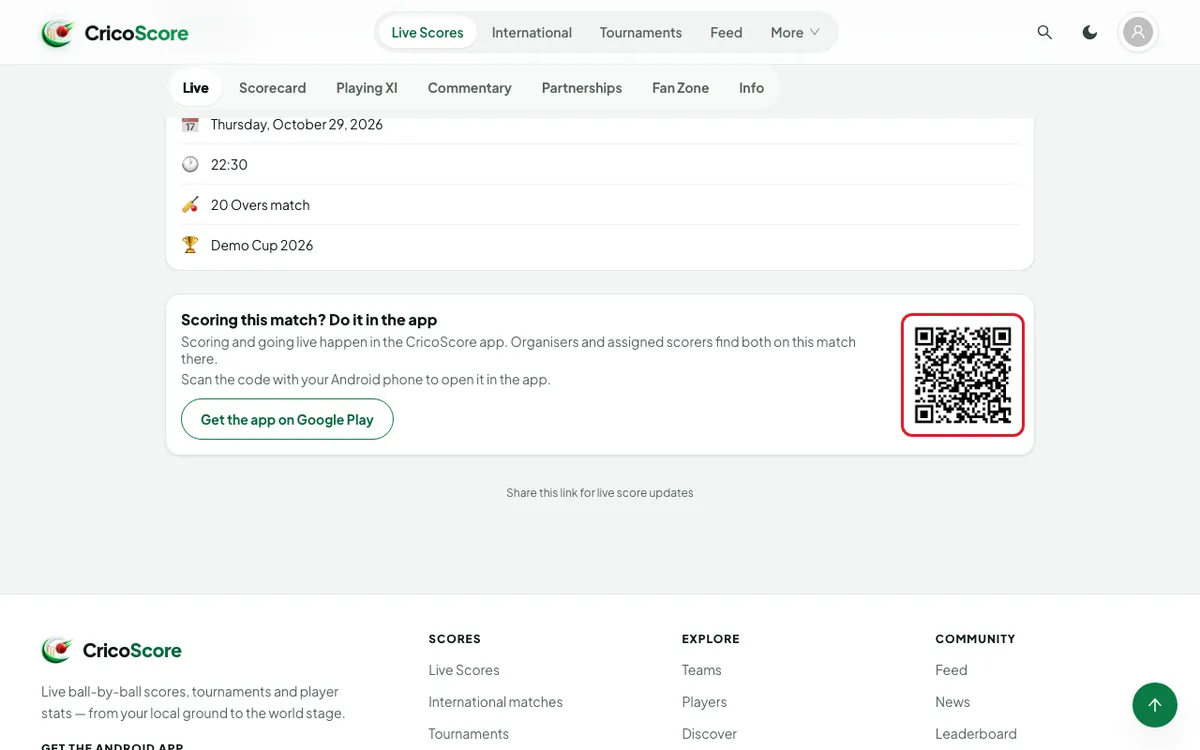
Picture 4. Tap or click to see it bigger.
Common problems
| Problem | What to do |
|---|---|
| I have an iPhone | There is no iPhone app yet. You can follow every score on the website. |
| The QR code opens the website, not the app | Is the app installed? If not, install it first. If it is, tap Open in the app on that page. |
| I tapped Open in the app, and Google Play opened | The app is not on your phone. Install it, then tap Open in the app again. |