


Getting started
A tour of the CricoScore website
Learn where everything is on cricoscore.app, on a computer and on a phone.
Who can do this
Everyone.
Before you start
Open cricoscore.app in your browser.
The top of every page
The dark green app bar. At the very top. It says the CricoScore app is on Google Play. Click Get the app (on a phone: Install) to open Google Play.
The CricoScore logo. Click it to go back to the home page.
The search icon (magnifying glass). Find players, teams, matches and tournaments.
The bell. Your notifications. You see it only when you are signed in.
The moon or sun icon. Changes the page to dark or light.
The person icon. Your account menu.
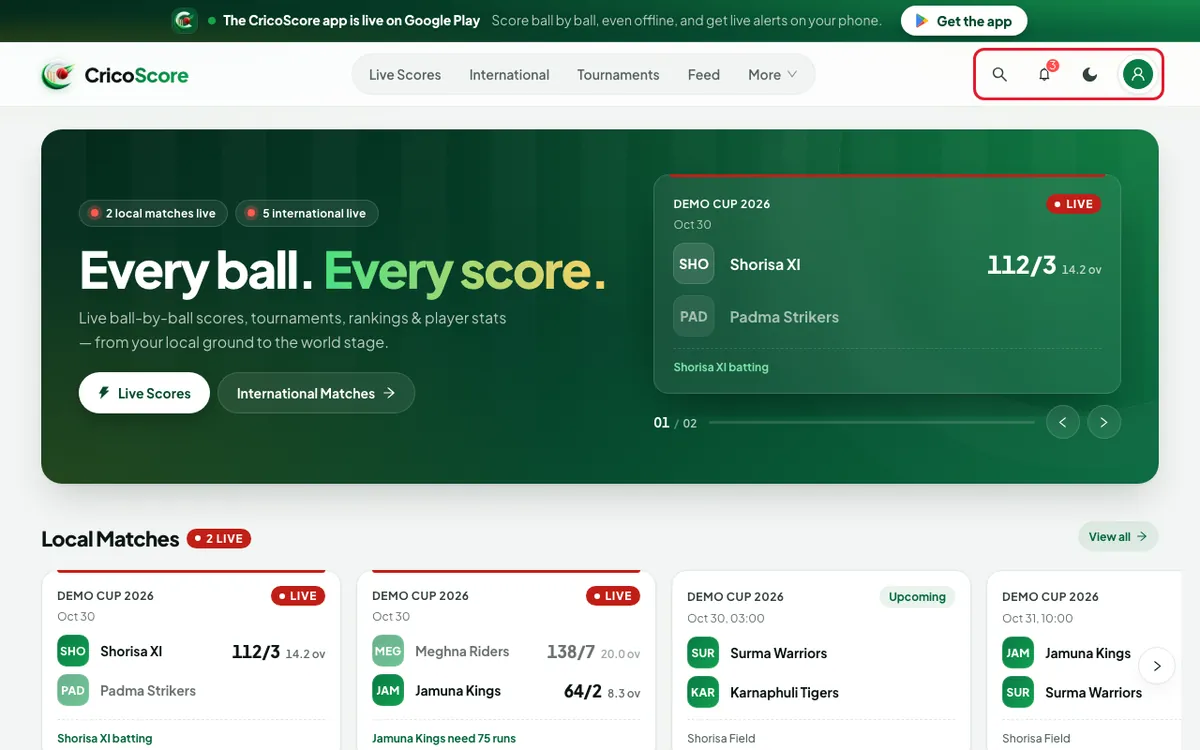
The menu on a computer
At the top, in the middle:
Live Scores — local matches.
International — world cricket.
Tournaments — all tournaments.
Feed — posts from players and fans.
More — click it to see three lists:
Browse: Live matches, Teams, Players, Championships, News.
Stats: Career Records, Leaderboard, Milestones.
Help: How-to guides (guides like this one) and Help & FAQ.
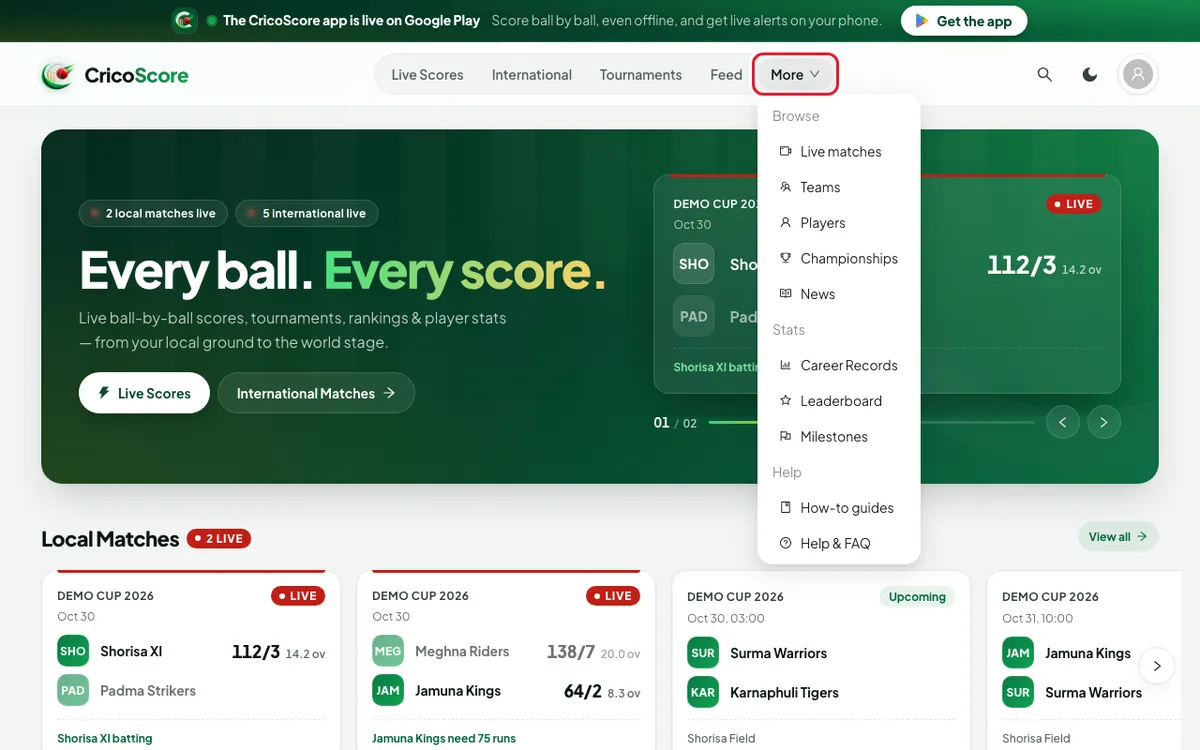
The bottom bar on a phone
On a phone, the menu is a bar at the bottom of the screen:
Home, Matches, Tournament, Feed, More.
On a very small phone, Tournament says Tourney.
Tap More to see BROWSE, STATS and HELP. International is here, in BROWSE. The guides are in HELP.
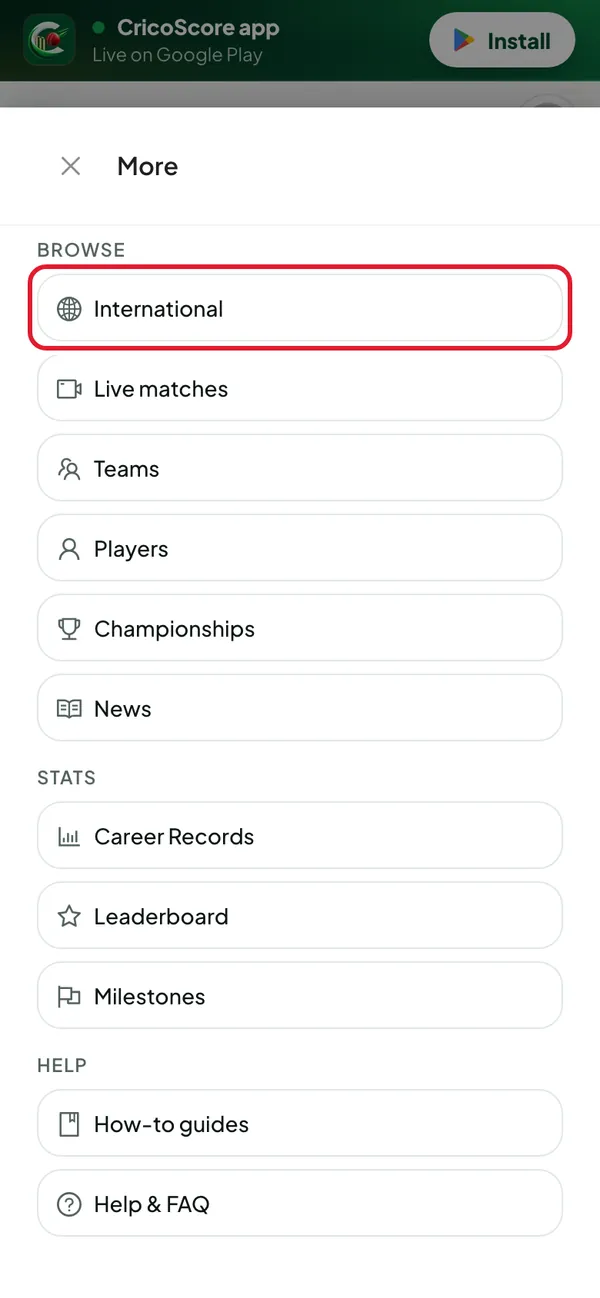
The account menu
Click the person icon at the top right.
Signed out: Log in and Sign up.
Signed in: your name, then My account, Notifications, My Cricket, My league, Achievements, Friends and Log out.
My league is the weekly ladder. The app calls it Ladder.
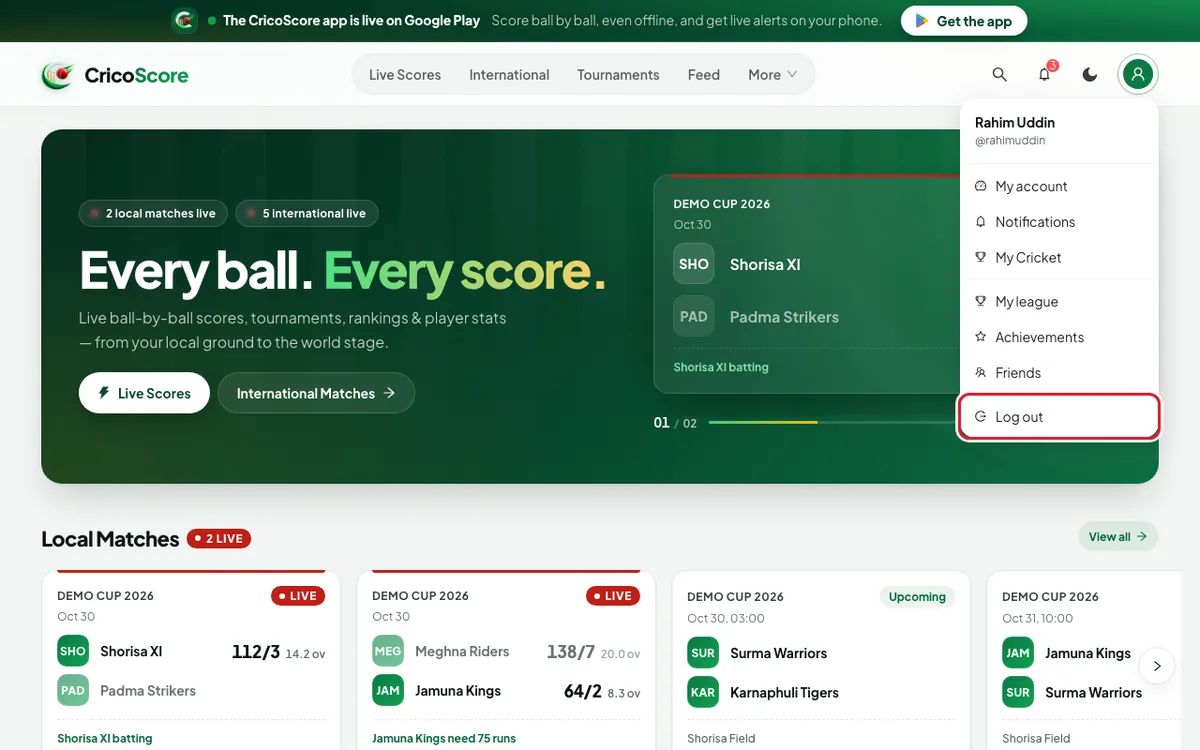
The home page
From top to bottom:
Live matches now, with Live Scores and International Matches buttons.
Local Matches and International Matches.
Take CricoScore everywhere — get the app.
My Teams and My Tournaments (only when you are signed in and follow some).
Local Tournaments, Top Local Players, Popular Videos, Milestones, Suggested Players and Popular Posts.
Click View all next to a heading to see the full list.
The bottom of every page
Links in 3 groups: SCORES, EXPLORE and COMMUNITY. Here you find How-to guides, Help & FAQ, Discover (find players) and the Google Play button.
Common problems
| Problem | What to do |
|---|---|
| I can't see the menu at the top on my phone | On a phone, the menu is the bar at the bottom of the screen. |
| I can't find International on my phone | Tap More in the bottom bar. |
| The page is dark (or light) | Click the moon or sun icon at the top. See Why is the page dark or light? |
| I don't see the bell | Sign in first. See How to sign in. |